
Free
$0Free plan available.
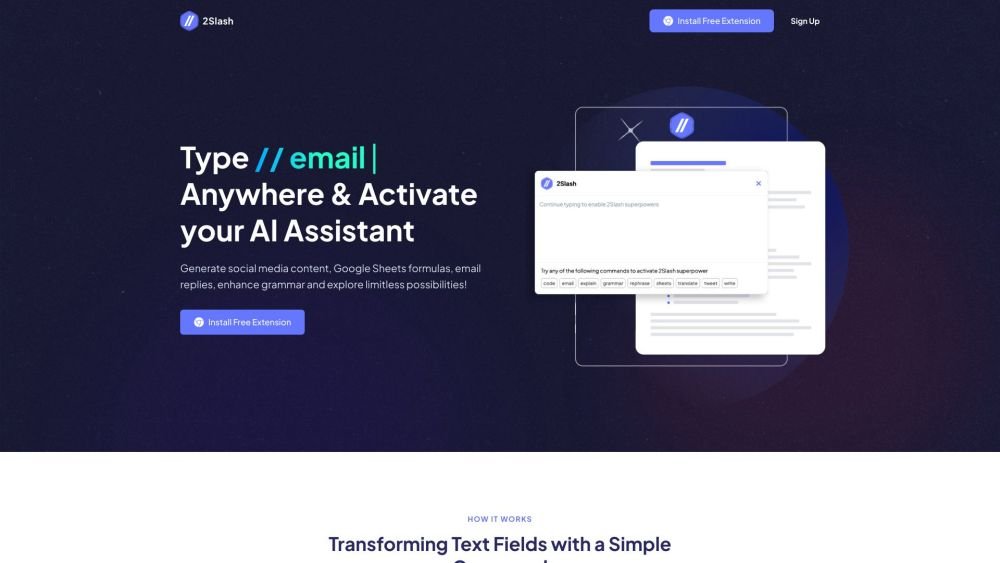
2Slash is a browser extension that enables AI in any text field. It allows users to generate social media content, Google Sheets formulas, email replies, enhance grammar, and explore limitless possibilities. By typing '//' in any text field, users can create emails, translate, fix grammar mistakes, write paragraphs, rephrase text, and even generate code in seconds. 2Slash aims to make daily work more efficient by connecting users with their community, boosting engagement, and elevating social media influence with tailored responses and captivating posts.
Install the 2Slash Chrome extension. Type '//' in any text field to activate the AI assistant. Use commands such as 'email,' 'write,' 'translate,' 'sheets,' or 'code' followed by your specific request. Adjust the length, persona, and tone of the generated content as needed. Rephrase the results if further refinement is required.
Currently, the extension is available for the Chrome browser. Support for Firefox and Edge is planned for the near future.
2Slash integrates with GPT-4o, GPT-4o Mini, Gemini 1.5 Pro, Gemini 2.0 Flash, Claude 3.5, and Llama 3. You can select your preferred model within the extension settings.
2Slash is integrated directly into any text input on any website. It offers a tailored approach to specific tasks, providing optimized results through a wide range of configuration options.
The extension is free to install and includes a one-week free trial. After the trial period, you can choose to continue using the service through one of our available paid subscription plans.
Free plan available.
Use these comparison pages to understand the trade-offs between the models most relevant to 2Slash.
Compare Gemini 1.5 Pro Deprecated and Gemini 2.0 Flash across pricing, context window, capabilities, benchmarks, and API access to choose the better fit for general-purpose AI workloads versus long-context workloads.
Compare Gemini 1.0 Pro Deprecated and Gemini 2.0 Flash across pricing, context window, capabilities, benchmarks, and API access to choose the better fit for long-context workloads versus long-context workloads.
Compare Gemini 1.0 Pro Vision Deprecated and Gemini 2.0 Flash across pricing, context window, capabilities, benchmarks, and API access to choose the better fit for general-purpose AI workloads versus long-context workloads.
Compare Gemini 1.5 Pro Vision Deprecated and Gemini 2.0 Flash across pricing, context window, capabilities, benchmarks, and API access to choose the better fit for general-purpose AI workloads versus long-context workloads.

Similar AI tool in the AI Assistant category.
Similar AI tool in the AI Assistant category.
Similar AI tool in the AI Writing Assistants category.
Similar AI tool in the AI Assistant category.
Similar AI tool in the AI Writing Assistants category.
Similar AI tool in the AI Writing Assistants category.
Similar AI tool in the AI Assistant category.
Similar AI tool in the AI Chatbot category.
Similar AI tool in the AI Chatbot category.
Similar AI tool in the AI Assistant category.
Similar AI tool in the AI Assistant category.
Similar AI tool in the AI Assistant category.