
Free
$0Free plan available.
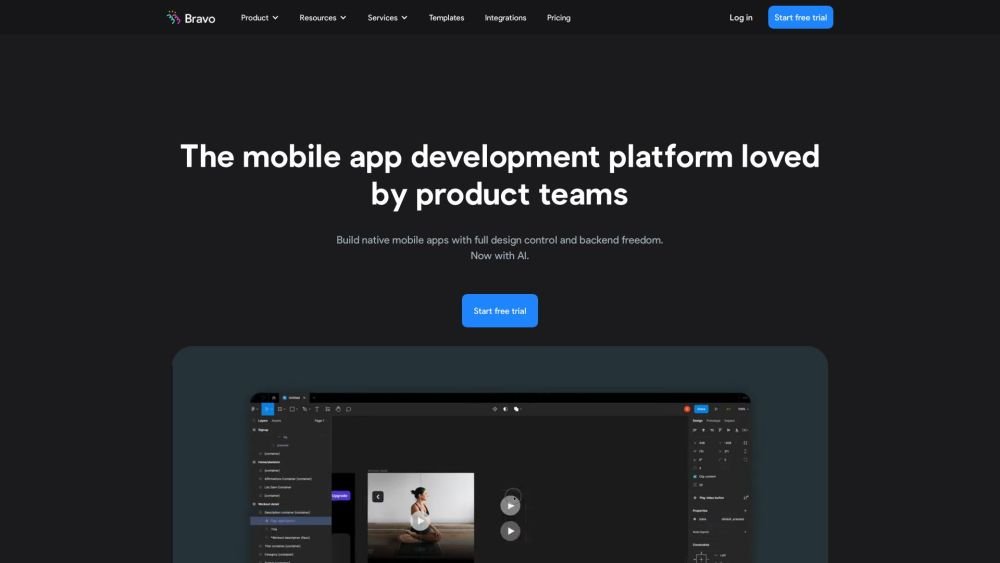
Bravorizer is a Figma plugin that bridges the gap between Figma and Bravo Studio to facilitate the creation of native iOS and Android apps. By connecting your Figma designs to APIs, you can add real-world functionality to your projects, enabling the rapid development of sophisticated mobile applications. Bravo Studio allows you to turn designs into interactive prototypes with native features, making it easy to showcase your ideas and publish them when you are ready.
Design your application interface in Figma, use the Bravorizer plugin to connect your design elements to APIs, and then publish your finished app to the iOS and Android app stores.
Bravorizer is a Figma plugin that integrates with Bravo Studio to help you build native iOS and Android applications.
Bravo Studio supports a wide range of app development projects, including CRM, meditation, fitness, restaurant, and event applications, among others.
Bravo Studio enables you to connect your application to any third-party service or tool that offers a REST API.
Free plan available.
Use these comparison pages to understand the trade-offs between the models most relevant to Bravo Studio.
Compare Gemini 1.0 Pro Deprecated and Gemini 2.0 Flash across pricing, context window, capabilities, benchmarks, and API access to choose the better fit for long-context workloads versus long-context workloads.
Compare Gemini 1.0 Pro Deprecated and Gemini 2.5 Flash across pricing, context window, capabilities, benchmarks, and API access to choose the better fit for long-context workloads versus long-context workloads.
Compare Gemini 2.0 Flash Lite and Gemini 2.0 Flash across pricing, context window, capabilities, benchmarks, and API access to choose the better fit for long-context workloads versus long-context workloads.
Compare Gemini 2.5 Flash and Gemini 2.0 Flash across pricing, context window, capabilities, benchmarks, and API access to choose the better fit for long-context workloads versus long-context workloads.

Similar AI tool in the AI Copilot category.
Similar AI tool in the AI Assistant category.
Similar AI tool in the AI Assistant category.
Similar AI tool in the AI Assistant category.
Similar AI tool in the AI Writing Assistants category.
Similar AI tool in the AI Writing Assistants category.
Similar AI tool in the AI Writing Assistants category.
Similar AI tool in the AI Assistant category.
Similar AI tool in the AI Chatbot category.
Similar AI tool in the AI Chatbot category.
Similar AI tool in the AI Chatbot category.
Similar AI tool in the AI Chatbot category.