
Free
$0Free plan available.
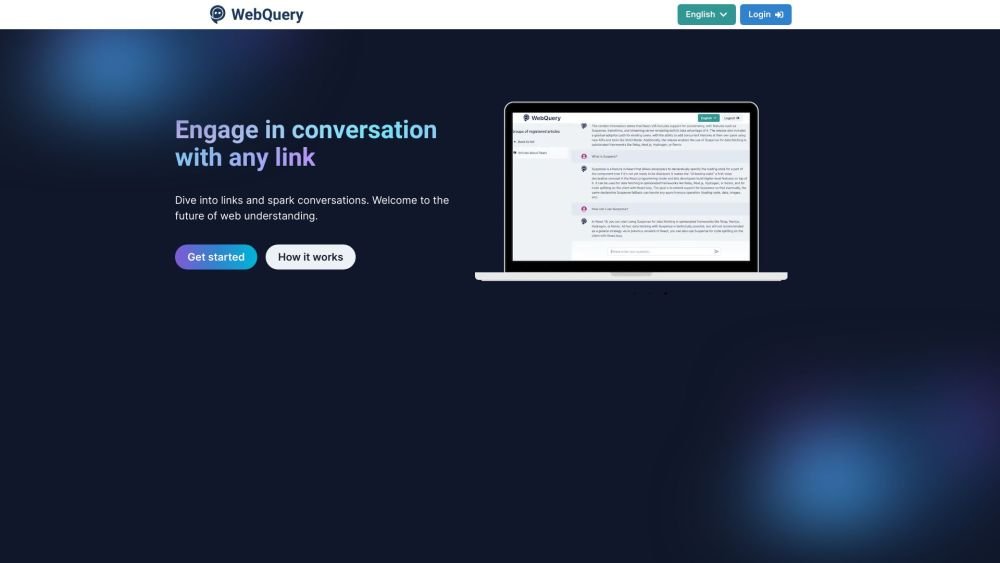
WebQuery is an AI-driven tool that redefines web engagement. It allows users to input links, enabling the AI to analyze the content and generate intuitive questions for deeper insights. It aims to facilitate interactive conversations with web content.
1. Submit the link or links of the article you want to analyze, including a name for identification. 2. Wait for the processing to complete; the app will extract information from the link and create a dedicated group for the article. 3. Ask your question, and ChatGPT will provide an answer based on the content of the article.
WebQuery uses AI to analyze the content of a web page from a provided link. It then generates intuitive questions and provides answers based on that content using ChatGPT.
Yes, you can submit multiple links simultaneously.
WebQuery provides a basic free plan with limited features, alongside a premium plan that offers unlimited access.
Free plan available.
Use these comparison pages to understand the trade-offs between the models most relevant to WebQuery.
Compare GPT 5.4 and GPT 5.4 Pro across pricing, context window, capabilities, benchmarks, and API access to choose the better fit for long-context workloads versus long-context workloads.
Compare GPT 5.5 and GPT 5.4 across pricing, context window, capabilities, benchmarks, and API access to choose the better fit for long-context workloads versus long-context workloads.
Compare GPT 5.5 and Claude 4.6 Opus across pricing, context window, capabilities, benchmarks, and API access to choose the better fit for long-context workloads versus long-context workloads.
Compare GPT 5.5 and Claude 4.6 Sonnet across pricing, context window, capabilities, benchmarks, and API access to choose the better fit for long-context workloads versus long-context workloads.

Similar AI tool in the AI Assistant category.
Similar AI tool in the AI Assistant category.
Similar AI tool in the AI Productivity Tools category.
Similar AI tool in the AI Assistant category.
Similar AI tool in the AI Assistant category.
Similar AI tool in the AI Assistant category.
Similar AI tool in the AI Chatbot category.
Similar AI tool in the AI Chatbot category.
Similar AI tool in the AI Productivity Tools category.
Similar AI tool in the AI Assistant category.
Similar AI tool in the AI Assistant category.
Similar AI tool in the AI Assistant category.