
Free
$0Free plan available.
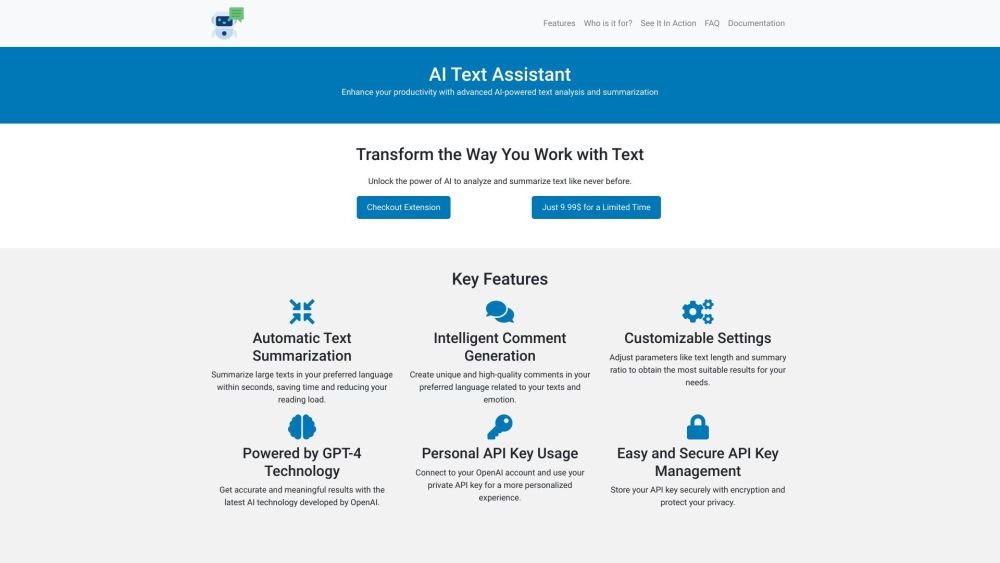
AI Text Assistant leverages GPT-4 to transform your workflow. It allows you to instantly summarize large texts and generate intelligent comments in any language, enhancing your productivity through advanced AI-powered analysis.
Install the extension to begin summarizing text and generating comments. For a more personalized and accurate experience, connect your OpenAI account by entering your personal API key into the AI Text Assistant settings.
Automatic Text Summarization allows you to condense long documents into shorter, manageable versions. AI Text Assistant uses advanced algorithms to extract key points, providing a concise summary in seconds.
Intelligent Comment Generation creates unique, high-quality comments based on your text. The tool's GPT-4 technology analyzes the context to generate relevant and meaningful insights.
AI Text Assistant lets you adjust settings like text length and summary ratio to achieve results that meet your specific needs and preferences.
Input your personal API key into the AI Text Assistant settings to connect your account. The application uses this key to access the OpenAI platform for a personalized experience. In-app instructions guide you through the process.
Yes, your API key is stored securely using encryption to ensure your privacy and confidentiality.
Yes, upon installation, you can access certain features for a 3-day trial period. Afterward, you can gain unlimited access to all features with a one-time payment of $9.99.
No, AI Text Assistant does not collect your private data, and your API key is stored with encryption. Please review OpenAI's privacy policies regarding any data handled through their services.
Free plan available.
Use these comparison pages to understand the trade-offs between the models most relevant to AI Text Assistant.
Compare GPT 5.4 and GPT 5.4 Pro across pricing, context window, capabilities, benchmarks, and API access to choose the better fit for long-context workloads versus long-context workloads.
Compare GPT 5.5 and GPT 5.4 across pricing, context window, capabilities, benchmarks, and API access to choose the better fit for long-context workloads versus long-context workloads.
Compare GPT 5.5 and Claude 4.6 Opus across pricing, context window, capabilities, benchmarks, and API access to choose the better fit for long-context workloads versus long-context workloads.
Compare GPT 5.5 and Claude 4.6 Sonnet across pricing, context window, capabilities, benchmarks, and API access to choose the better fit for long-context workloads versus long-context workloads.

Similar AI tool in the AI Assistant category.
Similar AI tool in the AI Assistant category.
Similar AI tool in the AI Assistant category.
Similar AI tool in the AI Productivity Tools category.
Similar AI tool in the AI Assistant category.
Similar AI tool in the AI Assistant category.
Similar AI tool in the AI Assistant category.
Similar AI tool in the AI Productivity Tools category.
Similar AI tool in the AI Assistant category.
Similar AI tool in the AI Chatbot category.
Similar AI tool in the AI Assistant category.
Similar AI tool in the AI Assistant category.