
Free
$0Free plan available.
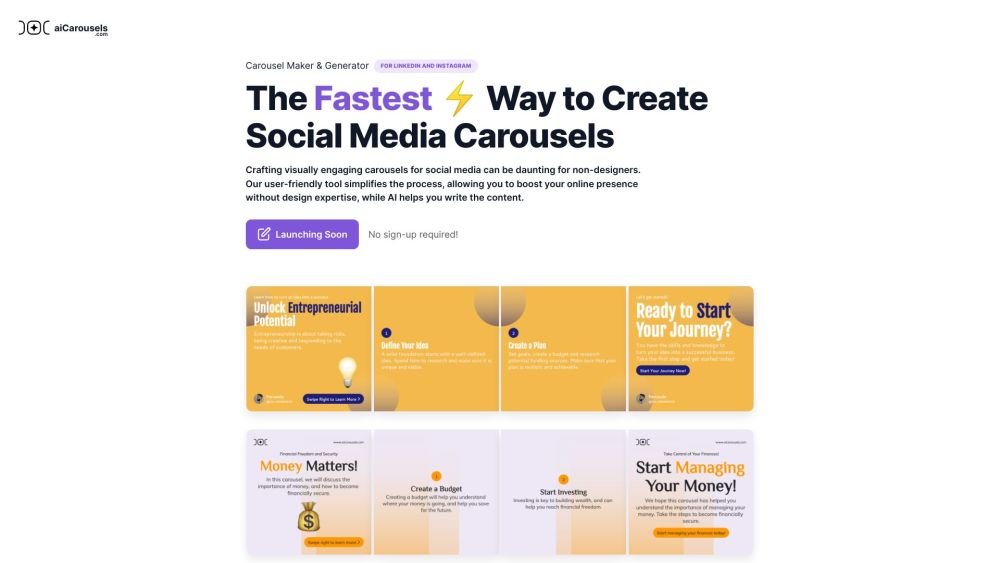
aiCarousels is a platform designed to simplify the creation of visually engaging carousels for social media, including LinkedIn, Instagram, and TikTok. It provides a user-friendly interface that allows users without design experience to enhance their online presence. The platform features an AI writing assistant to help generate carousel content, along with additional tools such as a LinkedIn post formatter and generator, a post ideas generator, a quote card generator, and an infographic generator.
To use aiCarousels, select a topic or input existing content, and allow the AI to generate a captivating carousel. Customize the design using the intuitive platform, which requires no prior design experience. To access bonus features, click the 'menu grid' icon.
A social media carousel is a content format that allows users to display multiple images in a single post on platforms like Instagram and LinkedIn. Carousels help brands and individuals tell a more detailed story or share related content without requiring multiple separate posts.
To post a carousel on LinkedIn, download your document as a PDF, open the LinkedIn app or website, click 'Start a post', select the document icon to upload your PDF, add a caption, and click 'Post'.
Open the Instagram app, tap the '+' icon, select 'Library' or 'Gallery', choose your images or videos, tap 'Select Multiple', add a caption and hashtags, and tap 'Share'.
Tap the '+' icon, select the 'Upload' button, choose your photos, add music and effects, include a caption and hashtags, and tap 'Share'.
Yes, you can use aiCarousels to create carousel ads for platforms such as Facebook, LinkedIn, Instagram, and other services that support carousel ad formats.
Click the 'menu grid' icon located in the top left corner of your screen to access all available bonus features.
Navigate to the editor and click the 'menu grid' icon in the top left corner of your screen to access additional tools, including the LinkedIn Post Generator.
The autosave functionality ensures you do not lose progress. You can save multiple drafts and resume your work at any time by loading your saved files.
Once your LinkedIn post is ready, click the 'Copy to Clipboard' button to share it on LinkedIn.
Yes, the tool provides formatting options including bold, italic, underline, strikethrough, bullet points, and numbered lists. You can also organize lists in ascending or descending order to improve post structure.
Yes, the tool includes a LinkedIn Post Preview feature, which allows you to see how your post will appear on various devices before you publish it.
Free plan available.
Use these comparison pages to understand the trade-offs between the models most relevant to aiCarousels.
Compare Gemini 1.0 Pro Deprecated and Gemini 2.0 Flash across pricing, context window, capabilities, benchmarks, and API access to choose the better fit for long-context workloads versus long-context workloads.
Compare Gemini 1.0 Pro Deprecated and Gemini 2.5 Flash across pricing, context window, capabilities, benchmarks, and API access to choose the better fit for long-context workloads versus long-context workloads.
Compare Gemini 2.0 Flash Lite and Gemini 2.0 Flash across pricing, context window, capabilities, benchmarks, and API access to choose the better fit for long-context workloads versus long-context workloads.
Compare Gemini 2.5 Flash and Gemini 2.0 Flash across pricing, context window, capabilities, benchmarks, and API access to choose the better fit for long-context workloads versus long-context workloads.

Similar AI tool in the AI Writing Assistants category.
Similar AI tool in the AI Image Generator category.
Similar AI tool in the AI Marketing category.
Similar AI tool in the AI Assistant category.
Similar AI tool in the AI Assistant category.
Similar AI tool in the AI Writing Assistants category.
Similar AI tool in the AI Writing Assistants category.
Similar AI tool in the AI Assistant category.
Similar AI tool in the AI Chatbot category.
Similar AI tool in the AI Marketing category.
Similar AI tool in the AI Marketing category.
Similar AI tool in the AI Writing Assistants category.