
Free
$0Free plan available.
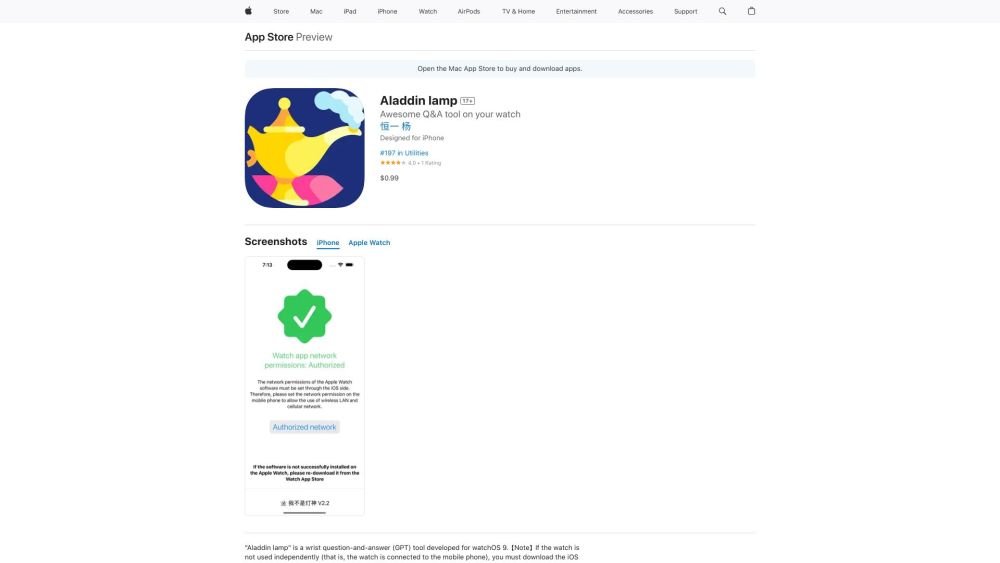
Aladdin lamp is a wrist-based question-and-answer (GPT) tool developed for watchOS 9. It supports continuous dialogue, voice conversion, conversation record saving and exporting, and multilingual Q&A. It is powered by the GPT-3.5 Turbo AI model.
Download the app from the App Store. If using the watch alongside a phone, ensure the corresponding iOS app is also installed to enable necessary network permissions. Use voice or text input to ask questions and receive AI-generated answers.
The watch keyboard syncs with your phone. Add your preferred keyboard on your phone first. Then, on the watch keyboard, tap the triangle symbol at the bottom and swipe up to switch between available keyboards.
Search for the app in the watch's App Store, or tap your profile picture at the bottom of the App Store screen. Navigate to "Purchased Items" to locate and download the app.
Network errors often occur when the watch screen dims, causing the app to pause. Keep the system active by rotating the watch crown or by increasing the Wake Screen duration in your watch settings.
You can export conversations by tapping the export icon located on the right side of each record in your history, or by using the export icon at the bottom of the answer page. You can then share the content via email or iMessage.
Ensure your watch is not in silent mode and verify the volume level in the top right corner of the app. If you disable silent mode, you must restart the app for the changes to take effect.
Tap the volume icon in the top right corner, then rotate the watch crown to adjust the level. Tap anywhere else on the screen to confirm your selection.
The interface language matches your system settings. To change the keyboard language, tap the triangle symbol at the bottom of the keyboard screen and swipe up. If your desired language is missing, add it on your phone, and the watch will synchronize the change automatically.
Free plan available.
Use these comparison pages to understand the trade-offs between the models most relevant to Aladdin lamp.
Compare Gemini 1.0 Pro Deprecated and Gemini 2.0 Flash across pricing, context window, capabilities, benchmarks, and API access to choose the better fit for long-context workloads versus long-context workloads.
Compare Gemini 2.0 Flash Lite and Gemini 2.0 Flash across pricing, context window, capabilities, benchmarks, and API access to choose the better fit for long-context workloads versus long-context workloads.
Compare Gemini 1.0 Pro Deprecated and Gemini 1.5 Flash Deprecated across pricing, context window, capabilities, benchmarks, and API access to choose the better fit for long-context workloads versus general-purpose AI workloads.
Compare Gemini 1.0 Pro Deprecated and Gemini 1.5 Flash Vision Deprecated across pricing, context window, capabilities, benchmarks, and API access to choose the better fit for long-context workloads versus general-purpose AI workloads.

Similar AI tool in the AI Assistant category.
Similar AI tool in the AI Assistant category.
Similar AI tool in the AI Productivity Tools category.
Similar AI tool in the AI Assistant category.
Similar AI tool in the AI Assistant category.
Similar AI tool in the AI Assistant category.
Similar AI tool in the AI Chatbot category.
Similar AI tool in the AI Chatbot category.
Similar AI tool in the AI Chatbot category.
Similar AI tool in the AI Assistant category.
Similar AI tool in the AI Assistant category.
Similar AI tool in the AI Assistant category.