
Free
$0Free plan available.
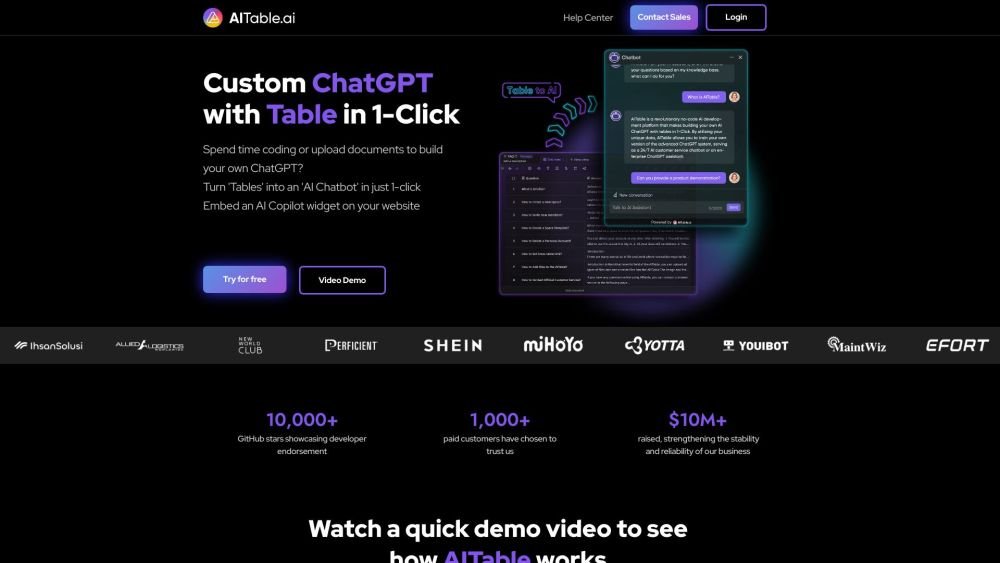
AITable.ai helps users turn tables into AI chatbots with one click. It simplifies workflow automation with a visual database and connects to 6,000+ apps via Zapier, Make, Pabbly, and Activepieces. AITable.ai is an AI data organization tool to organize any data with features like seamless database-spreadsheet interface, customizable forms, automation, workdoc and buttons fields, all designed to streamline your personal and enterprise CRM, project management and productivity demands.
Users can organize any data with AI using AITable.ai's database-spreadsheet interface, customizable forms, automation, workdoc, and button fields. It also allows users to chat with their AI database and generate workflows with AI.
A Space is a collaboration platform for all members of your organization or team. You can access your personalized managed and invited spaces by clicking the space icon located in the upper-left corner of the AITable workbench.
A 'file node' refers to items in the left-side directory tree of your workspace, such as datasheets, forms, and dashboards. Deleted file nodes are not counted. Creating a new datasheet and a new form adds two file nodes to your total; deleting one of these items reduces the count by one. Learn more: https://help.aitable.ai/docs/guide/tutorial-get-to-know-file-nodes
You can view your current Space plan and usage by navigating to the Space settings > Overview section.
You can upgrade your existing paid Space plan in a few clicks by navigating to Space settings > Upgrade and selecting your preferred paid plan.
AI pricing depends on the plan, as different tiers include varying initial message credit allocations. Message credits are used for chatbot queries. Please note that AITable's AI feature pricing is currently in the testing phase and may be subject to future changes based on policies from providers like OpenAI.
Credits are consumed by two primary features: queries and training. One AI query using gpt-3.5-turbo (the default) costs 1 message credit, while one AI response using gpt-4 costs 20 message credits. You can adjust the model your chatbot uses in the chatbot settings. Training 300,000 characters costs 1 credit.
You can downgrade your current plan directly within the Space settings. For unsubscribing, we will assist you with the process; please click the purple icon in the bottom-right corner to send us a message or contact us at support@aitable.ai.
Free plan available.
Use these comparison pages to understand the trade-offs between the models most relevant to AITable.ai.
Compare GPT 5.4 and GPT 5.4 Pro across pricing, context window, capabilities, benchmarks, and API access to choose the better fit for long-context workloads versus long-context workloads.
Compare GPT 5.5 and GPT 5.4 across pricing, context window, capabilities, benchmarks, and API access to choose the better fit for long-context workloads versus long-context workloads.

Similar AI tool in the AI Assistant category.
Similar AI tool in the AI Assistant category.
Similar AI tool in the AI Productivity Tools category.
Similar AI tool in the AI Assistant category.
Similar AI tool in the AI Writing Assistants category.
Similar AI tool in the AI Image Generator category.
Similar AI tool in the AI Assistant category.
Similar AI tool in the AI Chatbot category.
Similar AI tool in the AI Productivity Tools category.
Similar AI tool in the AI Assistant category.
Similar AI tool in the AI Chatbot category.
Similar AI tool in the AI Assistant category.