
Free
$0Free plan available.
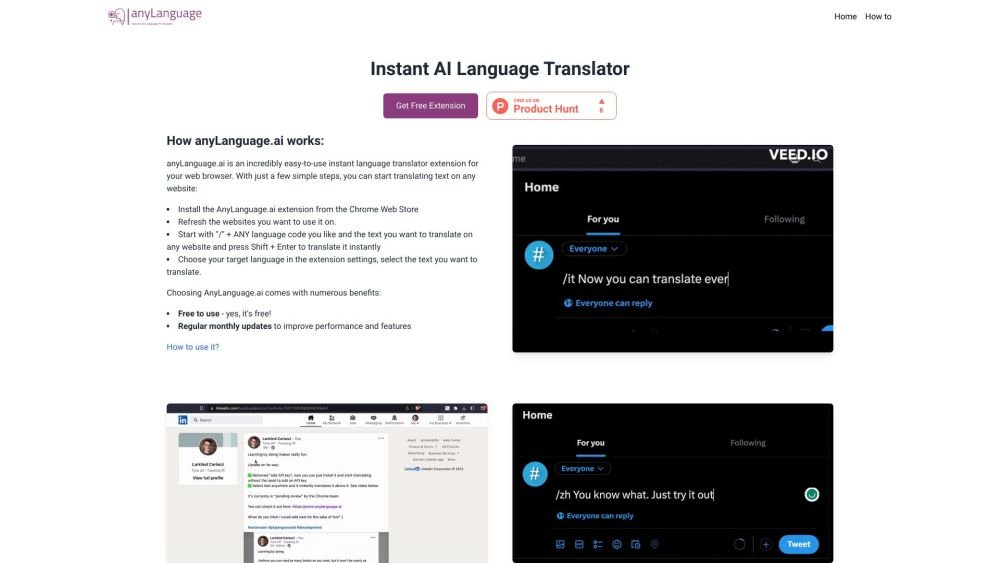
AnyLanguage.ai is an instant AI language translator extension for your browser. It allows you to translate text on any website by selecting the text and choosing your target language in the extension settings. You can also translate by starting with "/" + ANY language code and the text you want to translate, then pressing Shift + Enter.
1. Install the AnyLanguage.ai extension from the Chrome Web Store. 2. Refresh the websites where you intend to use the tool. 3. To translate, type "/" followed by the desired language code and your text on any website, then press Shift + Enter for an instant translation. 4. Alternatively, configure your target language in the extension settings and select the text you wish to translate.
You can translate text by typing "/" followed by the language code and your text on any website, then pressing Shift + Enter for an instant translation. Alternatively, set your target language in the extension settings and select the text you want to translate.
Yes, AnyLanguage.ai is free to use.
Free plan available.

Similar AI tool in the AI Assistant category.
Similar AI tool in the AI Assistant category.
Similar AI tool in the AI Assistant category.
Similar AI tool in the AI Productivity Tools category.
Similar AI tool in the AI Assistant category.
Similar AI tool in the AI Assistant category.
Similar AI tool in the AI Assistant category.
Similar AI tool in the AI Productivity Tools category.
Similar AI tool in the AI Assistant category.
Similar AI tool in the AI Chatbot category.
Similar AI tool in the AI Assistant category.
Similar AI tool in the AI Assistant category.