
Free
$0Free plan available.
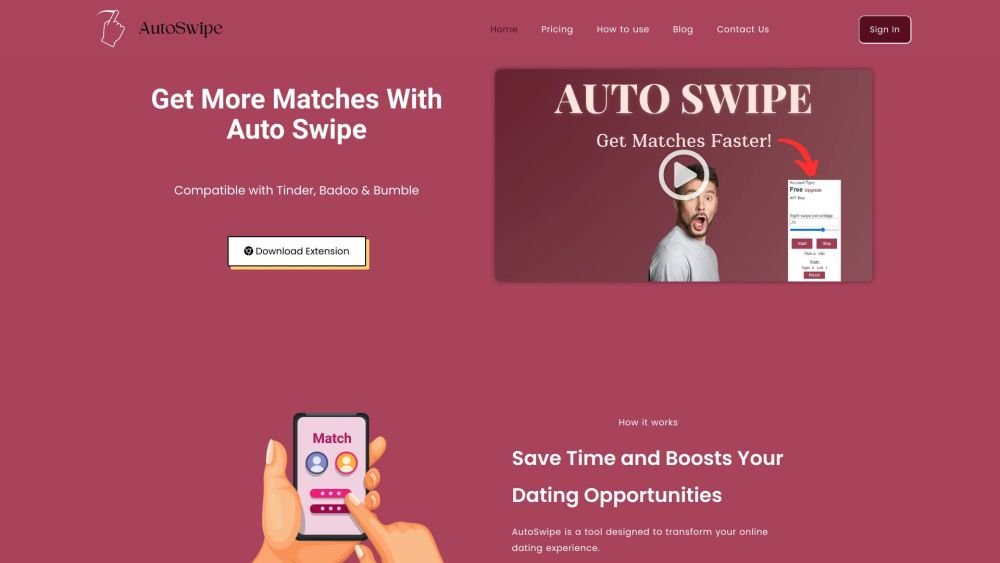
Auto Swipe is a Chrome extension designed to automate swiping on dating platforms like Tinder, Badoo, and Bumble. It saves users time by automatically swiping based on set preferences, increasing the chances of matches. The extension offers features like swipe speed control, right swipe percentage adjustment, and age range settings.
1. Install the Auto Swipe Chrome extension. 2. Configure the extension by opening your account, copying the API key from your dashboard, navigating to the dating website, and pasting the API key into the extension. 3. Launch the extension to begin automatic swiping.
Auto Swipe is a Google Chrome extension designed to streamline and automate your online dating experience. It uses your defined preferences, such as age range, distance, and interests, to automatically swipe right on profiles that meet your criteria, saving you time and effort.
Auto Swipe is designed to work with major dating platforms, specifically Tinder and Bumble. Once installed, you can configure your preferences and allow the extension to automate your swiping process on these sites.
Yes, for Auto Swipe to work, your browser must remain open. As a Google Chrome extension, it requires an active browser session to continuously scan and swipe on platforms like Tinder and Bumble.
If you match with someone you are not interested in, you can simply unmatch or ignore that connection directly on the dating platform. Auto Swipe is a tool to assist in finding potential matches, but the final decision on who you engage with remains yours.
Free plan available.
Use these comparison pages to understand the trade-offs between the models most relevant to Auto Swipe.
Compare Gemini 1.0 Pro Deprecated and Gemini 1.5 Flash Vision Deprecated across pricing, context window, capabilities, benchmarks, and API access to choose the better fit for long-context workloads versus general-purpose AI workloads.
Compare Gemini 1.5 Pro Vision Deprecated and Gemini 1.0 Pro Deprecated across pricing, context window, capabilities, benchmarks, and API access to choose the better fit for general-purpose AI workloads versus long-context workloads.
Compare Gemini 1.0 Pro Vision Deprecated and Gemini 1.5 Flash Vision Deprecated across pricing, context window, capabilities, benchmarks, and API access to choose the better fit for general-purpose AI workloads versus general-purpose AI workloads.
Compare Gemini 1.5 Pro Vision Deprecated and Gemini 1.0 Pro Vision Deprecated across pricing, context window, capabilities, benchmarks, and API access to choose the better fit for general-purpose AI workloads versus general-purpose AI workloads.

Similar AI tool in the AI Social Media category.
Similar AI tool in the AI Social Media category.
Similar AI tool in the AI Assistant category.
Similar AI tool in the AI Assistant category.
Similar AI tool in the AI Productivity Tools category.
Similar AI tool in the AI Assistant category.
Similar AI tool in the AI Assistant category.
Similar AI tool in the AI Chatbot category.
Similar AI tool in the AI Chatbot category.
Similar AI tool in the AI Productivity Tools category.
Similar AI tool in the AI Assistant category.
Similar AI tool in the AI Assistant category.