
Free
$0Free plan available.
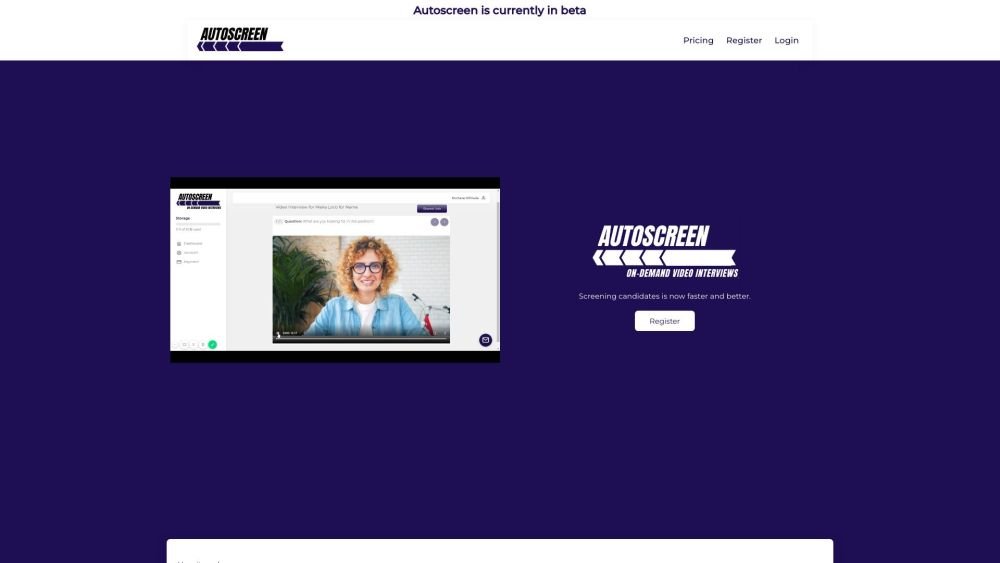
Autoscreen is a one-way video interview software designed to streamline hiring by offering tailored, on-demand interviews. Candidates respond when they are ready, and employers review the recordings at their leisure. The platform aims to provide flexible, efficient, and comprehensive candidate evaluations, helping to reduce recruitment clutter, engage interested candidates, and save time and money.
1. Create interview templates and add your candidates. 2. Copy the generated interview links and send them to your candidates. 3. Receive notifications once candidates submit their interviews. 4. Review and share the completed candidate interviews.
Every company is different. Some find that on-demand, one-way interviews are sufficient, while others use them to augment their existing recruitment process. Autoscreen is primarily used to quickly filter out unqualified candidates before moving forward with a standard interview for qualified applicants.
There are multiple ways to conduct interviews, including creating job links, generating candidate-specific links, sending emails directly from the platform, using Zapier, or utilizing the API to programmatically create and distribute links to candidates.
Yes, you can try any of our plans for 30 days.
Yes, you can generate a shareable link directly from the interview page.
Yes, you may cancel your subscription at any time via the dashboard. Your account will be suspended on the monthly anniversary of your subscription. Recorded interviews will not be accessible after the expiry date, and account data is retained for thirty days following expiration. You may request an earlier deletion if preferred.
There is no limit on the number of interviews you can conduct per month, though there is a limit on total storage. The Starter plan includes 1GB of storage, while the Professional plan includes 5GB. If you require additional storage, you may request a custom plan or delete older interviews to free up space.
Free plan available.
Use these comparison pages to understand the trade-offs between the models most relevant to Autoscreen.
Compare Gemini 1.0 Pro Deprecated and Gemini 2.0 Flash across pricing, context window, capabilities, benchmarks, and API access to choose the better fit for long-context workloads versus long-context workloads.
Compare Gemini 1.0 Pro Deprecated and Gemini 2.5 Flash across pricing, context window, capabilities, benchmarks, and API access to choose the better fit for long-context workloads versus long-context workloads.
Compare Gemini 2.0 Flash Lite and Gemini 2.0 Flash across pricing, context window, capabilities, benchmarks, and API access to choose the better fit for long-context workloads versus long-context workloads.
Compare Gemini 2.5 Flash and Gemini 2.0 Flash across pricing, context window, capabilities, benchmarks, and API access to choose the better fit for long-context workloads versus long-context workloads.

Similar AI tool in the AI Assistant category.
Similar AI tool in the AI Assistant category.
Similar AI tool in the AI Productivity Tools category.
Similar AI tool in the AI Writing Assistants category.
Similar AI tool in the AI Assistant category.
Similar AI tool in the AI Assistant category.
Similar AI tool in the AI Writing Assistants category.
Similar AI tool in the AI Writing Assistants category.
Similar AI tool in the AI Chatbot category.
Similar AI tool in the AI Chatbot category.
Similar AI tool in the AI Assistant category.
Similar AI tool in the AI Assistant category.