
Free
$0Free plan available.
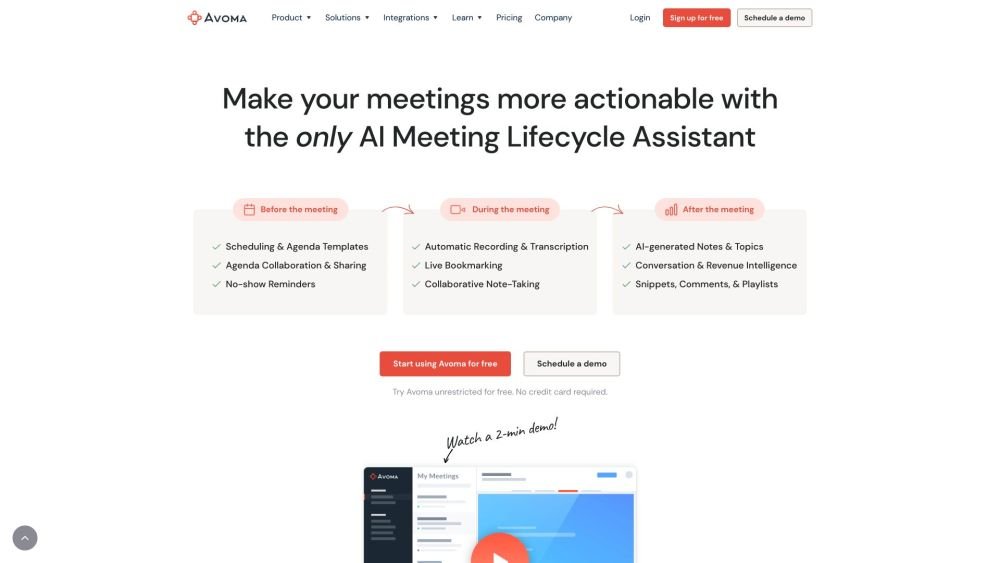
Avoma is an end-to-end AI meeting assistant that automatically transcribes, summarizes, and analyzes every meeting to provide actionable insights, high-quality notes, and more. It functions as an all-in-one platform for note-taking, scheduling, call coaching, CRM updates, conversation intelligence, and revenue intelligence.
Avoma automates your meeting workflow. Simply schedule your meetings and record them; Avoma will then handle the transcription, summarization, and insight generation. You can also integrate the platform with your CRM and other tools to streamline your processes.
Yes, you can pay specifically for the features you require.
Yes, you can.
Yes, you can test all Avoma features for free without any restrictions or the need to contact a salesperson.
Yes, view-only seats are free, and you only pay for the specific functionality you need.
A recorder license is for any user who needs to record and transcribe their meetings and calls. You only need to purchase a subscription plan for users who require recording and transcription capabilities.
No, only users who record and transcribe meetings require a paid subscription seat. Viewers and collaborators can use the platform for free.
No. You can sign up and use Avoma for 14 days without entering payment information. At the end of the trial, you can choose to purchase seats and provide your payment details.
During the 14-day free trial, you receive unrestricted access to the Avoma Organization plan, including all available add-ons.
No. Since we do not require a credit card upfront, you will only be charged when you decide to proceed with a paid plan.
Once your 14-day trial ends, your account will switch to a Viewer role. You will retain access to past recordings but will be unable to record new meetings unless you upgrade to a paid plan. You may also schedule a demo with our sales team.
No. There are no setup fees, minimum platform fees, or ongoing charges for customer support.
No, add-ons follow the same billing cycle as your primary subscription plan.
A listener or collaborator is any user who wants to listen to recordings, read transcripts or notes, or comment on team meetings. These roles are free of charge.
Yes. There is no charge for viewers, listeners, or collaborators to use Avoma.
No. All users who record meetings must be on the same subscription plan (Startup, Organization, or Enterprise). However, add-ons can be assigned individually to team members based on their specific needs.
Yes, you can invite as many team members as you like to your trial. We encourage this to help your team make an informed decision, as different members often find value in Avoma for their specific use cases.
If you upgrade your plan or add licenses, the changes are pro-rated for the remainder of your billing cycle and billed immediately. If you downgrade or remove licenses, the change takes effect at the start of the next billing cycle. We generally do not offer credits or refunds for unused licenses or mid-cycle cancellations.
We are happy to provide more time. Please email us at help@avoma.com to request a trial extension.
We offer up to 33% off for annual billing paid upfront on base subscription plans. Additionally, you can save 10% when bundling any two add-ons, or 15% when bundling all three.
Yes! You can save 10% by selecting any two add-ons or 15% by purchasing all three. This discount applies only to add-on fees and not to the base subscription plan.
Free plan available.

Similar AI tool in the AI Copilot category.
Similar AI tool in the AI Lead Generation category.
Similar AI tool in the AI Assistant category.
Similar AI tool in the AI Chatbot category.
Similar AI tool in the AI Assistant category.
Similar AI tool in the AI Assistant category.
Similar AI tool in the AI Assistant category.
Similar AI tool in the AI Agent category.
Similar AI tool in the AI Assistant category.
Similar AI tool in the AI Productivity Tools category.
Similar AI tool in the AI Assistant category.
Similar AI tool in the AI Chatbot category.