
Free
$0Free plan available.
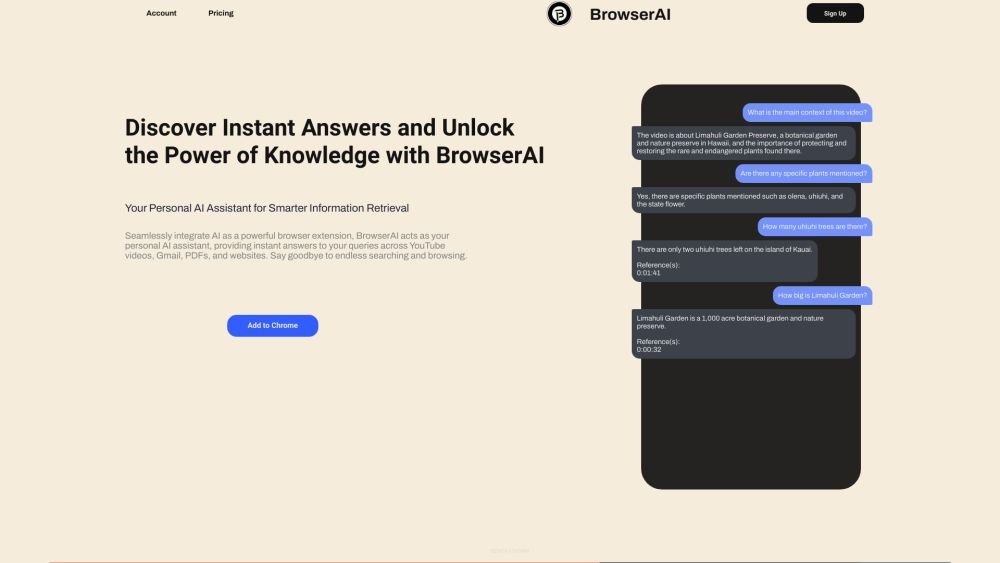
BrowserAI is an AI-powered browser extension that acts as a personal AI assistant. It provides instant answers to queries across various platforms including YouTube videos, Gmail emails, PDF files, and general website text content. It aims to eliminate endless searching and browsing by seamlessly integrating AI into the user's workflow.
BrowserAI functions as a desktop browser extension. Users interact with the tool by sending messages or asking questions regarding YouTube videos, Gmail emails, uploaded PDF files, or the text content of any active webpage. The AI then provides immediate answers or assists with tasks such as summarizing video content and drafting email responses.
BrowserAI currently supports English, Mandarin, Hindi, Spanish, French, Arabic, and Tamil.
A token is a unit used to access AI services, calculated based on your usage. Each time you send a message or query, the text is converted into tokens. Approximately 100 tokens correspond to 75 words.
Total token usage is calculated as: Your Query Tokens + Previous Chat Tokens + Browsing Content Tokens + AI Response Tokens. Examples are available for YouTube video queries and blog reading.
Clearing your previous chat history can reduce token usage, though this may result in less accurate AI responses regarding past queries.
Requesting a summary of a YouTube video consumes more tokens, especially for long videos (e.g., a 3-hour video may require 25K-50K tokens). General queries consume fewer tokens.
No, tokens do not expire and will remain in your account until used.
Your token balance will accumulate with each purchase.
No. As stated in the 'Terms & Privacy' section, purchased tokens cannot be exchanged, refunded, or transferred to other accounts.
No, BrowserAI does not access or read any data unless you actively engage with the tool.
BrowserAI only accesses data when you send a message or query. For YouTube, it retrieves the video title, category, and ID. For Gmail, it reads the email text. For PDFs, the file is uploaded to servers temporarily for processing. For webpages, it reads the text on the page you are currently viewing.
No, your chats, messages, queries, and collected text are not stored on servers. PDF files are kept only temporarily and are deleted when the tab is closed.
No, it does not track your browsing activity. It only reads text from the specific webpage you are viewing when you initiate a query.
Free plan available.
Use these comparison pages to understand the trade-offs between the models most relevant to BrowserAI.
Compare Gemini 1.0 Pro Deprecated and Gemini 2.0 Flash across pricing, context window, capabilities, benchmarks, and API access to choose the better fit for long-context workloads versus long-context workloads.
Compare Gemini 2.0 Flash Lite and Gemini 2.0 Flash across pricing, context window, capabilities, benchmarks, and API access to choose the better fit for long-context workloads versus long-context workloads.
Compare Gemini 1.0 Pro Deprecated and Gemini 1.5 Flash Deprecated across pricing, context window, capabilities, benchmarks, and API access to choose the better fit for long-context workloads versus general-purpose AI workloads.
Compare Gemini 1.0 Pro Deprecated and Gemini 1.5 Flash Vision Deprecated across pricing, context window, capabilities, benchmarks, and API access to choose the better fit for long-context workloads versus general-purpose AI workloads.

Similar AI tool in the AI Assistant category.
Similar AI tool in the AI Assistant category.
Similar AI tool in the AI Productivity Tools category.
Similar AI tool in the AI Assistant category.
Similar AI tool in the AI Assistant category.
Similar AI tool in the AI Assistant category.
Similar AI tool in the AI Chatbot category.
Similar AI tool in the AI Chatbot category.
Similar AI tool in the AI Productivity Tools category.
Similar AI tool in the AI Assistant category.
Similar AI tool in the AI Assistant category.
Similar AI tool in the AI Assistant category.