
Free
$0Free plan available.
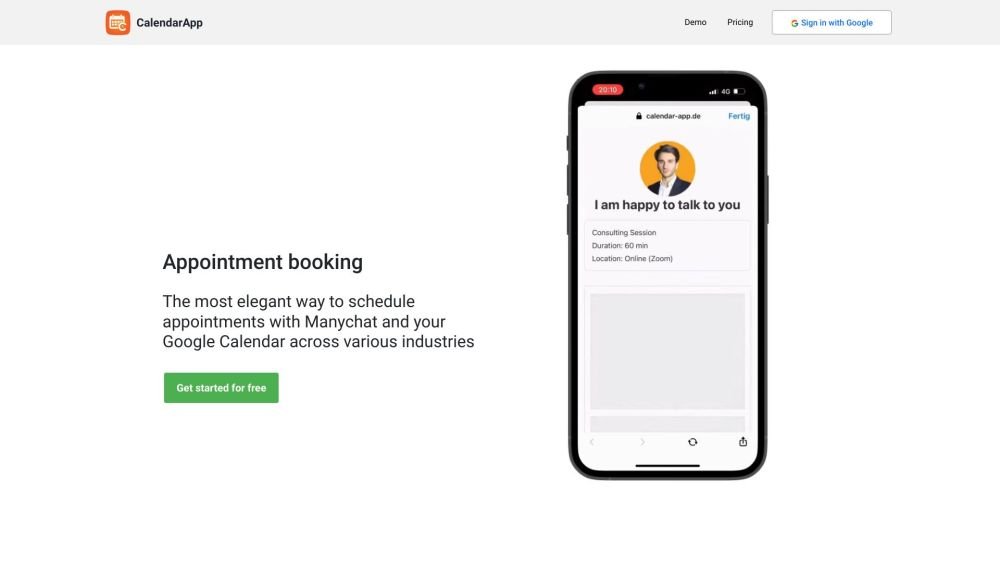
CalendarApp is a tool designed to schedule appointments on social media platforms like WhatsApp, Facebook, Instagram, and Telegram, automatically syncing bookings to Google Calendar. It offers conversational scheduling, allowing customers to book appointments through chats. It caters to various industries, including restaurants, real estate, hotels, medical, gyms, sales, automotive, and beauty.
After signing up for a free account, users receive credentials to connect CalendarApp to their Manychat account. Once a use case is selected and calendar settings are configured, the system is ready to receive appointments.
Yes, you can test CalendarApp for free for 14 days. No credit card is required, and the trial ends automatically.
Currently supported channels include Messenger, Instagram, WhatsApp, Telegram, and Google Maps. Future support is planned for LinkedIn, SMS, Signal, and Viber.
Yes, all your appointments are stored in your Google Calendar. Support for Outlook and Office 365 calendars will be available soon.
CalendarApp supports a wide range of businesses and use cases, including group or individual event bookings. Examples include restaurants, real estate agents, car dealers, medical professionals, hair and beauty salons, gyms, sports classes, and both online and offline events.
After signing up for free, you will receive credentials to connect CalendarApp to your Manychat account. Once you select a use case and manage your calendar settings, you are ready to receive appointments.
Yes, we provide comprehensive help documentation and instructional videos. Our support team is also available to assist you.
Yes, all buttons, text, and Manychat flows can be fully customized to suit your audience. We also offer translated templates in six different languages.
CalendarApp is frequently used by agencies, and we have made it simple to manage all your clients' businesses from a single account.
Certainly. Click the button, then select your preferred channel and business type.
Free plan available.
Use these comparison pages to understand the trade-offs between the models most relevant to CalendarApp.
Compare Gemini 1.0 Pro Deprecated and Gemini 2.0 Flash across pricing, context window, capabilities, benchmarks, and API access to choose the better fit for long-context workloads versus long-context workloads.
Compare Gemini 1.0 Pro Deprecated and Gemini 2.5 Flash across pricing, context window, capabilities, benchmarks, and API access to choose the better fit for long-context workloads versus long-context workloads.
Compare Gemini 2.0 Flash Lite and Gemini 2.0 Flash across pricing, context window, capabilities, benchmarks, and API access to choose the better fit for long-context workloads versus long-context workloads.
Compare Gemini 2.5 Flash and Gemini 2.0 Flash across pricing, context window, capabilities, benchmarks, and API access to choose the better fit for long-context workloads versus long-context workloads.

Similar AI tool in the AI Social Media category.
Similar AI tool in the AI Social Media category.
Similar AI tool in the AI Assistant category.
Similar AI tool in the AI Assistant category.
Similar AI tool in the AI Assistant category.
Similar AI tool in the AI Assistant category.
Similar AI tool in the AI Assistant category.
Similar AI tool in the AI Chatbot category.
Similar AI tool in the AI Chatbot category.
Similar AI tool in the AI Assistant category.
Similar AI tool in the AI Assistant category.
Similar AI tool in the AI Assistant category.