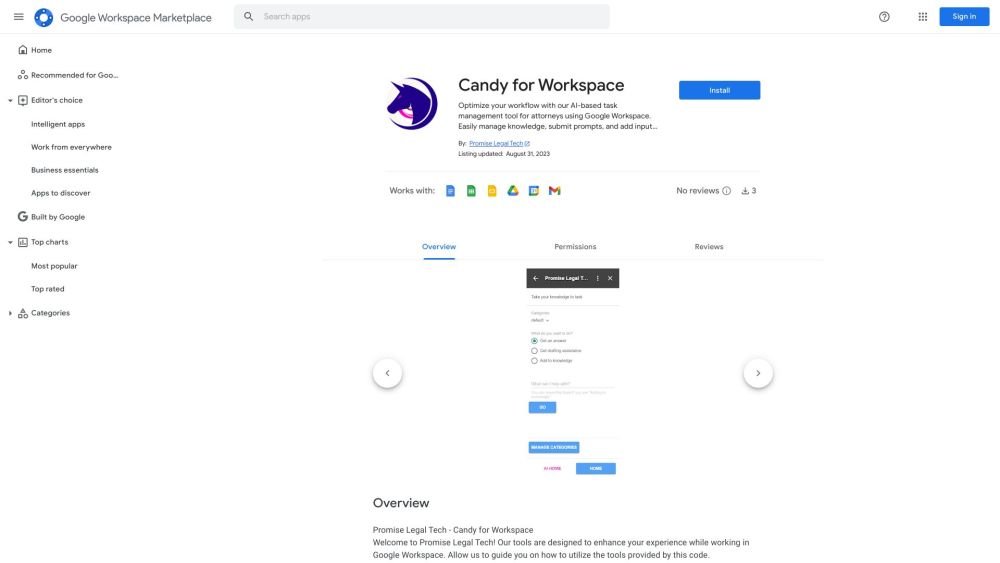
Candy for Workspace

2
5 0 Reviews 2 Saved
Introduction: Candy for Workspace is a productivity add-on for Google Workspace tailored for legal professionals. It features an AI assistant that utilizes your own knowledge base, a document hyperlink manager, and an email templater, all available without complex setup. The tool helps lawyers streamline their workflows by managing information, processing prompts, and handling inputs to boost overall productivity and efficiency.

Candy for Workspace Product Information

What is Candy for Workspace?

Candy is a productivity add-on for Google Workspace designed for lawyers. It provides an AI assistant powered by the user's own knowledge, a document hyperlink manager, and an email templater, all without requiring any setup. It aims to help lawyers optimize their workflow by managing knowledge, submitting prompts, and adding inputs, thereby improving productivity and efficiency.

How to use Candy for Workspace?

Install Candy for Workspace from the Google Workspace Marketplace. Once installed, access the tools—including Insert Hyperlinks, Insert Templates, and the AI Research Assistant—via the Promise Home Card in Google Docs or Gmail. Follow the on-screen prompts to utilize each feature.

Candy for Workspace's Core Features

  • AI Research Assistant
  • Document Hyperlink Manager
  • Email Templater

Candy for Workspace Use Cases

#1 Quickly insert hyperlinks into legal documents.
#2 Create and manage email templates to streamline communication.
#3 Use an AI assistant to research and draft legal documents.

FAQ from Candy for Workspace

What tools does Candy for Workspace offer? +

Candy for Workspace includes three primary tools: Insert Hyperlinks for Google Docs, Insert Templates for Gmail, and an AI Research Assistant available for use across the platform.

How do I access the different tools? +

You can access the tools by selecting the corresponding buttons—Insert Hyperlinks, Insert Templates, or AI Research Assistant—located on the Promise Home Card within Google Docs or Gmail.

What happens if I encounter a paywall? +

A paywall indicates that the feature is reserved for paid subscribers. You can complete the checkout process to subscribe or begin a one-week free trial.

How do I manage URLs with the Insert Hyperlinks feature? +

Use the Manage URLs feature to add, edit, or delete URLs linked to specific text. Navigate to the 'Links Home' card, input your text and URL, and select 'Add or Edit URL'.

How do I create and manage email templates? +

Navigate to the 'Gmail Expander Home' card. From there, select 'Create Template' to build a new template, or 'Manage Templates' to view, edit, or delete your existing ones.

How do I use the AI Research Assistant? +

Go to the 'Take your knowledge to task' card, select a category, and choose an action such as 'Get an answer,' 'Get drafting assistance,' or 'Add to knowledge.' Enter your prompt and click 'Go'.

Candy for Workspace Pricing

Free

$0

Free plan available.

Related Model Comparison Pages

Use these comparison pages to understand the trade-offs between the models most relevant to Candy for Workspace.

You Might Also Like

FinverAI - Chrome Extension

FinverAI - Chrome Extension

AI Productivity Tools

FinverAI is an AI-powered financial analysis Chrome extension that provides users with insights and tools to support informed investment decisions. By utilizing advanced algorithms and machine learning, it analyzes market trends, forecasts stock performance, and delivers personalized investment recommendations.

Contact N/A Views
Details
Intelligent Text Suggestions - Chrome Extension

Intelligent Text Suggestions - Chrome Extension

AI Writing Assistants

The Intelligent Text Suggestions Chrome extension streamlines email composition by offering real-time, context-aware writing assistance. It helps users save time and increase accuracy, ensuring that emails remain clear, concise, and professional.

Contact N/A Views
Details
AI Chat Assistant Browser Extension - Chrome Extension

AI Chat Assistant Browser Extension - Chrome Extension

AI Assistant

The AI Chat Assistant Browser Extension is a tool designed to improve the convenience and efficiency of your AI chat interactions. It offers support for content creators, researchers, customer service representatives, and other professionals who rely on AI chat tools, helping to streamline their daily workflows.

Contact N/A Views
Details
Virtual Try-On - Chrome Extension

Virtual Try-On - Chrome Extension

AI Assistant

The Virtual Try-On Chrome extension enables users to upload clothing images from any website to instantly visualize how garments appear on their own body. This tool provides a virtual try-on experience that helps customers preview the fit and look of clothing before completing a purchase.

Contact N/A Views
Details
AI-powered real-time call assistant - Chrome Extension

AI-powered real-time call assistant - Chrome Extension

AI Assistant

This AI-powered Chrome extension acts as a real-time call assistant for Google Meet, Zoom, and MS Teams. It offers live transcription, meeting summarization, and action item extraction to help you stay productive. Additionally, it provides real-time feedback on your speaking style and clarity to improve communication effectiveness.

Contact N/A Views
Details
VSX Extension - Chrome Extension

VSX Extension - Chrome Extension

AI Chatbot

The VSX Extension is a Chrome extension designed to improve your learning process through integrated quiz generation and chatbot capabilities. This tool offers interactive quizzes and conversational support to assist with your educational needs.

Contact N/A Views
Details
We360.ai Extension - Chrome Extension

We360.ai Extension - Chrome Extension

AI Assistant

The We360.ai Chrome extension offers insights into remote and hybrid workforce productivity, including website usage analysis, screenshot capabilities, and team performance monitoring.

Contact N/A Views
Details
Scriba AI - Chrome Extension

Scriba AI - Chrome Extension

AI Productivity Tools

Scriba AI is a Chrome extension designed to help you compose and reply to emails quickly and accurately.

Contact N/A Views
Details
Summarize AI - Chrome Extension

Summarize AI - Chrome Extension

AI Productivity Tools

Summarize AI is a browser extension that provides concise insights from online content, such as videos and news articles. By activating the extension on any webpage, users can generate quick summaries to save time and improve content comprehension.

Contact N/A Views
Details
Similar Items and Prices Before Selling - Chrome Extension

Similar Items and Prices Before Selling - Chrome Extension

AI Assistant

The Similar Items and Prices Before Selling Chrome extension helps sellers view comparable items and their current market prices before listing their own. This tool enables users to make informed pricing decisions based on real-time market data.

Contact N/A Views
Details
Real-time Meeting Assistant - Chrome Extension

Real-time Meeting Assistant - Chrome Extension

AI Productivity Tools

The Real-time Meeting Assistant Chrome extension monitors your meetings, courses, and lectures to provide real-time answers, idea generation, and more.

Contact N/A Views
Details
Simplified AI - Chrome Extension

Simplified AI - Chrome Extension

AI Assistant

Simplified AI is an all-in-one marketing platform designed to streamline content creation, design, and social media management. It features a suite of tools including an AI writer, image generator, video editor, and social media scheduler. The platform helps businesses and individuals create high-quality content efficiently, saving time and resources. It supports various formats, such as blog posts, articles, social media content, and marketing copy, while offering team collaboration and brand management features.

Contact N/A Views
Details
