
Free
$0Free plan available.
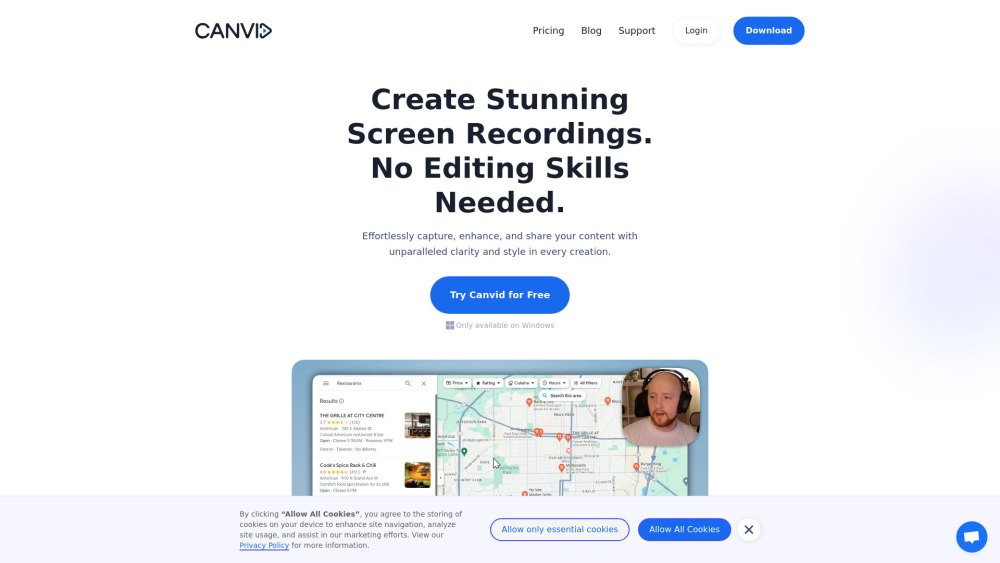
Canvid is a screen recording tool designed to effortlessly capture, enhance, and share screen recordings. It offers features like smooth mouse movements, automatic zooms, cinematic motion blur, and background effects, making it suitable for creating high-quality demos, tutorials, and promo videos without requiring advanced editing skills.
Capture your screen with a single click, apply automatic zooms and AI background effects, add captions, and share your finished video instantly through cloud uploads or local storage.
Yes. You can download Canvid and explore all its features for free. Exporting videos or generating share links requires a license.
You have the choice between a one-time purchase for lifetime access or a monthly subscription. Please visit our pricing page for more details.
No. Canvid automatically handles complex tasks like zooming, cursor smoothing, and captioning. An intuitive timeline is available if you need to perform simple trims or cuts.
Visit our support page to access troubleshooting guides or contact our support team. We are available to help you get the most out of the software.
The Subscription plan provides full access to Canvid, including unlimited exports, cloud services, and app updates. The Lifetime plan is a one-time payment that grants permanent access to the app, with free updates and cloud storage included for the first year.
You retain permanent access to all Canvid features; however, cloud services and updates require an optional renewal after the first year.
Yes, you can cancel at any time. You will retain access until the end of your current billing cycle.
Both the Lifetime and Subscription plans allow you to use Canvid on up to three personal devices, provided they are owned and used by the same individual.
Yes, Canvid is compatible with both Windows and Mac operating systems.
Yes, you can upgrade to the Lifetime plan at any time while maintaining an active subscription.
There are no restrictions on recording length or file size, though longer videos may require more time to render and export.
Free plan available.
Use these comparison pages to understand the trade-offs between the models most relevant to Canvid.
Compare Gemini 1.0 Pro Deprecated and Gemini 2.0 Flash across pricing, context window, capabilities, benchmarks, and API access to choose the better fit for long-context workloads versus long-context workloads.
Compare Gemini 1.0 Pro Deprecated and Gemini 2.5 Flash across pricing, context window, capabilities, benchmarks, and API access to choose the better fit for long-context workloads versus long-context workloads.
Compare Gemini 2.0 Flash Lite and Gemini 2.0 Flash across pricing, context window, capabilities, benchmarks, and API access to choose the better fit for long-context workloads versus long-context workloads.
Compare Gemini 2.5 Flash and Gemini 2.0 Flash across pricing, context window, capabilities, benchmarks, and API access to choose the better fit for long-context workloads versus long-context workloads.