
Free
$0Free plan available.
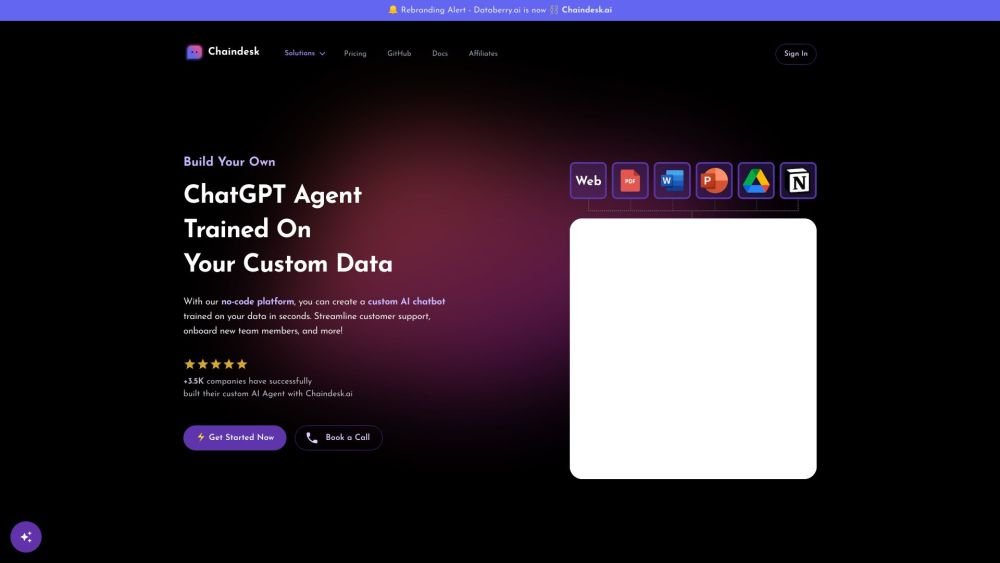
Chaindesk.ai is a no-code platform that enables users to build custom AI chatbots trained on their own data. This tool streamlines customer support, simplifies team workflows, and assists in team member onboarding. Built on the foundations of ChatGPT, Chaindesk.ai has made it possible for over 3,500 companies to construct their AI agents, offering efficient 24/7 customer support and seamless integrations with platforms like Slack and WhatsApp.
Sign In, Upload Data, Create your AI Agent, Integrate, Monitor and Improve.
You can upload one or multiple files to a single datastore (PDF, CSV, JSON, Text, PowerPoint, Word, Excel), or provide a website link for scraping. Note that each chatbot is associated with one specific datastore.
Yes, your chatbot uses ChatGPT (GPT-4). We plan to support additional models in the future.
Document content is hosted on secure AWS servers located in Europe.
Yes, Chaindesk supports approximately 90 languages. You can upload sources in any language and interact with the chatbot in any supported language.
You can embed an iframe or add a chat bubble to the bottom right or left corner of your website.
Yes, you can edit the base prompt to define your chatbot's name, personality traits, and specific instructions, such as requiring responses only in French.
Yes, Chaindesk offers a free plan with limited features to help you get started.
Yes, you can update your billing preferences or change your plan at any time via your account settings. Yearly billing offers a 20% discount on your subscription.
Yes, you can add any chatbot to as many websites as you need for visitor interaction.
Yes, your website can be in any language. The chatbot can answer questions in different languages, regardless of the language used to prompt it.
Yes. If you require a custom integration, you can join as an enterprise customer to discuss a tailored pricing plan based on your specific needs.
Yes. Starting with the first paid plan, the chatbot is automatically retrained on a weekly basis. You can also trigger a manual retraining at any time.
If your agent is not following instructions accurately, consider setting the agent model to GPT-4-turbo for optimal performance.
You can email us at support@chaindesk.ai or use the chat widget located at the bottom right of the page.
Free plan available.
Use these comparison pages to understand the trade-offs between the models most relevant to Chaindesk.
Compare GPT 5.4 and GPT 5.4 Pro across pricing, context window, capabilities, benchmarks, and API access to choose the better fit for long-context workloads versus long-context workloads.
Compare GPT 5.5 and GPT 5.4 across pricing, context window, capabilities, benchmarks, and API access to choose the better fit for long-context workloads versus long-context workloads.

Similar AI tool in the AI Assistant category.
Similar AI tool in the AI Assistant category.
Similar AI tool in the AI Marketing category.
Similar AI tool in the AI Assistant category.
Similar AI tool in the AI API category.
Similar AI tool in the AI Writing Assistants category.
Similar AI tool in the No-Code&Low-Code category.
Similar AI tool in the AI Chatbot category.
Similar AI tool in the AI Assistant category.
Similar AI tool in the AI Chatbot category.
Similar AI tool in the AI Chatbot category.
Similar AI tool in the AI Chatbot category.