
Free
$0Free plan available.
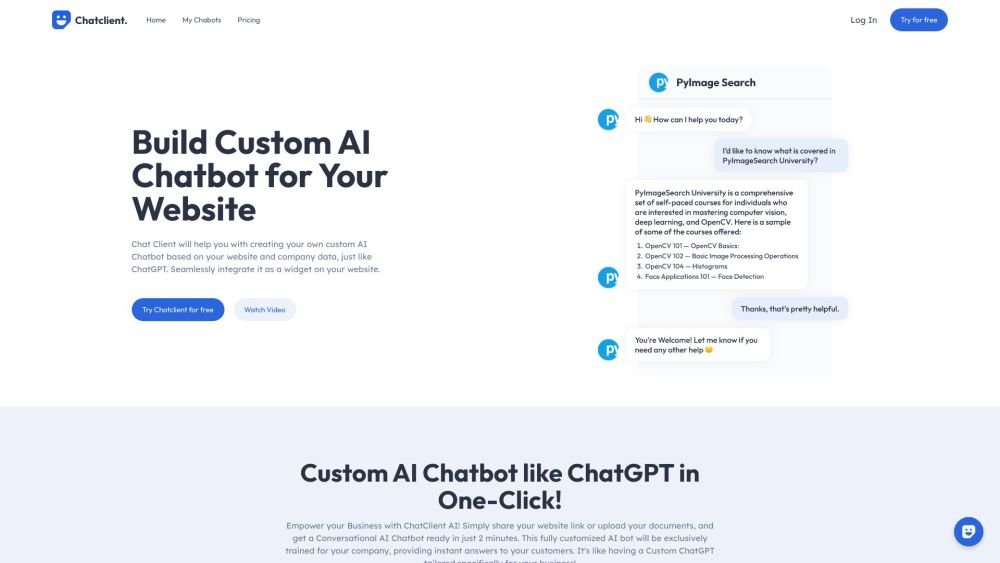
Chatclient is a custom AI agent builder that allows users to train ChatGPT on their own data and easily add a chat widget to their website. It helps businesses build custom AI agents, embed them on their website, and use them for customer support, lead generation, and user engagement. Users can upload documents or link their content to create an agent that can answer questions about the content.
To use Chatclient, import your data by uploading files (PDFs, TXT, CSV, DOCX), pasting text, or adding a link to your website. Customize the behavior and appearance of your agent, then embed it on your website using the provided div or chat bubble code, or use the API to interact with your agent.
Chatclient is a custom AI agent builder that trains ChatGPT on your data and lets you easily add a chat widget to your website. Simply upload your documents or link your content to create an agent that answers questions based on your specific information.
You can upload one or multiple files (PDF, TXT, CSV, DOCX), paste text directly, or provide a link to your website for scraping.
Yes, signing up for Chatclient provides access to a free plan, which includes 15 message credits and 1 agent. This allows you to test the platform and determine if it meets your requirements.
Yes, you can customize agent settings by assigning a unique name, defining personality traits, and providing specific instructions for how it should answer questions, such as restricting responses to a specific language.
Yes, Chatclient supports approximately 95 languages. You can provide source content in any of these languages and ask questions in any of them.
You can embed a div or add a chat bubble to the bottom right of your website. After creating an agent, click "Embed on website" to get the code. You can also use the API to integrate your agent elsewhere.
You can reach us via email at support@chatclient.ai or through our social media channels.
Free plan available.
Use these comparison pages to understand the trade-offs between the models most relevant to Chatclient.
Compare GPT 5.4 and GPT 5.4 Pro across pricing, context window, capabilities, benchmarks, and API access to choose the better fit for long-context workloads versus long-context workloads.
Compare GPT 5.5 and GPT 5.4 across pricing, context window, capabilities, benchmarks, and API access to choose the better fit for long-context workloads versus long-context workloads.
Compare GPT 5.5 and Claude 4.6 Opus across pricing, context window, capabilities, benchmarks, and API access to choose the better fit for long-context workloads versus long-context workloads.
Compare GPT 5.5 and Claude 4.6 Sonnet across pricing, context window, capabilities, benchmarks, and API access to choose the better fit for long-context workloads versus long-context workloads.

Similar AI tool in the AI Assistant category.
Similar AI tool in the AI Assistant category.
Similar AI tool in the AI Writing Assistants category.
Similar AI tool in the AI Assistant category.
Similar AI tool in the AI Writing Assistants category.
Similar AI tool in the AI Writing Assistants category.
Similar AI tool in the AI Assistant category.
Similar AI tool in the AI Chatbot category.
Similar AI tool in the AI Chatbot category.
Similar AI tool in the AI Chatbot category.
Similar AI tool in the AI Assistant category.
Similar AI tool in the AI Assistant category.