
Free
$0Free plan available.
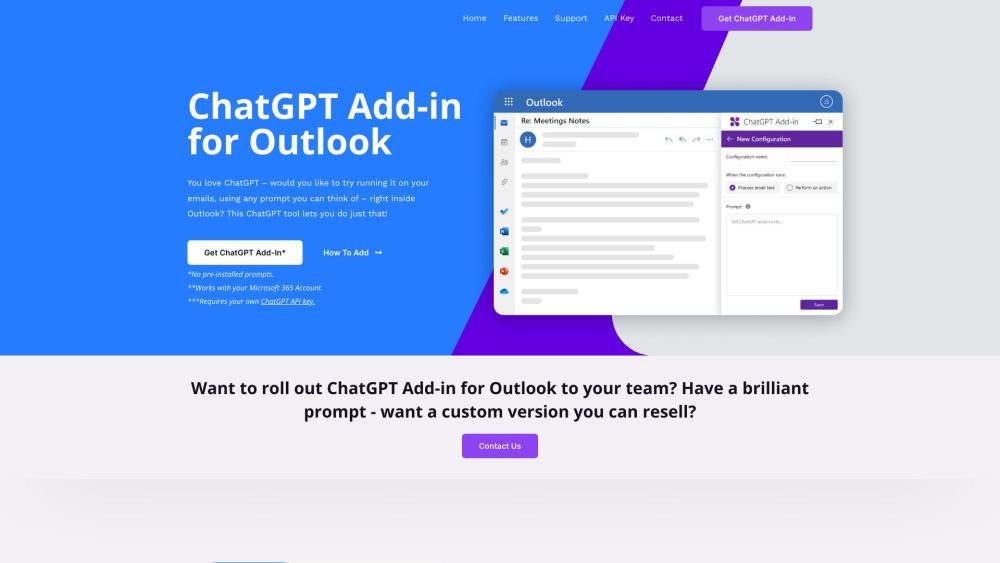
Blueberry has released a free Add-in for Microsoft Outlook that allows users to experiment with ChatGPT within their email client. The Add-in enables users to configure custom prompts to run ChatGPT on selected or new emails, allowing you to apply any prompt to your correspondence directly inside Outlook.
Install the Add-in, set up your custom prompts, and execute ChatGPT on selected or new emails directly within the Outlook interface.
It is a free tool that enables you to run ChatGPT on your emails directly inside Outlook using custom prompts.
You require a Microsoft 365 account and your own ChatGPT API key.
Yes, Blueberry can develop a version featuring your custom prompts for your 365 domain. Contact them to begin.
Yes, Blueberry can create a custom version with your unique prompts that you can resell to an unlimited number of users.
Free plan available.
Use these comparison pages to understand the trade-offs between the models most relevant to ChatGPT for Outlook.
Compare GPT 5.4 and GPT 5.4 Pro across pricing, context window, capabilities, benchmarks, and API access to choose the better fit for long-context workloads versus long-context workloads.
Compare GPT 5.5 and GPT 5.4 across pricing, context window, capabilities, benchmarks, and API access to choose the better fit for long-context workloads versus long-context workloads.
Compare GPT 5.5 and Claude 4.6 Opus across pricing, context window, capabilities, benchmarks, and API access to choose the better fit for long-context workloads versus long-context workloads.
Compare GPT 5.5 and Claude 4.6 Sonnet across pricing, context window, capabilities, benchmarks, and API access to choose the better fit for long-context workloads versus long-context workloads.

Similar AI tool in the AI Assistant category.
Similar AI tool in the AI Assistant category.
Similar AI tool in the AI Productivity Tools category.
Similar AI tool in the AI Writing Assistants category.
Similar AI tool in the AI Assistant category.
Similar AI tool in the AI Writing Assistants category.
Similar AI tool in the AI Writing Assistants category.
Similar AI tool in the AI Assistant category.
Similar AI tool in the AI Assistant category.
Similar AI tool in the AI Chatbot category.
Similar AI tool in the AI Productivity Tools category.
Similar AI tool in the AI Assistant category.