
Free
$0Free plan available.
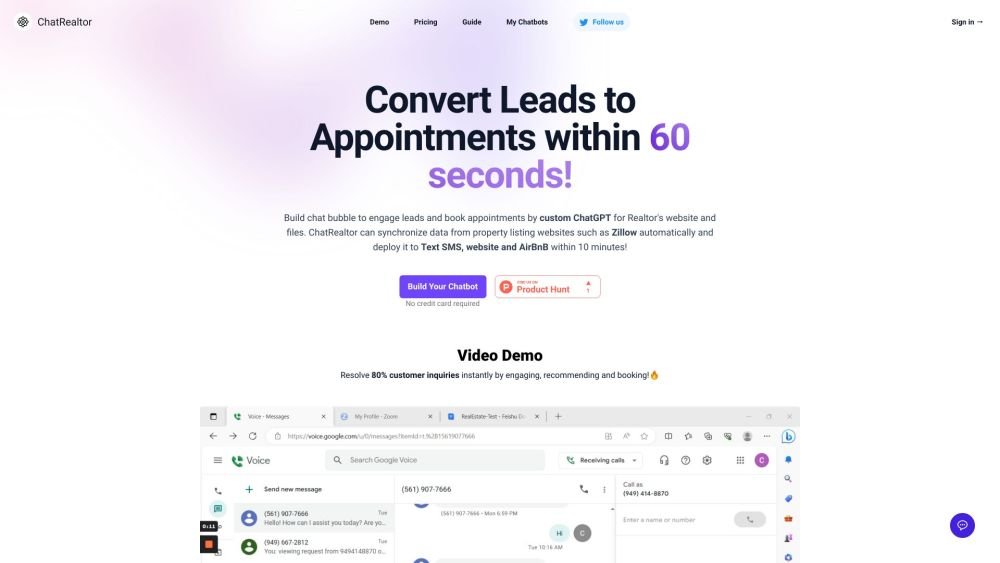
ChatRealtor is a chatbot designed for real estate agents to engage leads and book appointments. It can synchronize data from property listing websites like Zillow automatically and deploy to Text SMS, website, and AirBnB within 10 minutes. It resolves 80% of customer inquiries instantly, even when the agent is out of the office, freeing them from repetitive questions and tasks.
Create a custom chat widget to engage leads and book appointments by training the AI on your website content and documents. Automatically synchronize data from property listing platforms like Zillow and deploy your chatbot to SMS, your website, or Airbnb within 10 minutes. You can embed the chat widget on any page of your website.
ChatRealtor is an AI chatbot builder for real estate professionals. It trains ChatGPT on your specific data, allowing you to add a chat widget to your website or SMS. Simply upload a document or provide a website link to create a chatbot capable of answering questions based on that content.
In the sources section, locate the URL input box under the PropertyListing category. Enter the URL of your Zillow account, and the data will be synchronized to your chatbot automatically.
These two features are exclusive to paid users. Instructions for setup will be provided once you sign up and log into your account.
You can currently upload one or multiple files (.pdf, .txt, .doc, .docx), paste text directly, or provide a link to your website for the system to scrape.
Yes, you can edit the base prompt to assign your chatbot a name, define personality traits, and provide specific instructions on how to answer questions, such as requiring responses in a specific language.
Document content is hosted on secure Microsoft Azure servers located in the US-East region.
By default, your chatbot uses gpt-3.5-turbo, though you have the option to use gpt-4 on the Standard and Unlimited plans.
You can embed a div or add a chat bubble to the bottom right of your website. To do this, create a chatbot and select "Embed on website." You may also use the API to integrate your chatbot elsewhere.
Yes, ChatRealtor supports approximately 95 languages. You can provide sources in any language and receive responses in any language.
Yes, while chatbots are private by default, you can change the settings to make them public and share them with anyone.
There is no free plan, but a free trial is available upon email registration. You can also visit chatrealtor.ai/demo to test the demo bot.
Free plan available.

Similar AI tool in the AI Assistant category.
Similar AI tool in the AI Assistant category.
Similar AI tool in the AI Assistant category.
Similar AI tool in the AI Productivity Tools category.
Similar AI tool in the AI Writing Assistants category.
Similar AI tool in the AI Writing Assistants category.
Similar AI tool in the AI Writing Assistants category.
Similar AI tool in the AI Assistant category.
Similar AI tool in the AI Chatbot category.
Similar AI tool in the AI Chatbot category.
Similar AI tool in the AI Chatbot category.
Similar AI tool in the AI Assistant category.