
Free
$0Free plan available.
ChatShape lets you train a custom AI chatbot on the content of your website (or private content) in minutes, then you can take that chatbot and embed it on your website. Update the prompt, behavior, and more of the AI to suit your customers needs. It enhances website customer support and saves you time. Trusted by 10,341+ happy businesses.
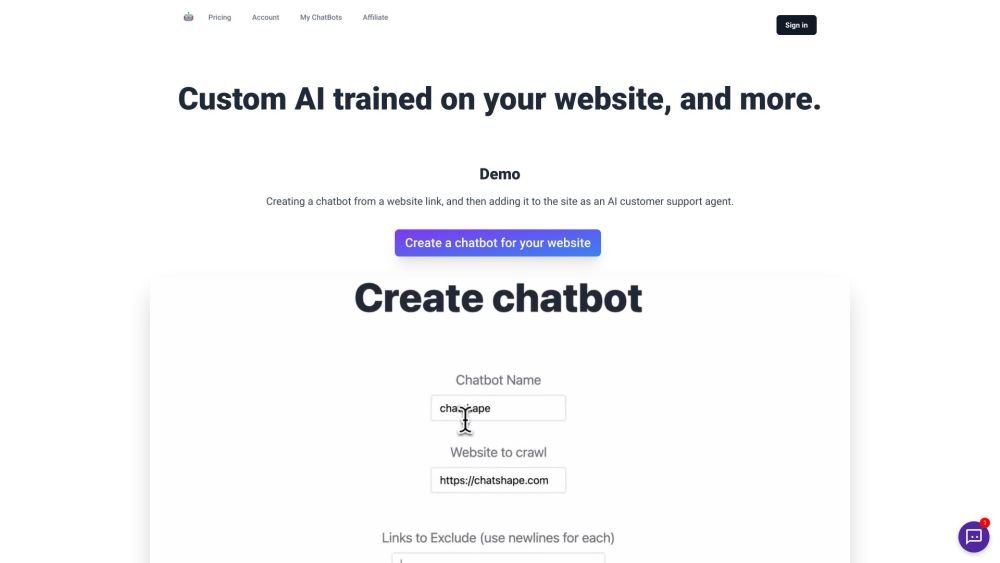
Provide a link to your website to generate a custom-trained AI. Embed the chatbot on your site to manage customer support, lead generation, and more. You can also upload PDF files to train the chatbot.
ChatShape allows you to build AI-powered chatbots for your website. Simply provide your website link to be crawled; the extracted text is used to train a chatbot that you can embed on your site to answer customer queries instantly, convert more visitors, and save significant time.
The crawler captures all visible, copyable text available on the specified web page. It will display all extracted links, and you can click a button to generate your chatbot from those sources.
Yes, you can upload multiple PDF files to ChatShape to create a chatbot based on your documents.
Yes, you can enable an email input form within the chat window to collect leads, which you can then view alongside their conversations in your dashboard.
Yes, all chatbot messages are recorded in your dashboard, where they can be viewed and exported as a file.
Yes, you can update both the system prompt (text instructions for the AI) and the start message. You can continue to tune these settings after embedding the bot to customize how it interacts with customers.
The maximum number of web sources depends on your plan; the character count of each page's text is used to measure the size of a web source.
You can add custom data by including information in your prompt within the chatbot settings page. You can also add additional web pages to your sources after the initial creation. For large datasets or custom integrations, please email james@chatshape.com.
Whenever you add web sources and click "Generate Bot from Sources," a link to your new chatbot is created. This action counts as one chatbot generation.
One message is defined as text sent to the chatbot that receives a response.
Yes, you can upgrade your plan for the following month at any time. To upgrade immediately rather than at the next billing cycle, please email james@chatshape.com.
When creating a chatbot via chatshape.com/create, clicking "Crawl Site" will display the character count and crawled links. If using the Chrome extension, click the refresh icon next to "Web Sources" after adding your preferred sources to see the character count before generating the bot.
Yes, you can update both the prompt and start message, allowing you to tune and customize your bot as needed.
Free plan available.

Similar AI tool in the AI Assistant category.
Similar AI tool in the AI Assistant category.
Similar AI tool in the AI Productivity Tools category.
Similar AI tool in the AI Assistant category.
Similar AI tool in the AI Assistant category.
Similar AI tool in the AI Assistant category.
Similar AI tool in the AI Chatbot category.
Similar AI tool in the AI Chatbot category.
Similar AI tool in the AI Productivity Tools category.
Similar AI tool in the AI Assistant category.
Similar AI tool in the AI Assistant category.
Similar AI tool in the AI Assistant category.