
Free
$0Free plan available.
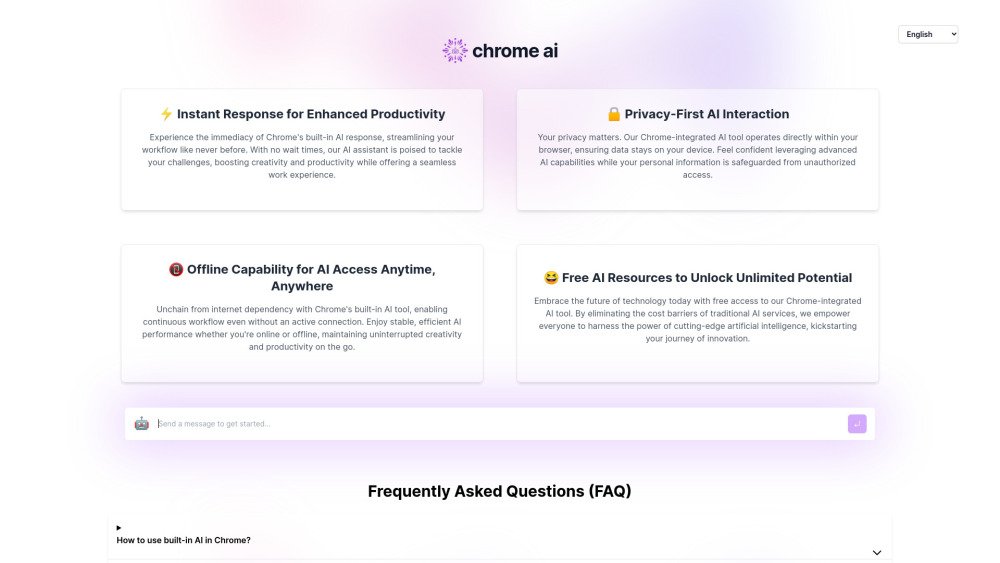
This website provides an interactive interface for Chrome's built-in AI model, along with instructions on how to enable the feature. It enables developers to test and evaluate the capabilities of Chrome's built-in AI. The tool supports creativity and productivity by offering instant responses, privacy-focused interaction, offline capabilities, and free access to advanced AI resources.
Consult the official documentation or the guide provided on the website to learn how to enable and use the built-in AI within Chrome. The tool functions directly inside your browser.
Consult the official documentation for accurate instructions, or follow the brief guide provided on the website.
The Chrome Built-in AI Tool is a feature that enables users to interact with advanced AI capabilities directly within the Chrome browser, improving browsing and productivity through instant AI-powered support.
The AI tool supports both online and offline functionality. While some features may require internet access, many core capabilities are designed to work offline to ensure consistent productivity.
Privacy is prioritized by processing data locally within your browser whenever possible, which minimizes data transmission to external servers. We adhere to strict privacy standards and do not share your personal information with third parties without consent.
Yes, the AI tool is free to use with no hidden costs, as part of an effort to provide accessible AI technology for creativity and productivity.
The tool is designed to work on platforms where Chrome is supported. For optimal performance, we recommend using the latest version of Chrome on a device that meets the browser's minimum system requirements.
No, the AI tool is currently exclusive to the Chrome browser, as it leverages Chrome's unique capabilities to deliver its features.
Free plan available.

Similar AI tool in the AI Assistant category.
Similar AI tool in the AI Assistant category.
Similar AI tool in the AI Productivity Tools category.
Similar AI tool in the AI Assistant category.
Similar AI tool in the AI Assistant category.
Similar AI tool in the AI Assistant category.
Similar AI tool in the AI Chatbot category.
Similar AI tool in the AI Chatbot category.
Similar AI tool in the AI Productivity Tools category.
Similar AI tool in the AI Assistant category.
Similar AI tool in the AI Assistant category.
Similar AI tool in the AI Assistant category.