
Free
$0Free plan available.
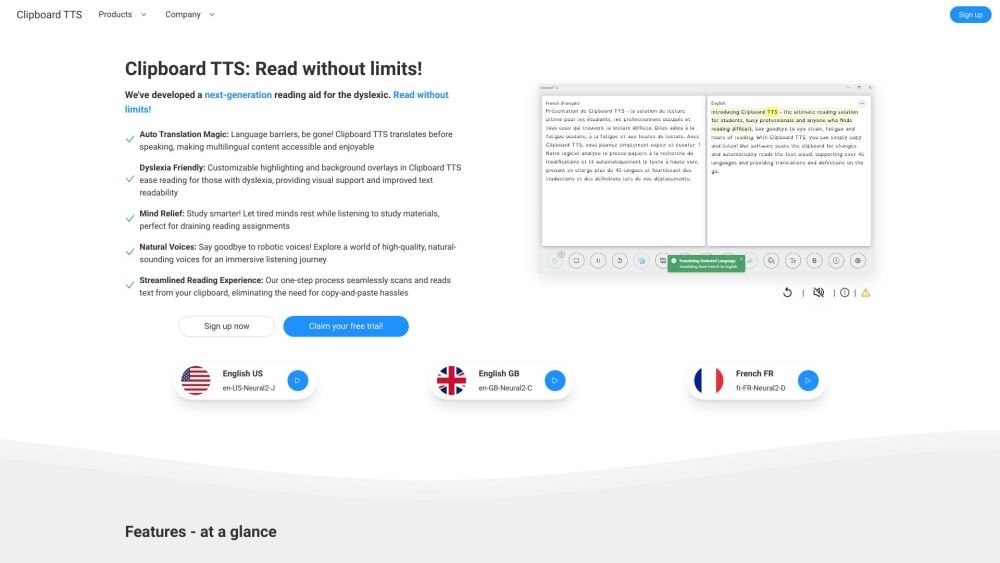
Clipboard TTS is a text-to-speech reading aid designed for individuals with dyslexia, busy professionals, or anyone facing reading challenges. It seamlessly reads any text on the web with high-quality voices, offering features like streamlined reading, natural voices, dyslexia-friendly customization, auto-translation, and more.
Clipboard TTS automatically detects changes in your clipboard and reads the text aloud. Simply copy the text you want to hear, and the app will handle the rest. It also supports image-to-text conversion and auto-dictionary lookups.
The provided information does not specify how to submit feedback, request features, or report bugs.
Clipboard TTS is a text-to-speech reading aid designed to support individuals with dyslexia, busy professionals, and anyone experiencing reading challenges.
The provided information does not explicitly detail the differences between Clipboard TTS and other text-to-speech software.
Clipboard TTS can be used to assist dyslexic students, help busy professionals, improve vocabulary, and make multilingual content accessible.
Yes, Clipboard TTS supports 49 languages and over 100 voices, allowing you to listen to text in your preferred language and voice.
The provided information does not specify whether Clipboard TTS requires an internet connection.
Free plan available.
Use these comparison pages to understand the trade-offs between the models most relevant to Clipboard TTS.
Compare Gemini 1.0 Pro Deprecated and Gemini 2.0 Flash across pricing, context window, capabilities, benchmarks, and API access to choose the better fit for long-context workloads versus long-context workloads.
Compare Gemini 1.0 Pro Deprecated and Gemini 2.5 Flash across pricing, context window, capabilities, benchmarks, and API access to choose the better fit for long-context workloads versus long-context workloads.
Compare Gemini 2.0 Flash Lite and Gemini 2.0 Flash across pricing, context window, capabilities, benchmarks, and API access to choose the better fit for long-context workloads versus long-context workloads.
Compare Gemini 2.5 Flash and Gemini 2.0 Flash across pricing, context window, capabilities, benchmarks, and API access to choose the better fit for long-context workloads versus long-context workloads.

Similar AI tool in the AI Assistant category.
Similar AI tool in the AI Assistant category.
Similar AI tool in the AI Productivity Tools category.
Similar AI tool in the AI Assistant category.
Similar AI tool in the AI Assistant category.
Similar AI tool in the AI Chatbot category.
Similar AI tool in the AI Assistant category.
Similar AI tool in the AI Productivity Tools category.
Similar AI tool in the AI Assistant category.
Similar AI tool in the AI Assistant category.
Similar AI tool in the AI Assistant category.
Similar AI tool in the AI Assistant category.