
Free
$0Free plan available.
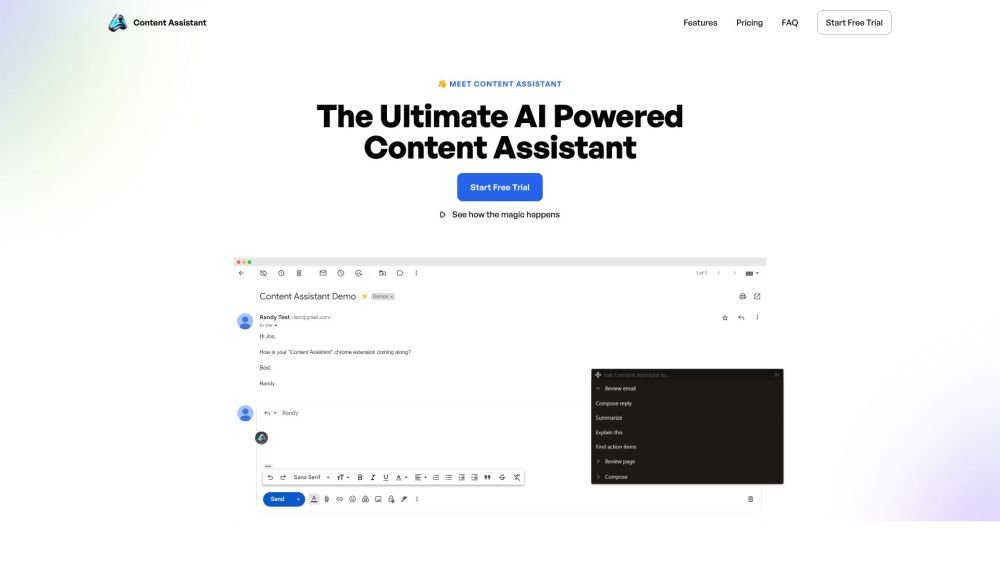
Content Assistant is an AI-powered browser extension designed to offer custom solutions for various content needs. It allows users to generate suggestions, revisions, explanations, or compositions based on context and prompts. The extension features smart context retrieval, conversational AI, custom prompts, and unlimited use cases, benefiting various user types and industries.
To use Content Assistant, click the extension icon, select a predefined prompt or enter a custom request, and receive an AI-generated response based on the selected prompt and context.
[]
The service provides a 7-day free trial.
Specific installation instructions are not provided, though it typically involves adding the extension to your browser.
Instructions for enabling the tool after installation are not provided.
Instructions for canceling your subscription are not provided.
Information regarding language support is not provided.
Free plan available.
Use these comparison pages to understand the trade-offs between the models most relevant to Content Assistant.
Compare Gemini 1.0 Pro Deprecated and Gemini 2.0 Flash across pricing, context window, capabilities, benchmarks, and API access to choose the better fit for long-context workloads versus long-context workloads.
Compare Gemini 1.0 Pro Deprecated and Gemini 2.5 Flash across pricing, context window, capabilities, benchmarks, and API access to choose the better fit for long-context workloads versus long-context workloads.
Compare Gemini 2.0 Flash Lite and Gemini 2.0 Flash across pricing, context window, capabilities, benchmarks, and API access to choose the better fit for long-context workloads versus long-context workloads.
Compare Gemini 2.5 Flash and Gemini 2.0 Flash across pricing, context window, capabilities, benchmarks, and API access to choose the better fit for long-context workloads versus long-context workloads.

Similar AI tool in the AI Assistant category.
Similar AI tool in the AI Assistant category.
Similar AI tool in the AI Writing Assistants category.
Similar AI tool in the AI Assistant category.
Similar AI tool in the AI Writing Assistants category.
Similar AI tool in the AI Writing Assistants category.
Similar AI tool in the AI Assistant category.
Similar AI tool in the AI Chatbot category.
Similar AI tool in the AI Chatbot category.
Similar AI tool in the AI Assistant category.
Similar AI tool in the AI Assistant category.
Similar AI tool in the AI Assistant category.