
Free
$0Free plan available.
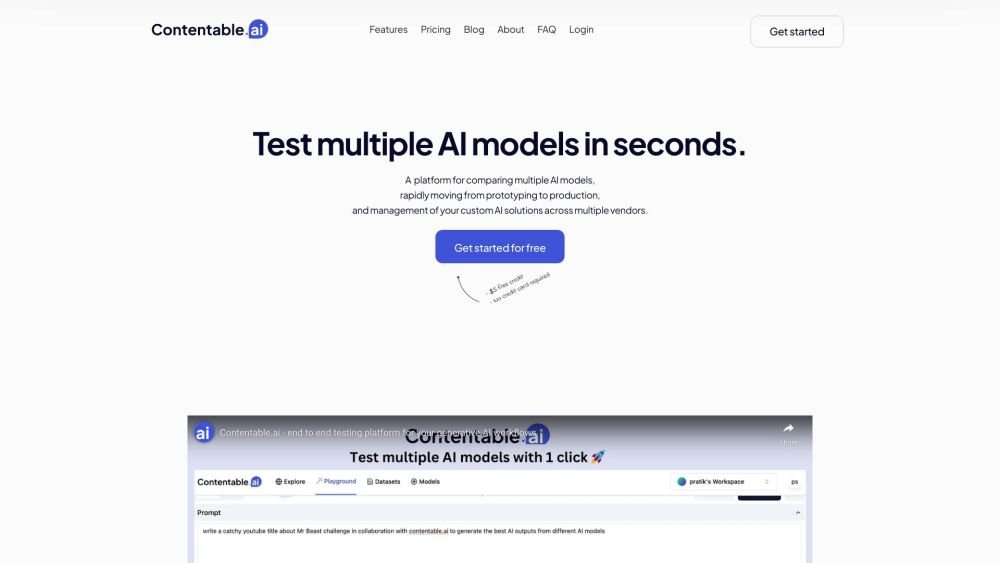
Contentable.ai is an end-to-end testing platform for generative AI. It allows users to A/B test multiple AI models, compare speed, costs, and outputs, and build and deploy low-code AI models. It supports major AI vendors and facilitates rapid prototyping and collaboration on AI models.
Users can compare models side-by-side, test prompts, design workflows, and share models with their team. The platform enables prompt management across multiple vendors and provides shareable links for users to access models and provide feedback.
Contentable currently supports OpenAI, Google, and Llama models, with plans to add more providers in the future.
You can test different prompts by disabling the sync prompt button. This allows you to use two distinct prompts and evaluate their outputs across various scenarios.
A fine-tuning feature is currently in development and will be available soon.
You can compare up to three models side-by-side and run up to three scenarios simultaneously.
Once you have finalized your prompt in the playground, click the save icon and enter a name and description. The model will appear in the models tab. Click the '...' button and select 'View shareable link' to share the model with users, allowing them to use it and provide feedback.
Yes. Simply toggle the mode in the top-left corner from text to chat. In chat mode, you can compare chat outputs from various providers based on your system prompt.
You can share the playground with team members at any time by clicking the share button in the top-right corner. Team members can execute the same prompt to verify results. Real-time collaboration features, including commenting and notifications, are currently in development.
Free plan available.
Use these comparison pages to understand the trade-offs between the models most relevant to Contentable.ai.
Compare Gemini 1.0 Pro Deprecated and Gemini 1.5 Flash Vision Deprecated across pricing, context window, capabilities, benchmarks, and API access to choose the better fit for long-context workloads versus general-purpose AI workloads.
Compare Gemini 1.5 Pro Vision Deprecated and Gemini 1.0 Pro Deprecated across pricing, context window, capabilities, benchmarks, and API access to choose the better fit for general-purpose AI workloads versus long-context workloads.
Compare Gemini 1.0 Pro Vision Deprecated and Gemini 1.5 Flash Vision Deprecated across pricing, context window, capabilities, benchmarks, and API access to choose the better fit for general-purpose AI workloads versus general-purpose AI workloads.
Compare Gemini 1.5 Pro Vision Deprecated and Gemini 1.0 Pro Vision Deprecated across pricing, context window, capabilities, benchmarks, and API access to choose the better fit for general-purpose AI workloads versus general-purpose AI workloads.

Similar AI tool in the AI Assistant category.
Similar AI tool in the AI Assistant category.
Similar AI tool in the AI Assistant category.
Similar AI tool in the AI Productivity Tools category.
Similar AI tool in the AI Assistant category.
Similar AI tool in the AI Writing Assistants category.
Similar AI tool in the AI Image Generator category.
Similar AI tool in the AI Assistant category.
Similar AI tool in the AI Chatbot category.
Similar AI tool in the AI Chatbot category.
Similar AI tool in the AI Chatbot category.
Similar AI tool in the AI Assistant category.