
Free
$0Free plan available.
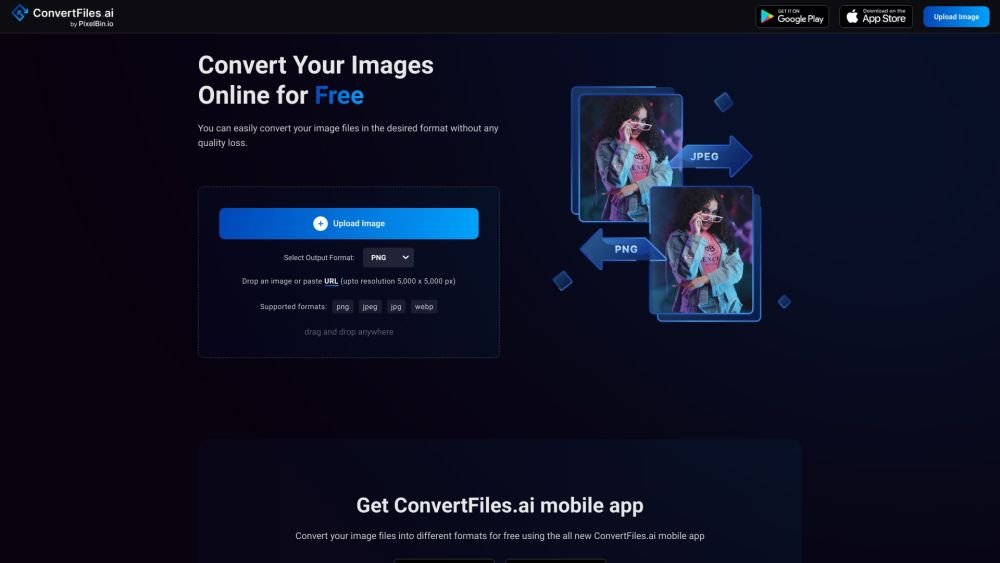
ConvertFiles.ai is an intelligent online image converter tool that allows users to convert image files to different file formats for free. It supports various formats such as PNG, JPEG, and WEBP, and offers high-resolution downloads for e-commerce and personal use. The platform emphasizes quick conversion, ease of use, multiple format support, and no installation requirements.
Users can easily convert image files by uploading an image or pasting a URL into the designated area on the website. After selecting the desired output format, the tool converts the image while maintaining quality.
Our services are measured in credits, which represent the unit of usage consumption for transformations performed on our platform. Credit values vary by service; for example, one ConvertFiles.ai transformation consumes 0.003 credits.
Yes. A basic sign-up is required to perform bulk image transformations. However, you can transform 10 images daily without signing up for one-time use. Once registered, you will be redirected to our intuitive console to upload multiple images and perform edits, such as changing formats or removing backgrounds.
Yes. After signing up, you receive 3 free credits to explore our services. We offer subscription plans for bulk tasks or regular requirements. For tailored plans to meet custom needs, please contact us at support@pixelbin.io for assistance.
For occasional or one-time tasks, our pay-as-you-go plan allows you to purchase credits as needed, which are applied to your account immediately upon payment. Our monthly subscription plan is more cost-effective for bulk images or recurring services. You can start with 3 free images to test the platform before choosing a subscription.
ConvertFiles.ai by PixelBin.io is designed to meet user demands for image background removal using AI-backed strategies to ensure high-quality results. If you are unsatisfied, please contact us at support@pixelbin.io to share your feedback, and we will work to resolve your issues.
We will proactively contact you as you approach your credit limit. You can then upgrade your plan based on your transformation needs or switch to our pay-as-you-go plan, where purchased credits are instantly added to your account.
To avoid confusion, we do not have additional usage fees beyond your monthly credits. You can continue using your available credits or upgrade your plan once they are exhausted.
Yes. A basic sign-up is required to use ConvertFiles.ai, which allows you to access free credits for bulk image transformations.
After signing up, you can perform 3 free transformations by uploading your image files. To continue using our services beyond this, you will need to purchase credits through our pricing plans.
We accept all standard payment methods, including credit and debit options. For any payment-related queries, please contact our support team at support@pixelbin.io.
Yes. We are committed to meeting unique customer requirements. If you have a specific request or need a customized plan for image transformations, please connect with our support team by scheduling your availability.
For specific transformations, such as erasing backgrounds and upscaling images simultaneously, you can process bulk images by creating a preset using PixelBin. Sign in to access your personalized dashboard to store images and perform advanced operations. For more details, contact support@pixelbin.io with your requirements.
Unused credits expire at the end of the month. For example, if you are on a Basic Plan with 1200 credits and use only 1000, the remaining 200 will expire, and you will be switched to a free plan. If you need more credits, you can use our pay-as-you-go plan to recharge your account.
To upgrade your plan, visit the pricing section and select the option that best fits your needs. For bespoke plans, you can consult with our product strategist. If you wish to downgrade or cancel your subscription, please contact our support team at support@pixelbin.io for assistance.
Free plan available.

Similar AI tool in the AI Assistant category.
Similar AI tool in the AI Assistant category.
Similar AI tool in the AI Productivity Tools category.
Similar AI tool in the AI Writing Assistants category.
Similar AI tool in the AI Assistant category.
Similar AI tool in the AI Writing Assistants category.
Similar AI tool in the AI Writing Assistants category.
Similar AI tool in the AI Assistant category.
Similar AI tool in the AI Assistant category.
Similar AI tool in the AI Chatbot category.
Similar AI tool in the AI Productivity Tools category.
Similar AI tool in the AI Assistant category.