
Free
$0Free plan available.
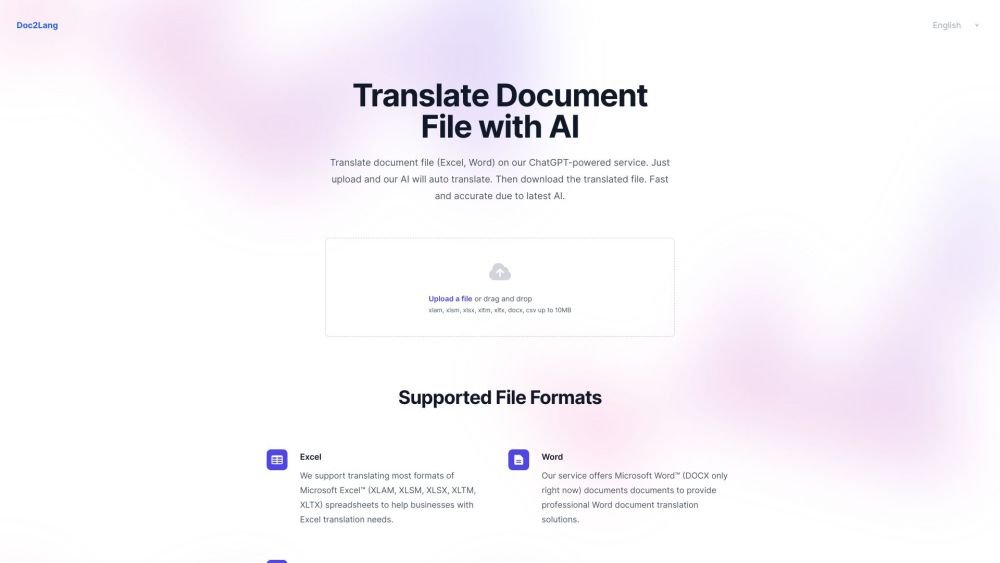
Doc2Lang is an AI-powered document translation service that allows users to translate various file formats, including Excel, Word, PDF, PowerPoint, CSV, and SRT. It utilizes the latest AI technology to provide fast and accurate translations. Users can upload their documents, have them automatically translated, and then download the translated file. The service supports OCR for image-based PDFs and offers features like secure file handling and flexible billing.
To use Doc2Lang, upload your document in Excel, Word, PDF, PowerPoint, CSV, or SRT format. The system automatically identifies the file type and applies AI-powered translation. You may preview a portion of the translated content before completing your purchase. Once payment is processed, you can download the fully translated file.
Our AI document translator supports over 100 languages, ranging from widely spoken languages like English, Spanish, and Chinese to more specialized options.
Yes, our system preserves fonts, graphics, bullet points, and formulas. For PowerPoint presentations, we also retain speaker notes and embedded media whenever possible.
Yes, our built-in OCR extracts text from image-based PDFs, allowing you to translate scanned pages or text embedded within images.
All file transfers are encrypted via HTTPS, and you have the option to delete your documents from our servers after use. Additionally, we do not use your content to train public AI models.
Free plan available.
Use these comparison pages to understand the trade-offs between the models most relevant to Doc2Lang.
Compare Gemini 1.0 Pro Deprecated and Gemini 2.0 Flash across pricing, context window, capabilities, benchmarks, and API access to choose the better fit for long-context workloads versus long-context workloads.
Compare Gemini 1.0 Pro Deprecated and Gemini 2.5 Flash across pricing, context window, capabilities, benchmarks, and API access to choose the better fit for long-context workloads versus long-context workloads.
Compare Gemini 2.0 Flash Lite and Gemini 2.0 Flash across pricing, context window, capabilities, benchmarks, and API access to choose the better fit for long-context workloads versus long-context workloads.
Compare Gemini 2.5 Flash and Gemini 2.0 Flash across pricing, context window, capabilities, benchmarks, and API access to choose the better fit for long-context workloads versus long-context workloads.

Similar AI tool in the AI Assistant category.
Similar AI tool in the AI Assistant category.
Similar AI tool in the AI Assistant category.
Similar AI tool in the AI Productivity Tools category.
Similar AI tool in the AI Writing Assistants category.
Similar AI tool in the AI Assistant category.
Similar AI tool in the AI Writing Assistants category.
Similar AI tool in the AI Writing Assistants category.
Similar AI tool in the AI Assistant category.
Similar AI tool in the AI Chatbot category.
Similar AI tool in the AI Assistant category.
Similar AI tool in the AI Chatbot category.