
Free
$0Free plan available.
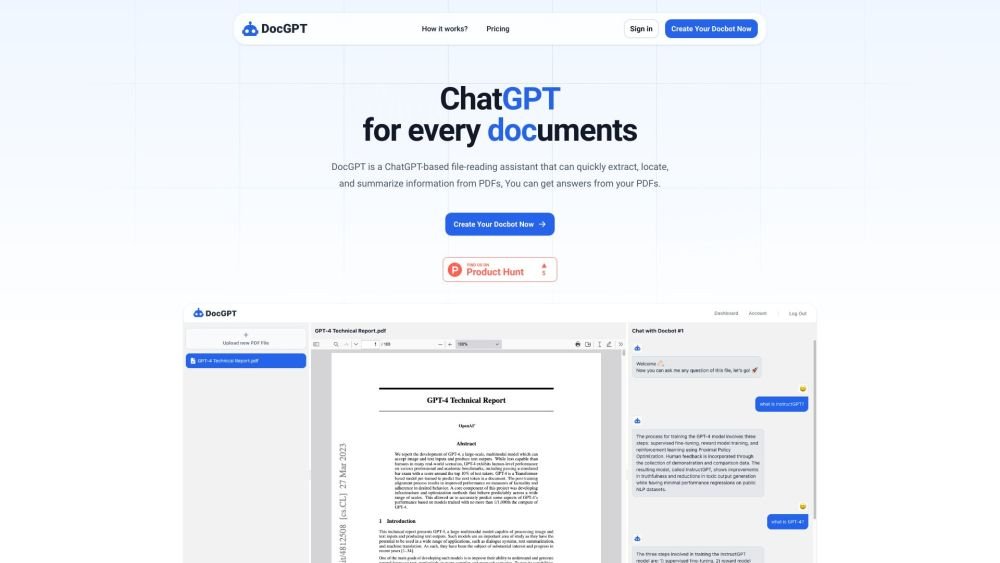
DocGPT is a ChatGPT-powered assistant designed to read, extract, locate, and summarize information from PDF files, allowing you to interact directly with your documents.
Upload your PDF files to DocGPT and ask questions to extract, locate, or summarize the information contained within them.
DocGPT is a ChatGPT-powered assistant that helps you extract, locate, and summarize information from PDF files.
You can use DocGPT to retrieve answers from your PDF files and engage in a chat-based interaction with your documents.
Free plan available.
Use these comparison pages to understand the trade-offs between the models most relevant to DocGPT.
Compare GPT 5.4 and GPT 5.4 Pro across pricing, context window, capabilities, benchmarks, and API access to choose the better fit for long-context workloads versus long-context workloads.
Compare GPT 5.5 and GPT 5.4 across pricing, context window, capabilities, benchmarks, and API access to choose the better fit for long-context workloads versus long-context workloads.
Compare GPT 5.5 and Claude 4.6 Opus across pricing, context window, capabilities, benchmarks, and API access to choose the better fit for long-context workloads versus long-context workloads.
Compare GPT 5.5 and Claude 4.6 Sonnet across pricing, context window, capabilities, benchmarks, and API access to choose the better fit for long-context workloads versus long-context workloads.

Similar AI tool in the AI Assistant category.
Similar AI tool in the AI Assistant category.
Similar AI tool in the AI Assistant category.
Similar AI tool in the AI Assistant category.
Similar AI tool in the AI Chatbot category.
Similar AI tool in the AI Chatbot category.
Similar AI tool in the AI Chatbot category.
Similar AI tool in the AI Assistant category.
Similar AI tool in the AI Assistant category.
Similar AI tool in the AI Assistant category.
Similar AI tool in the AI Summarizer category.
Similar AI tool in the AI Summarizer category.