
Free
$0Free plan available.
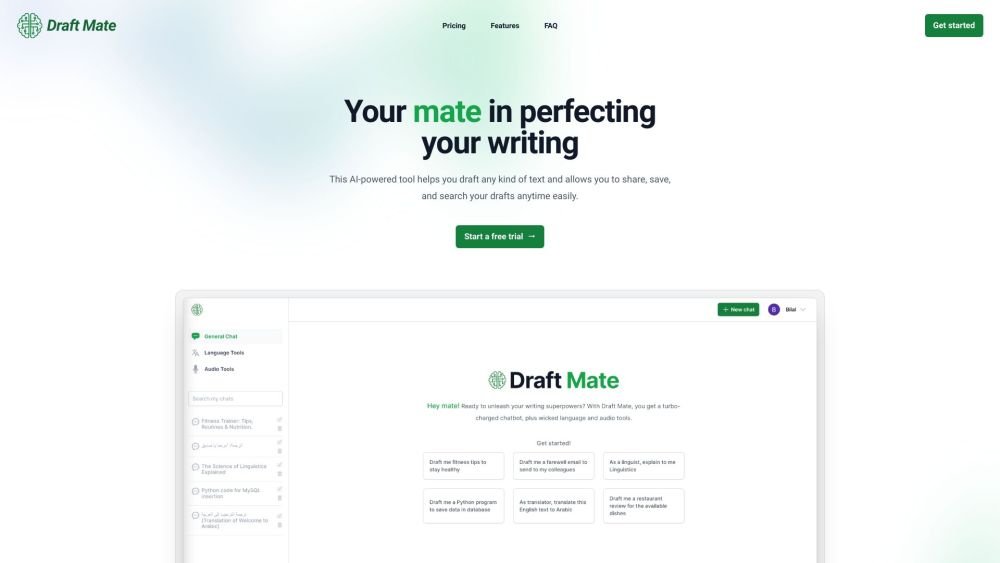
DraftMate is a powerful writing assistant that enhances your experience with AI technology. Whether you're a writer, student, or professional, DraftMate can help you create high-quality content quickly and efficiently. It allows users to draft any kind of text and provides tools to share, save, and search your drafts at any time. DraftMate.ai offers a suite of features designed to elevate your writing. Users can draft various content types, from emails and blog posts to novels. All chats are stored in a database for easy access from any device. The AI model can be customized to fit specific user needs and preferences. Users can copy and paste messages, share entire chat sessions, and search their history using keywords or dates. The AI model also supports multiple languages, and upcoming features will include audio tools for dictation and expanded translation capabilities.
Start a free trial, select a subscription plan, and begin drafting your text. Use the chat interface to generate content, customize the AI model, and share your drafts.
DraftMate.ai is a platform that enables users to draft emails, conduct research, translate text, correct grammar, and perform various natural language processing tasks.
DraftMate.ai offers three subscription plans: Lite, Premium, and Ultimate. Please visit the pricing page for details.
The Lite plan allows for up to 160,000 words per month, the Premium plan supports up to 400,000 words per month, and the Ultimate plan provides up to 800,000 words per month.
DraftMate.ai features include the ability to copy individual messages, share chat sessions publicly, store and access chat history from any device, search through past chats, customize the AI model to your preferences, and submit feedback for new features or support issues.
Yes, you can configure and customize the underlying AI model to better suit your specific requirements.
Free plan available.
Use these comparison pages to understand the trade-offs between the models most relevant to DraftMate.
Compare Gemini 1.0 Pro Deprecated and Gemini 2.0 Flash across pricing, context window, capabilities, benchmarks, and API access to choose the better fit for long-context workloads versus long-context workloads.
Compare Gemini 1.0 Pro Deprecated and Gemini 2.5 Flash across pricing, context window, capabilities, benchmarks, and API access to choose the better fit for long-context workloads versus long-context workloads.
Compare Gemini 2.0 Flash Lite and Gemini 2.0 Flash across pricing, context window, capabilities, benchmarks, and API access to choose the better fit for long-context workloads versus long-context workloads.
Compare Gemini 2.5 Flash and Gemini 2.0 Flash across pricing, context window, capabilities, benchmarks, and API access to choose the better fit for long-context workloads versus long-context workloads.

Similar AI tool in the AI Assistant category.
Similar AI tool in the AI Assistant category.
Similar AI tool in the AI Writing Assistants category.
Similar AI tool in the AI Marketing category.
Similar AI tool in the AI Assistant category.
Similar AI tool in the AI Assistant category.
Similar AI tool in the AI Writing Assistants category.
Similar AI tool in the AI Writing Assistants category.
Similar AI tool in the AI Assistant category.
Similar AI tool in the AI Chatbot category.
Similar AI tool in the AI Chatbot category.
Similar AI tool in the AI Marketing category.