
Free
$0Free plan available.
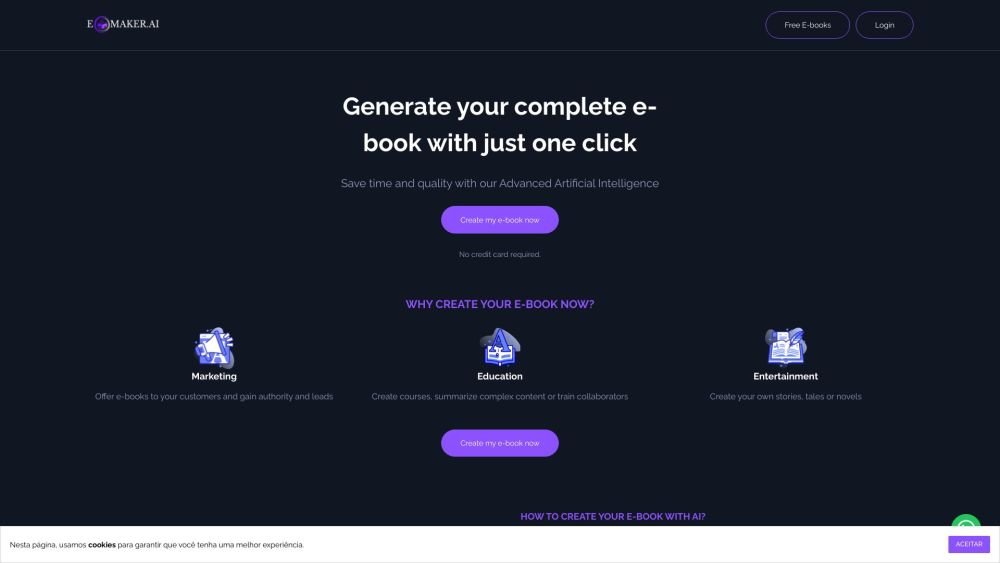
EbookMaker simplifies ebook creation using AI. With a single click, it turns titles into complete ebooks, offering an intuitive, streamlined experience. It uses AI to generate professional eBooks quickly and easily, ideal for self-publishing and automating ebook creation with powerful Artificial Intelligence driven tools. Users can customize the AI-generated content, add images, and convert text into audiobooks.
To create an ebook with Ebookmaker.ai, begin by selecting a title and providing a description of the desired content. The AI automatically generates the full text for your ebook. Once the initial draft is complete, you can refine the content by adding images or editing the text.
Ebookmaker.ai is an online platform that utilizes artificial intelligence to assist in the creation of digital books and audiobooks. Once the AI generates the ebook, you can customize the text, insert images, and convert the content into audio.
To create an ebook with Ebookmaker.ai, you start by choosing a title and a description of your desired content. The AI then automatically generates the full text. After the ebook is created, you can make adjustments, such as adding images or modifying the text.
Yes, you can edit your ebook after it has been generated. The platform provides customization tools to ensure the content meets your requirements after the AI produces the initial version.
When you use Ebookmaker.ai to create an ebook, you are the original author and hold the copyrights. You have full freedom to publish, distribute, and sell your content on any platform of your choice.
Once your ebook is ready, you can export it in common formats such as PDF, ePub, and FlipBook, each of which is compatible with various devices and platforms.
Ebookmaker.ai uses a credit-based system. You purchase credits in advance to use as needed, with the cost in credits determined by the number of chapters in your ebook.
You do not need additional credits to edit your ebook or download it in PDF, ePub, or Flipbook formats. Editing features are available to users who have purchased credits.
Free plan available.
Use these comparison pages to understand the trade-offs between the models most relevant to Ebookmaker.
Compare Gemini 1.0 Pro Deprecated and Gemini 2.0 Flash across pricing, context window, capabilities, benchmarks, and API access to choose the better fit for long-context workloads versus long-context workloads.
Compare Gemini 1.0 Pro Deprecated and Gemini 2.5 Flash across pricing, context window, capabilities, benchmarks, and API access to choose the better fit for long-context workloads versus long-context workloads.
Compare Gemini 2.0 Flash Lite and Gemini 2.0 Flash across pricing, context window, capabilities, benchmarks, and API access to choose the better fit for long-context workloads versus long-context workloads.
Compare Gemini 2.5 Flash and Gemini 2.0 Flash across pricing, context window, capabilities, benchmarks, and API access to choose the better fit for long-context workloads versus long-context workloads.

Similar AI tool in the AI Image Generator category.
Similar AI tool in the AI Marketing category.
Similar AI tool in the AI Writing Assistants category.
Similar AI tool in the AI Image Generator category.
Similar AI tool in the AI Assistant category.
Similar AI tool in the AI Chatbot category.
Similar AI tool in the AI Writing Assistants category.
Similar AI tool in the AI Writing Assistants category.
Similar AI tool in the AI Assistant category.
Similar AI tool in the AI Chatbot category.
Similar AI tool in the AI Chatbot category.
Similar AI tool in the AI Writing Assistants category.