
Free
$0Free plan available.
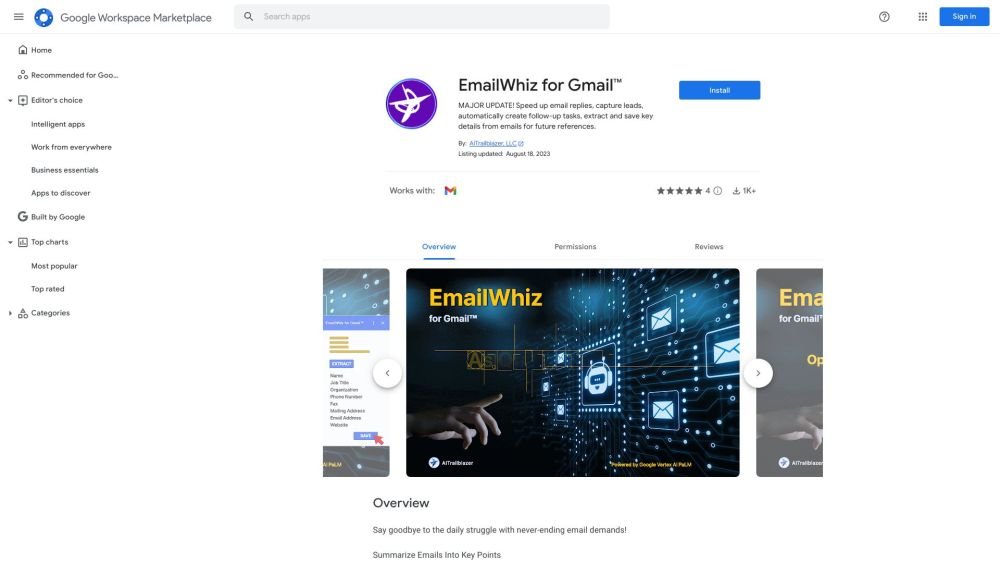
EmailWhiz for Gmail is a Google Workspace add-on that enhances Gmail functionality by leveraging Google's Vertex AI PaLM. It offers features such as summarizing emails, suggesting replies, creating follow-up tasks, and extracting key details and contact information from emails, saving users time and improving workflow efficiency.
1. Open an email within your Gmail inbox. 2. Select the EmailWhiz icon located in the right-hand sidebar. 3. Review the automatically generated key points, suggested replies, and follow-up tasks, then edit and save them as needed. 4. To extract contact information, copy the relevant text from the email body, paste it into the input field, and select 'Extract Contact Info'. 5. Review the parsed contact details and save them to your spreadsheet.
You receive 5 free requests to start.
A 'request' is any command for the app to perform a specific action. Summarizing an email, generating a reply suggestion, and creating a follow-up task are each counted as a single request. All other actions require individual requests.
If you cancel, you will retain access to the add-on until your current billing cycle concludes. You will not be charged for any future billing cycles after that period ends.
We do not provide refunds, and past subscription fees are non-refundable.
Free plan available.
Use these comparison pages to understand the trade-offs between the models most relevant to EmailWhiz for Gmail.
Compare Gemini 1.0 Pro Deprecated and Gemini 1.5 Flash Deprecated across pricing, context window, capabilities, benchmarks, and API access to choose the better fit for long-context workloads versus general-purpose AI workloads.
Compare Gemini 1.0 Pro Deprecated and Gemini 1.5 Flash Vision Deprecated across pricing, context window, capabilities, benchmarks, and API access to choose the better fit for long-context workloads versus general-purpose AI workloads.
Compare Gemini 1.0 Pro Vision Deprecated and Gemini 1.5 Flash Deprecated across pricing, context window, capabilities, benchmarks, and API access to choose the better fit for general-purpose AI workloads versus general-purpose AI workloads.
Compare Gemini 1.0 Pro Vision Deprecated and Gemini 1.5 Flash Vision Deprecated across pricing, context window, capabilities, benchmarks, and API access to choose the better fit for general-purpose AI workloads versus general-purpose AI workloads.

Similar AI tool in the AI Assistant category.
Similar AI tool in the AI Assistant category.
Similar AI tool in the AI Assistant category.
Similar AI tool in the AI Productivity Tools category.
Similar AI tool in the AI Assistant category.
Similar AI tool in the AI Assistant category.
Similar AI tool in the AI Assistant category.
Similar AI tool in the AI Productivity Tools category.
Similar AI tool in the AI Assistant category.
Similar AI tool in the AI Chatbot category.
Similar AI tool in the AI Assistant category.
Similar AI tool in the AI Assistant category.