
Free
$0Free plan available.
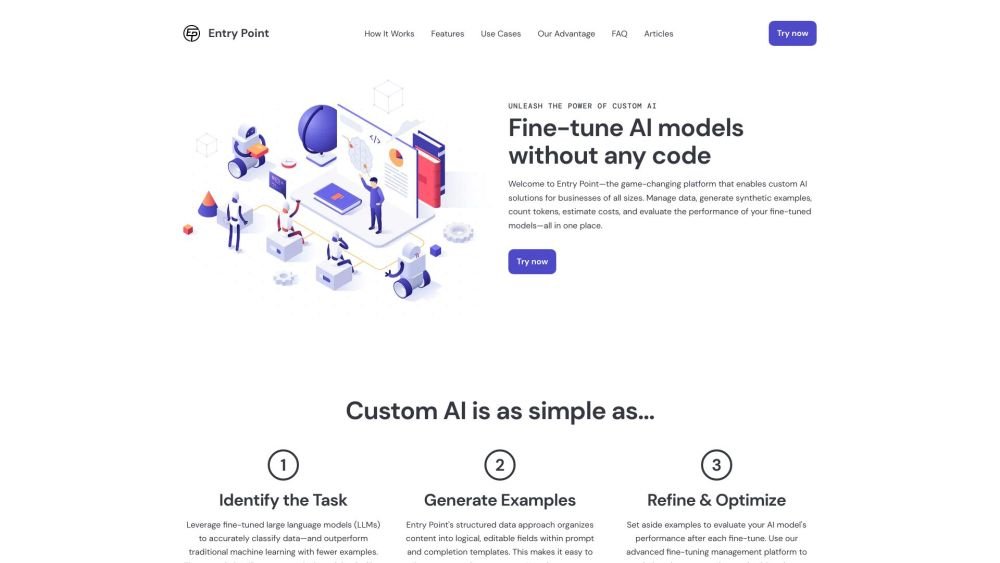
Entry Point is a no-code platform that helps you create custom AI models for your business or projects. Manage training data, generate synthetic examples, estimate fine-tuning costs, and optimize models—all in one place. Train, manage, and evaluate custom large language models (LLMs) quickly and efficiently on Entry Point AI without writing code.
Use Entry Point AI to manage prompts, fine-tuning, and evaluations in one centralized location. Import your data, create templates, train models across various providers, and share your results with a single click, all without needing to code.
You can begin achieving effective results with as few as 50 examples. Increasing the number of examples generally improves the accuracy of your models.
If your limit is 1,000 examples, you can distribute them across projects as you see fit—for example, one project with 1,000 examples or ten projects with 100 each. Deleting projects or examples will free up your limit for use in other projects.
Yes. Since models are trained on your chosen platform, such as OpenAI, you can revoke our access at any time, and the models remain yours. You are also free to export your data in JSONL or CSV format whenever you choose.
Fine-tuning models and generating synthetic examples will incur costs from the third-party platforms you connect to Entry Point. While these costs are separate, our platform provides estimates to help you avoid unexpected charges.
We offer support for high-volume needs and custom quotes. Please contact us at hello@entrypointai.com to discuss your specific requirements.
Free plan available.
Use these comparison pages to understand the trade-offs between the models most relevant to Entry Point AI.
Compare GPT 5.4 and GPT 5.4 Pro across pricing, context window, capabilities, benchmarks, and API access to choose the better fit for long-context workloads versus long-context workloads.
Compare GPT 5.5 and GPT 5.4 across pricing, context window, capabilities, benchmarks, and API access to choose the better fit for long-context workloads versus long-context workloads.
Compare GPT 5.5 and Claude 4.6 Opus across pricing, context window, capabilities, benchmarks, and API access to choose the better fit for long-context workloads versus long-context workloads.
Compare GPT 5.5 and Claude 4.6 Sonnet across pricing, context window, capabilities, benchmarks, and API access to choose the better fit for long-context workloads versus long-context workloads.

Similar AI tool in the AI Assistant category.
Similar AI tool in the AI Assistant category.
Similar AI tool in the AI Productivity Tools category.
Similar AI tool in the AI Assistant category.
Similar AI tool in the AI Writing Assistants category.
Similar AI tool in the AI Image Generator category.
Similar AI tool in the AI Writing Assistants category.
Similar AI tool in the AI Writing Assistants category.
Similar AI tool in the AI Chatbot category.
Similar AI tool in the AI Assistant category.
Similar AI tool in the AI Chatbot category.
Similar AI tool in the AI Assistant category.