
Free
$0Free plan available.
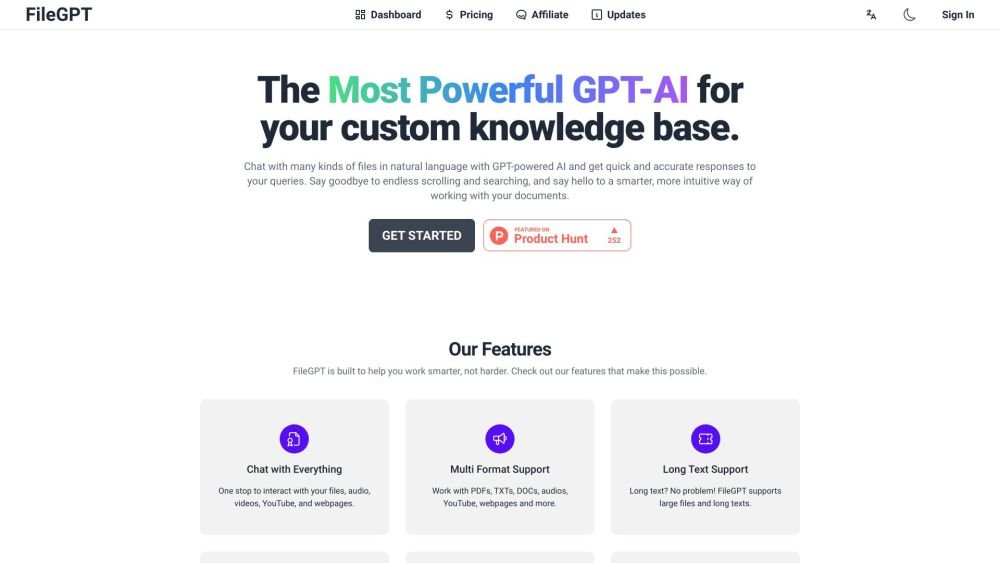
FileGPT is a GPT-powered application designed to interact with various file formats, including text documents, YouTube videos, audio files, webpages, and PDFs (with OCR for scanned documents). It serves as a customized knowledge database, allowing users to chat with their files in natural language and receive quick, accurate responses. FileGPT aims to enhance productivity and simplify digital life by providing a smarter way to work with documents, eliminating the need for endless scrolling and searching.
Users can upload or link various file types, such as PDFs, DOCs, TXTs, audio files, YouTube videos, and webpages, to FileGPT. Once uploaded, users can ask questions in natural language, and FileGPT will generate answers based on the content of the provided files.
FileGPT is an application based on Large Language Models (LLMs) that allows you to ask questions and interact with content across multiple formats.
Yes, you can try FileGPT for free; however, you will need to upgrade your account if you wish to increase your usage limits.
You can view available pricing options by visiting our pricing page.
You will have unlimited access to all of your content collections.
FileGPT supports larger files and longer texts, and it enables you to query multiple files simultaneously to integrate information into a single answer.
FileGPT supports PDFs, DOCs, TXTs, audio files, YouTube videos, and webpages, providing users with the flexibility to query many different types of content.
Free plan available.
Use these comparison pages to understand the trade-offs between the models most relevant to FileGPT.
Compare Gemini 1.0 Pro Deprecated and Gemini 2.0 Flash across pricing, context window, capabilities, benchmarks, and API access to choose the better fit for long-context workloads versus long-context workloads.
Compare Gemini 1.0 Pro Deprecated and Gemini 2.5 Flash across pricing, context window, capabilities, benchmarks, and API access to choose the better fit for long-context workloads versus long-context workloads.
Compare Gemini 2.0 Flash Lite and Gemini 2.0 Flash across pricing, context window, capabilities, benchmarks, and API access to choose the better fit for long-context workloads versus long-context workloads.
Compare Gemini 2.5 Flash and Gemini 2.0 Flash across pricing, context window, capabilities, benchmarks, and API access to choose the better fit for long-context workloads versus long-context workloads.

Similar AI tool in the AI Assistant category.
Similar AI tool in the AI Assistant category.
Similar AI tool in the AI Assistant category.
Similar AI tool in the AI Productivity Tools category.
Similar AI tool in the AI Assistant category.
Similar AI tool in the AI Assistant category.
Similar AI tool in the AI Chatbot category.
Similar AI tool in the AI Chatbot category.
Similar AI tool in the AI Assistant category.
Similar AI tool in the AI Chatbot category.
Similar AI tool in the AI Assistant category.
Similar AI tool in the AI Assistant category.