
Free
$0Free plan available.
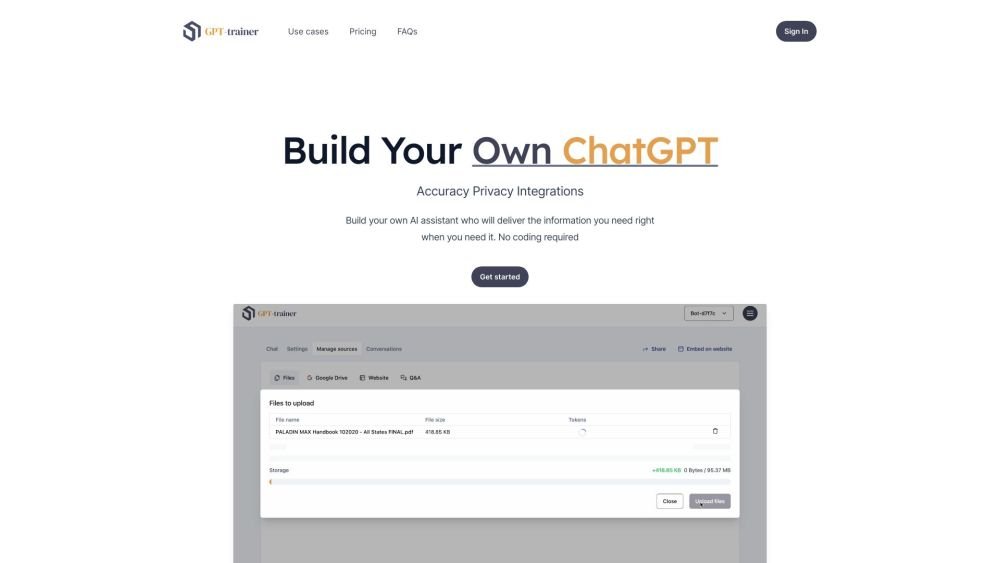
GPT-trainer is an AI chatbot builder that allows users to create custom chatbots using their own data. It supports various data input methods, including direct uploads, cloud drive imports, URL scraping, and direct text input. The chatbots can be embedded on websites or used in Slack, providing contextual responses based on the provided data. GPT-trainer emphasizes accuracy, privacy, and seamless integrations with other tools.
To use GPT-trainer, upload your data directly, import it from cloud storage, scrape URLs, or input text manually. Once the chatbot is trained on your data, you can embed it on your website or deploy it in Slack. You can also customize the chatbot's persona and branding to suit your needs.
GPT Trainer is an AI chatbot builder that uses your provided data as context to answer queries. You can upload files directly, import data from cloud partners, scrape URLs, or input text manually. Once created, you can embed the chatbot on your website or integrate it into Slack.
As a Software-as-a-Service platform, our application and your uploaded data are hosted online using Amazon Web Services (AWS) in Oregon, USA.
Yes. Our service utilizes OpenAI's GPT-3.5 and GPT-4 models, which are trained on data across the internet in over 95 languages, allowing GPT Trainer to support those same languages.
We support most common text document formats, including .pdf, .docx, .txt, .md, and .tex. You may also provide a URL for automatic text scraping or input your own text directly.
Our backend is designed to support multiple Large Language Models (LLMs). We currently offer GPT-3.5-turbo and GPT-4, with plans to integrate additional models like Google Bard, Meta LlaMA, and Anthropic Claude as they mature.
You retain exclusive administrative control over your chatbot's design, customization, and data. However, you can share the chatbot publicly for others to use.
Yes. You can define specific chatbot personas using our template-guided prompt engineering features.
You can embed an iframe or add a chat bubble to your website by selecting the "Embed on website" option within your chatbot settings.
Free plan available.
Use these comparison pages to understand the trade-offs between the models most relevant to GPT-trainer.
Compare GPT 5.4 and GPT 5.4 Pro across pricing, context window, capabilities, benchmarks, and API access to choose the better fit for long-context workloads versus long-context workloads.
Compare GPT 5.5 and GPT 5.4 across pricing, context window, capabilities, benchmarks, and API access to choose the better fit for long-context workloads versus long-context workloads.

Similar AI tool in the AI Assistant category.
Similar AI tool in the AI Assistant category.
Similar AI tool in the AI Assistant category.
Similar AI tool in the AI Productivity Tools category.
Similar AI tool in the AI Assistant category.
Similar AI tool in the AI Assistant category.
Similar AI tool in the AI Chatbot category.
Similar AI tool in the AI Chatbot category.
Similar AI tool in the AI Assistant category.
Similar AI tool in the AI Chatbot category.
Similar AI tool in the AI Assistant category.
Similar AI tool in the AI Assistant category.