
Free
$0Free plan available.
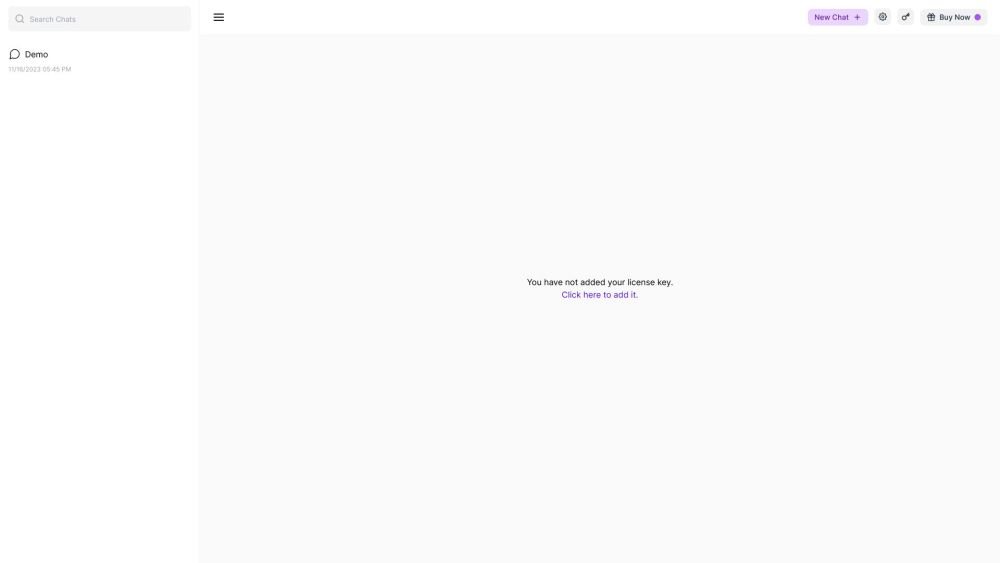
GPT Unbound is a UI dashboard for ChatGPT and GPT-4 that enhances the user experience with prompts, plugins, and search functionality. It allows users to manage and interact with ChatGPT and GPT-4 models through a user-friendly interface. Features include chat management (rename, delete), model selection, settings for providers like OpenAI, theme customization, data management (export/import chat), plugin integration, and a prompt library.
To use GPT Unbound, select your preferred model (GPT-3.5 or GPT-4), configure your OpenAI API key, and begin a new chat. You can manage your existing conversations by renaming or deleting them, and leverage plugins and prompts to optimize your interactions. Additionally, the dashboard supports the exporting and importing of your chat data.
Follow the link provided in the settings menu to retrieve your key from OpenAI.
Use the provided link to enter and apply your license key.
For customer support and feature requests, please email us at support@gptunbound.com.
Free plan available.
Use these comparison pages to understand the trade-offs between the models most relevant to GPT Unbound.
Compare GPT 5.4 and GPT 5.4 Pro across pricing, context window, capabilities, benchmarks, and API access to choose the better fit for long-context workloads versus long-context workloads.
Compare GPT 5.5 and GPT 5.4 across pricing, context window, capabilities, benchmarks, and API access to choose the better fit for long-context workloads versus long-context workloads.
Compare GPT 5.5 and Claude 4.6 Opus across pricing, context window, capabilities, benchmarks, and API access to choose the better fit for long-context workloads versus long-context workloads.
Compare GPT 5.5 and Claude 4.6 Sonnet across pricing, context window, capabilities, benchmarks, and API access to choose the better fit for long-context workloads versus long-context workloads.

Similar AI tool in the AI Assistant category.
Similar AI tool in the AI Assistant category.
Similar AI tool in the AI Assistant category.
Similar AI tool in the AI Productivity Tools category.
Similar AI tool in the AI Assistant category.
Similar AI tool in the AI Assistant category.
Similar AI tool in the AI Chatbot category.
Similar AI tool in the AI Chatbot category.
Similar AI tool in the AI Assistant category.
Similar AI tool in the AI Chatbot category.
Similar AI tool in the AI Assistant category.
Similar AI tool in the AI Assistant category.