
Free
$0Free plan available.
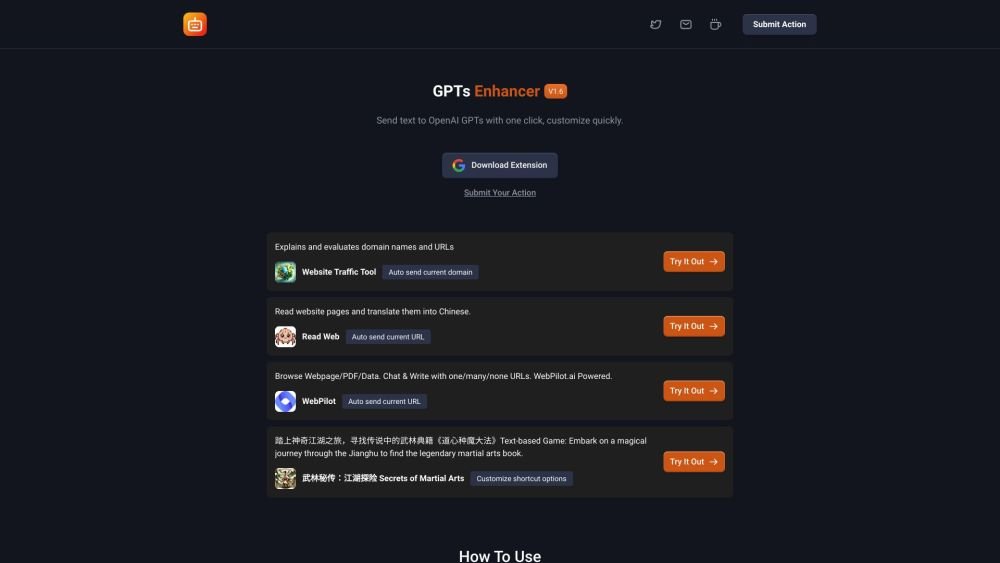
GPTs Enhancer is a Google Chrome extension designed to enhance interactions with OpenAI's GPT models. It allows users to customize commands to automatically send text from web pages to GPT or to create a set of quick-access options for intelligent feedback from GPT. It's a versatile assistant for language model training, writing support, or simple interactive entertainment.
Once you have installed the GPTs Enhancer extension, navigate to the settings page to create and save your custom commands. You can then use these commands to send text to GPT models or obtain quick feedback directly from the websites you browse.
The GPTs Enhancer Chrome extension is designed to improve your interactions with OpenAI's GPT models. It enables you to customize commands, automatically send text from web pages to GPT, and receive intelligent feedback quickly, making it a useful tool for language model training, writing support, and interactive entertainment.
Customizing commands is simple. After installing the extension, visit the settings page to create and save your custom commands. These commands can then be used to send text to GPT models or generate quick feedback while browsing.
Security is a priority. GPTs Enhancer does not store personal data and uses secure, encrypted connections to communicate with GPT models, ensuring your interactions remain private.
To install the extension, visit the Chrome Web Store, search for GPTs Enhancer, and select “Add to Chrome.” Follow the on-screen instructions to complete the installation and begin using the tool.
Yes, GPTs Enhancer will receive updates that include new features such as multi-language support and quick query options. Please watch for future releases.
Yes, the extension is free to install and use for its core features. We intend to introduce a premium version with additional functionality in the future.
Free plan available.
Use these comparison pages to understand the trade-offs between the models most relevant to GPTs Enhancer.
Compare GPT 5.4 and GPT 5.4 Pro across pricing, context window, capabilities, benchmarks, and API access to choose the better fit for long-context workloads versus long-context workloads.
Compare GPT 5.5 and GPT 5.4 across pricing, context window, capabilities, benchmarks, and API access to choose the better fit for long-context workloads versus long-context workloads.
Compare GPT 5.5 and Claude 4.6 Opus across pricing, context window, capabilities, benchmarks, and API access to choose the better fit for long-context workloads versus long-context workloads.
Compare GPT 5.5 and Claude 4.6 Sonnet across pricing, context window, capabilities, benchmarks, and API access to choose the better fit for long-context workloads versus long-context workloads.

Similar AI tool in the AI Assistant category.
Similar AI tool in the AI Assistant category.
Similar AI tool in the AI Assistant category.
Similar AI tool in the AI Productivity Tools category.
Similar AI tool in the AI Assistant category.
Similar AI tool in the AI Assistant category.
Similar AI tool in the AI Assistant category.
Similar AI tool in the AI Productivity Tools category.
Similar AI tool in the AI Assistant category.
Similar AI tool in the AI Chatbot category.
Similar AI tool in the AI Assistant category.
Similar AI tool in the AI Assistant category.