
Free
$0Free plan available.
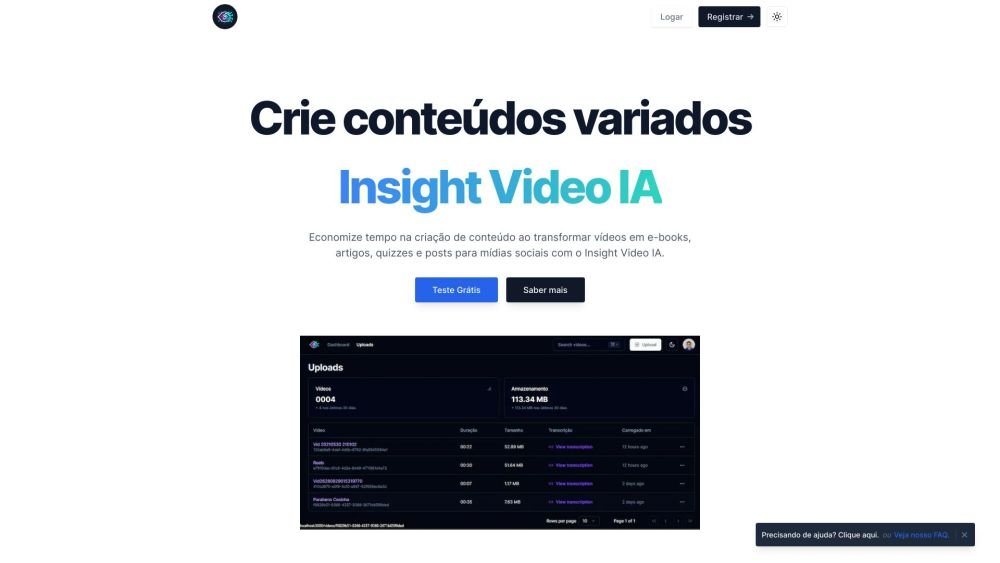
Insight Video IA is a tool designed to repurpose videos into diverse content formats, including e-books, articles, interactive quizzes, and social media posts. It enhances content creation efficiency, accessibility, and audience understanding by leveraging AI to transform video content into various educational resources. It supports video transcription, content editing, derivative content generation, automatic video translation, and video accessibility.
Users can transform video lessons into e-books, summaries, quizzes, and social media content by uploading their videos to the Insight Video IA platform. The AI then processes the video to generate the desired content formats.
Insight Video IA uses AI algorithms to transcribe video lessons with high precision, converting them into detailed text for review and study.
Yes, teachers have full flexibility to edit and customize transcriptions to better suit their educational requirements.
Yes, Insight Video IA provides multilingual support, allowing lessons to be transcribed in various languages to promote inclusion and accessibility.
Insight Video IA goes beyond transcription by generating teaching materials such as educational e-books, summaries, articles, and interactive questionnaires, allowing teachers to quickly expand their available learning resources.
Yes, Insight Video IA transcripts can be used to create captions and audio descriptions, making recorded lessons more accessible to all students, including those with hearing or visual impairments.
Insight Video IA includes a search function that allows teachers to quickly locate keywords and key concepts within lesson transcripts, helping to optimize study and review time.
To begin transforming your recorded lessons into dynamic educational resources, register on the Insight Video IA platform. Once registered, you will have full access to features designed specifically for teaching.
We prioritize the security of your educational videos by implementing rigorous data protection protocols. Videos are not hosted on our servers for more than 15 days; after this period, the video is deleted, though all generated content remains available to the user.
Free plan available.
Use these comparison pages to understand the trade-offs between the models most relevant to Insight Video IA.
Compare Gemini 1.0 Pro Deprecated and Gemini 2.0 Flash across pricing, context window, capabilities, benchmarks, and API access to choose the better fit for long-context workloads versus long-context workloads.
Compare Gemini 1.0 Pro Deprecated and Gemini 2.5 Flash across pricing, context window, capabilities, benchmarks, and API access to choose the better fit for long-context workloads versus long-context workloads.
Compare Gemini 2.0 Flash Lite and Gemini 2.0 Flash across pricing, context window, capabilities, benchmarks, and API access to choose the better fit for long-context workloads versus long-context workloads.
Compare Gemini 2.5 Flash and Gemini 2.0 Flash across pricing, context window, capabilities, benchmarks, and API access to choose the better fit for long-context workloads versus long-context workloads.

Similar AI tool in the AI Assistant category.
Similar AI tool in the AI Assistant category.
Similar AI tool in the AI Assistant category.
Similar AI tool in the AI Productivity Tools category.
Similar AI tool in the AI Assistant category.
Similar AI tool in the AI Assistant category.
Similar AI tool in the AI Chatbot category.
Similar AI tool in the AI Chatbot category.
Similar AI tool in the AI Assistant category.
Similar AI tool in the AI Chatbot category.
Similar AI tool in the AI Assistant category.
Similar AI tool in the AI Assistant category.