
Free
$0Free plan available.
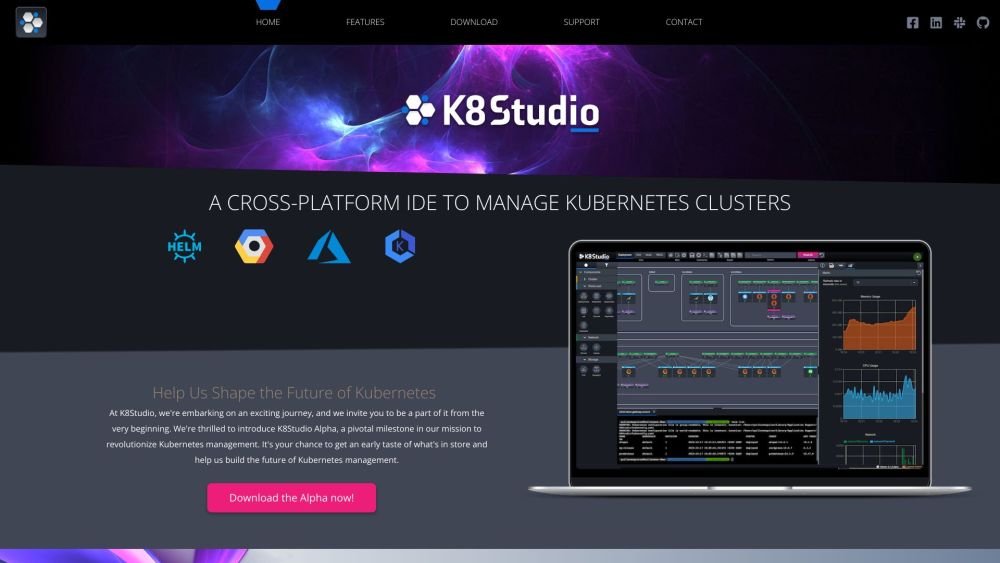
K8Studio is an integrated development environment (IDE) designed to simplify Kubernetes monitoring and management. It features a powerful code editor, simplified containerization, cluster management, and real-time debugging. K8Studio offers intuitive visualizations and comprehensive tools that transform complex cluster data into clear, actionable insights, helping users maintain control and efficiency. It supports major Kubernetes distributions and provides features like CloudMaps, multi-cluster management, cluster overview, advanced logs, an AI Copilot, grid view, YAML editor, and selection overview.
To use K8Studio, download and install the application on your preferred platform. Launch K8Studio and add your Kubernetes clusters; the tool reads these directly from your .kube/config file without modifying it. You can then utilize features such as CloudMaps for cluster visualization, the YAML editor for configuration management, and the integrated terminal for command-line operations.
K8Studio reads clusters from your .kube/config file without modifying it, ensuring a seamless integration.
Yes, K8Studio supports all major Kubernetes distributions, including AWS, GCP, Azure, DigitalOcean, Rancher, K3s, and OpenShift.
CloudMaps provide intuitive cluster visualization using color coding and heatmaps, which simplifies Kubernetes management by highlighting resource relationships and allowing for detailed drill-downs.
The User Permissions feature displays the actions a user can perform across various namespaces, resources, and verbs, providing a clear overview of access levels.
Free plan available.
Use these comparison pages to understand the trade-offs between the models most relevant to K8Studio.
Compare Amazon Nova Pro and Amazon Nova Lite across pricing, context window, capabilities, benchmarks, and API access to choose the better fit for tool-augmented workflows versus tool-augmented workflows.
Compare Amazon Nova Lite and Amazon Nova Micro across pricing, context window, capabilities, benchmarks, and API access to choose the better fit for tool-augmented workflows versus tool-augmented workflows.
Compare Amazon Nova Lite and Mistral Medium 3 across pricing, context window, capabilities, benchmarks, and API access to choose the better fit for tool-augmented workflows versus tool-augmented workflows.
Compare Amazon Nova Lite and Mistral Small 3.1 (25.03) across pricing, context window, capabilities, benchmarks, and API access to choose the better fit for tool-augmented workflows versus cost-efficient scale.

Similar AI tool in the AI Assistant category.
Similar AI tool in the AI Assistant category.
Similar AI tool in the AI Assistant category.
Similar AI tool in the AI Assistant category.
Similar AI tool in the AI Chatbot category.
Similar AI tool in the AI Chatbot category.
Similar AI tool in the AI Chatbot category.
Similar AI tool in the AI Assistant category.
Similar AI tool in the AI Assistant category.
Similar AI tool in the AI Assistant category.
Similar AI tool in the AI Summarizer category.
Similar AI tool in the AI Summarizer category.