
Free
$0Free plan available.
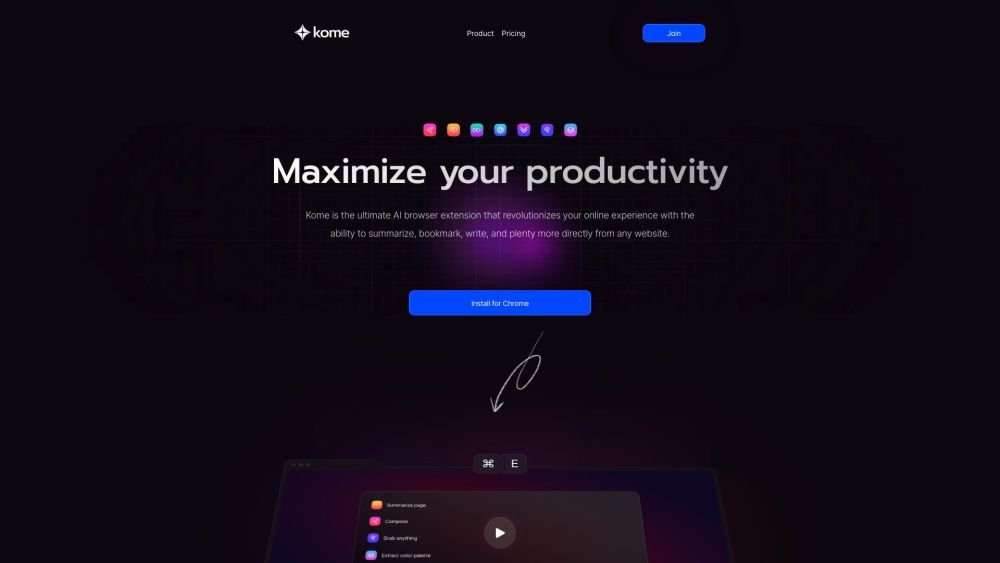
Kome is an AI browser extension that enhances your online experience. It enables you to summarize, bookmark, write, and perform other tasks directly from any website. Kome offers features like an AI-powered summarizer, a bookmark manager, and smart compose. It is compatible with Chrome, Edge, Opera, Brave, and Arc browsers.
Install the Kome AI extension from your browser's extension marketplace. Once installed, you can use it to summarize articles, bookmark content, and compose emails or blog posts directly from any webpage.
Kome is an AI-powered browser assistant that enhances your online experience by providing tools for summarizing, bookmarking, and AI-assisted writing directly from any webpage.
Kome functions as a personal online assistant. It helps you summarize lengthy articles and YouTube videos, bookmark interesting content, and use your bookmarks to generate tweets, emails, and blog outlines, making your browsing more efficient.
Kome is compatible with major browsers, including Chrome, Brave, Opera, and Arc, ensuring accessibility regardless of your preferred browser.
Kome provides a variety of features, including instant summarization, bookmarking, and AI-assisted writing, all within an all-in-one extension designed to boost your online productivity.
You can add Kome to your browser by visiting your browser's extension marketplace, searching for 'Kome AI', and following the provided installation steps.
Free plan available.
Use these comparison pages to understand the trade-offs between the models most relevant to Kome AI.
Compare Gemini 1.0 Pro Deprecated and Gemini 2.0 Flash across pricing, context window, capabilities, benchmarks, and API access to choose the better fit for long-context workloads versus long-context workloads.
Compare Gemini 1.0 Pro Deprecated and Gemini 2.5 Flash across pricing, context window, capabilities, benchmarks, and API access to choose the better fit for long-context workloads versus long-context workloads.
Compare Gemini 2.0 Flash Lite and Gemini 2.0 Flash across pricing, context window, capabilities, benchmarks, and API access to choose the better fit for long-context workloads versus long-context workloads.
Compare Gemini 2.5 Flash and Gemini 2.0 Flash across pricing, context window, capabilities, benchmarks, and API access to choose the better fit for long-context workloads versus long-context workloads.

Similar AI tool in the AI Assistant category.
Similar AI tool in the AI Assistant category.
Similar AI tool in the AI Productivity Tools category.
Similar AI tool in the AI Writing Assistants category.
Similar AI tool in the AI Assistant category.
Similar AI tool in the AI Writing Assistants category.
Similar AI tool in the AI Writing Assistants category.
Similar AI tool in the AI Assistant category.
Similar AI tool in the AI Assistant category.
Similar AI tool in the AI Chatbot category.
Similar AI tool in the AI Productivity Tools category.
Similar AI tool in the AI Assistant category.