
Free
$0Free plan available.
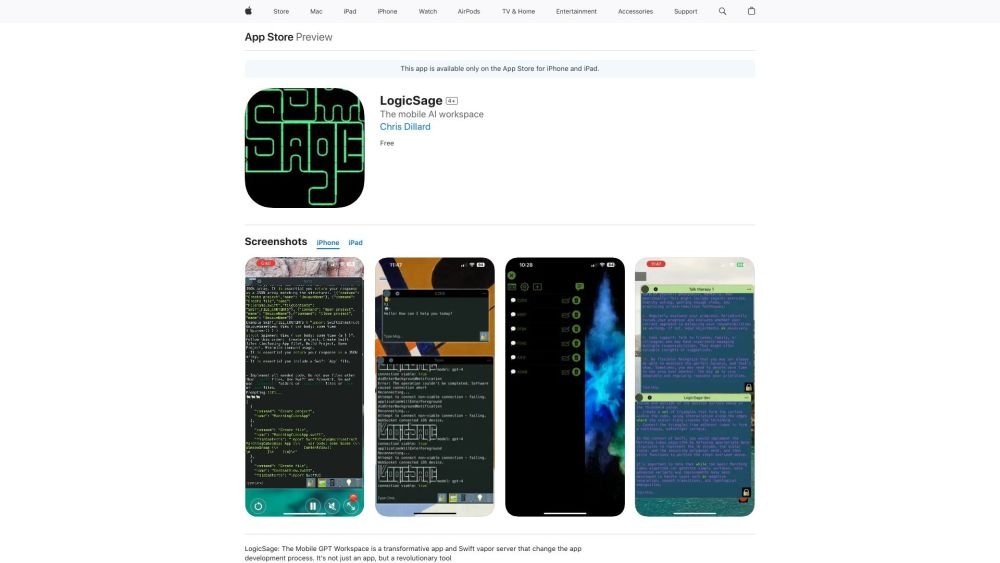
LogicSage is an open-source SwiftUI app and Swift Vapor server designed for chatting with GPT models. It features chat history saved to disk, haptic feedback, customizable colors and text sizes, and the ability to generate Xcode projects with GPT using Logic Sage for Mac. It is available on the App Store for iPhone and iPad.
Download LogicSage from the App Store. Use the chat interface to interact with AI, switch models during a conversation, manage built-in or custom system messages, and listen to AI-generated responses. You can also download Git repositories, view code with custom color formatting, and push pull requests.
Yes, LogicSage is entirely free and open-source.
The source code is hosted on GitHub at https://github.com/cdillard/LogicSage
LogicSage requires iOS 16.0 or later for iPhone and iPadOS 16.0 or later for iPad.
Free plan available.
Use these comparison pages to understand the trade-offs between the models most relevant to LogicSage.
Compare GPT 5.4 and GPT 5.4 Pro across pricing, context window, capabilities, benchmarks, and API access to choose the better fit for long-context workloads versus long-context workloads.
Compare GPT 5.5 and GPT 5.4 across pricing, context window, capabilities, benchmarks, and API access to choose the better fit for long-context workloads versus long-context workloads.
Compare GPT 5.5 and Claude 4.6 Opus across pricing, context window, capabilities, benchmarks, and API access to choose the better fit for long-context workloads versus long-context workloads.
Compare GPT 5.5 and Claude 4.6 Sonnet across pricing, context window, capabilities, benchmarks, and API access to choose the better fit for long-context workloads versus long-context workloads.

Similar AI tool in the AI Copilot category.
Similar AI tool in the AI Assistant category.
Similar AI tool in the AI Assistant category.
Similar AI tool in the AI Productivity Tools category.
Similar AI tool in the AI Assistant category.
Similar AI tool in the AI Assistant category.
Similar AI tool in the AI Assistant category.
Similar AI tool in the AI Chatbot category.
Similar AI tool in the AI Chatbot category.
Similar AI tool in the AI Chatbot category.
Similar AI tool in the AI Productivity Tools category.
Similar AI tool in the AI Assistant category.