M1-chat

0
5 0 Reviews 0 Saved
Introduction: M1-chat enables businesses to build human-like chatbots that understand context and nuances. Use it to provide instant answers to website visitors and capture lead information. The platform allows you to train your chatbot using your own data without requiring coding skills, with setup taking as little as 10 minutes.

M1-chat Product Information

What is M1-chat?

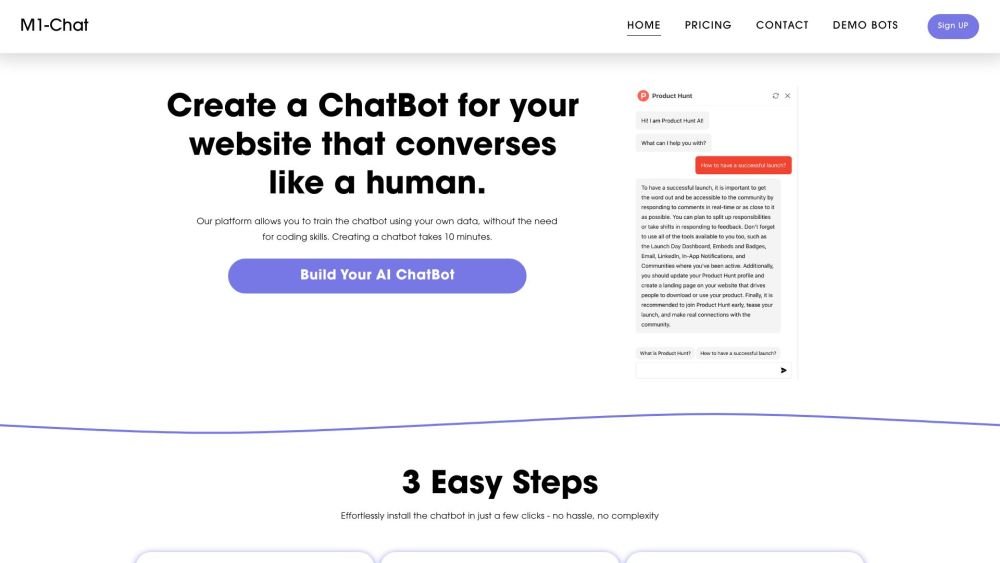
M1-chat enables businesses to create chatbots that communicate like humans. The chatbot understands context and hints. Use it to instantly answer website visitors' questions and generate additional leads by collecting their information. The platform allows you to train the chatbot using your own data, without the need for coding skills. Creating a chatbot takes 10 minutes.

How to use M1-chat?

1. Click the "Create chatbot" button. 2. Provide a link to your website or upload your PDF files. 3. Embed your chatbot anywhere on your site.

M1-chat's Core Features

  • No-code chatbot creation
  • Customizable AI chatbots trained on your content
  • Integration via iframe or API
  • Supports over 90 languages

M1-chat Use Cases

#1 Instantly answer visitor questions on your website
#2 Generate leads by collecting visitor information
#3 Provide customer support
#4 Information retrieval

FAQ from M1-chat

What is M1-Chat? +

M1-Chat is a tool that lets you train ChatGPT on your specific data and add a custom chat widget to your website. Whether you need a virtual assistant for customer support or information retrieval, you can simply upload a document or provide a website link to create a dynamic chatbot that answers questions about your content.

What is a no-code chatbot? +

This AI bot builder allows you to integrate a personalized AI assistant onto your website without complex coding. Simply embed the provided script to launch your AI chatbot in minutes, helping you enhance customer interactions and provide instant support.

How do I add a chatbot to my site? +

Using our builder, you can embed an iframe and add a chat icon to the bottom right corner of your site. Create your chatbot and add the frame to the <head> section of your website. Additionally, our universal API allows for seamless communication with your chatbot from any location.

How should my data look? +

Ideally, data should consist of question-answer pairs or dialogs to help the chatbot respond effectively. While varied and complete data improves performance, you can also simply upload a PDF or provide a website link for us to collect the information for you.

Does it use ChatGPT or GPT-4? +

By default, your chatbot uses ChatGPT (gpt-3.5-turbo). We plan to add support for GPT-4 in the near future.

What languages can I use with M1-Chat? +

M1-Chat supports over 90 languages. Users can ask questions in their preferred language, and the chatbot will respond accordingly, even if the source information was uploaded in a different language.

Where will my uploaded data be stored? +

Your document content is securely hosted on GCP/AWS servers in Oregon (US West). We prioritize data security by leveraging the infrastructure of leading cloud service providers to ensure your information is stored in a protected environment.

Can I get my money back if I'm not satisfied with M1-Chat? +

If you are not satisfied with our services, you may request a refund within the first 14 days. Please contact us via the form on our website's contact page to initiate the process.

How do I add a chatbot to my site? +

Using our builder, you can embed an iframe and add a chat icon to the bottom right corner of your site. Create your chatbot and add the frame to your site. Additionally, our universal API allows for seamless communication with your chatbot from any location.

M1-chat Pricing

Free

$0

Free plan available.

Related Model Comparison Pages

Use these comparison pages to understand the trade-offs between the models most relevant to M1-chat.

Compare GPT 5.4 and GPT 5.4 Pro across pricing, context window, capabilities, benchmarks, and API access to choose the better fit for long-context workloads versus long-context workloads.

Compare GPT 5.5 and GPT 5.4 across pricing, context window, capabilities, benchmarks, and API access to choose the better fit for long-context workloads versus long-context workloads.

You Might Also Like

Yapping - Chrome Extension

Yapping - Chrome Extension

AI Chatbot

Yapping is a Chrome extension that enables voice-based interaction with ChatGPT, removing the need for manual typing. It provides access to premium features at a lower cost by allowing users to integrate their own OpenAI API key.

Contact N/A Views
Details
FinverAI - Chrome Extension

FinverAI - Chrome Extension

AI Productivity Tools

FinverAI is an AI-powered financial analysis Chrome extension that provides users with insights and tools to support informed investment decisions. By utilizing advanced algorithms and machine learning, it analyzes market trends, forecasts stock performance, and delivers personalized investment recommendations.

Contact N/A Views
Details
ReplyPulse.com - Chrome Extension

ReplyPulse.com - Chrome Extension

AI Marketing

ReplyPulse.com is an AI-powered Chrome extension designed to help you scale your presence on X (Twitter) and LinkedIn by generating AI-driven replies. It streamlines social media interactions to help you improve engagement.

Contact N/A Views
Details
IsItAI.com - Chrome Extension

IsItAI.com - Chrome Extension

AI API

The IsItAI.com Chrome extension leverages artificial intelligence to detect and classify images. By analyzing uploaded files, it determines whether an image is a real photograph or AI-generated, providing a confidence score and content classification for each result.

Contact N/A Views
Details
AI Chat Assistant Browser Extension - Chrome Extension

AI Chat Assistant Browser Extension - Chrome Extension

AI Assistant

The AI Chat Assistant Browser Extension is a tool designed to improve the convenience and efficiency of your AI chat interactions. It offers support for content creators, researchers, customer service representatives, and other professionals who rely on AI chat tools, helping to streamline their daily workflows.

Contact N/A Views
Details
Virtual Try-On - Chrome Extension

Virtual Try-On - Chrome Extension

AI Assistant

The Virtual Try-On Chrome extension enables users to upload clothing images from any website to instantly visualize how garments appear on their own body. This tool provides a virtual try-on experience that helps customers preview the fit and look of clothing before completing a purchase.

Contact N/A Views
Details
ViiTor - Chrome Extension

ViiTor - Chrome Extension

Large Language Models (LLMs)

ViiTor is a Chrome extension that provides real-time audio transcription and translation for live broadcasts, online videos, and virtual meetings, allowing users to display bilingual subtitles.

Contact N/A Views
Details
AI-powered real-time call assistant - Chrome Extension

AI-powered real-time call assistant - Chrome Extension

AI Assistant

This AI-powered Chrome extension acts as a real-time call assistant for Google Meet, Zoom, and MS Teams. It offers live transcription, meeting summarization, and action item extraction to help you stay productive. Additionally, it provides real-time feedback on your speaking style and clarity to improve communication effectiveness.

Contact N/A Views
Details
VSX Extension - Chrome Extension

VSX Extension - Chrome Extension

AI Chatbot

The VSX Extension is a Chrome extension designed to improve your learning process through integrated quiz generation and chatbot capabilities. This tool offers interactive quizzes and conversational support to assist with your educational needs.

Contact N/A Views
Details
We360.ai Extension - Chrome Extension

We360.ai Extension - Chrome Extension

AI Assistant

The We360.ai Chrome extension offers insights into remote and hybrid workforce productivity, including website usage analysis, screenshot capabilities, and team performance monitoring.

Contact N/A Views
Details
Zalo Automation Tool - Chrome Extension

Zalo Automation Tool - Chrome Extension

AI Chatbot

The Zalo Automation Tool is a Chrome extension designed to streamline tasks on Zalo, the popular messaging and social networking platform. It automates sending messages, adding friends, building communities, and identifying potential customers, helping businesses and individuals efficiently manage their Zalo presence and expand their reach.

Contact N/A Views
Details
ChartIQ AI - Chrome Extension

ChartIQ AI - Chrome Extension

AI Chatbot

ChartIQ AI is a Chrome extension that enhances the trading experience using AI-driven insights. It utilizes artificial intelligence to deliver advanced analytics, predictive modeling, and personalized recommendations, helping traders refine their decision-making and improve overall trading results.

Contact N/A Views
Details