
Free
$0Free plan available.
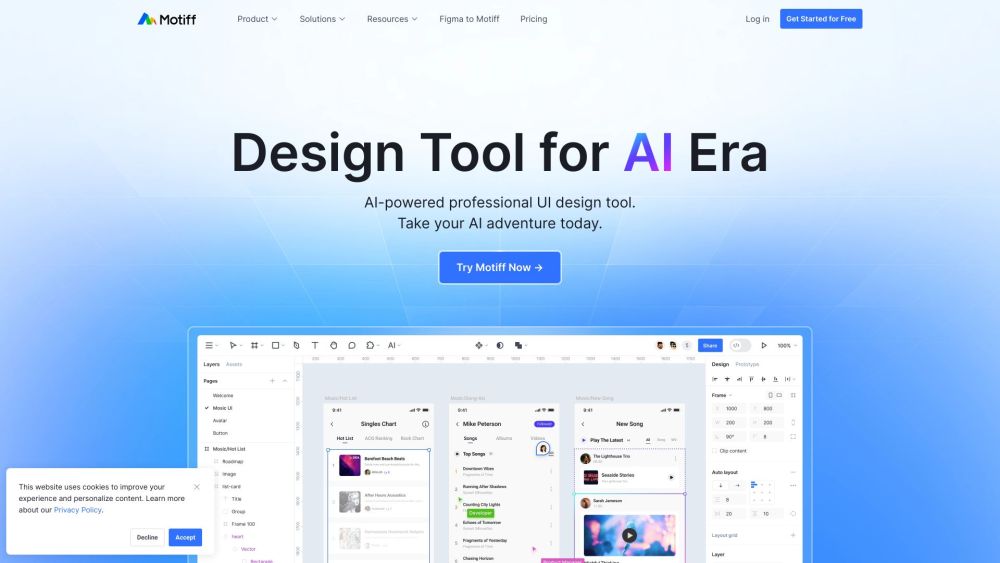
Motiff is an AI-driven user interface design tool that provides comprehensive UI design features and innovative AI functionalities. It aims to be a design partner in the AI era, helping users and teams design more efficiently and create more freely. Motiff supports features like inputting images and text to generate designs, generating multiple revision schemes, creating new local modules, modifying images, extracting online websites into editable designs, writing, translating, and refining text, analyzing designs and providing suggestions, and generating shortcuts to complete tasks. It also facilitates team collaboration with professional interface editors, design systems, and prototyping tools, all in the cloud. Motiff supports easy migration from Figma and Sketch, and ensures efficient delivery with design and code consistency, including support for MCP protocol for seamless integration with AI Coding tools. Motiff AI 2.0 is currently in beta, offering early access to its AI capabilities.
Users can input images and text to generate designs, collaborate in real-time via the cloud, and easily migrate files from Figma and Sketch. The platform also offers AI-driven suggestions and shortcuts to streamline the design process.
Motiff AI 2.0 is an AI-powered user interface design tool that helps teams design more efficiently. Currently in beta, it includes features such as design generation from text and images, as well as automated design suggestions.
Yes, you can migrate your design files from Figma and Sketch to Motiff while maintaining your design layers and component relationships.
Develop Mode is a feature that ensures consistency between design and code, supporting the MCP protocol for seamless integration with AI coding tools.
Paid subscriptions for Motiff AI 2.0 will begin on July 1, 2025. The existing non-AI pricing will remain available, alongside a new pricing tier that includes AI features.
Free plan available.
Use these comparison pages to understand the trade-offs between the models most relevant to Motiff.
Compare Gemini 1.0 Pro Deprecated and Gemini 2.0 Flash across pricing, context window, capabilities, benchmarks, and API access to choose the better fit for long-context workloads versus long-context workloads.
Compare Gemini 1.0 Pro Deprecated and Gemini 2.5 Flash across pricing, context window, capabilities, benchmarks, and API access to choose the better fit for long-context workloads versus long-context workloads.
Compare Gemini 2.0 Flash Lite and Gemini 2.0 Flash across pricing, context window, capabilities, benchmarks, and API access to choose the better fit for long-context workloads versus long-context workloads.
Compare Gemini 2.5 Flash and Gemini 2.0 Flash across pricing, context window, capabilities, benchmarks, and API access to choose the better fit for long-context workloads versus long-context workloads.

Similar AI tool in the AI Assistant category.
Similar AI tool in the AI Assistant category.
Similar AI tool in the AI Assistant category.
Similar AI tool in the AI Productivity Tools category.
Similar AI tool in the AI Assistant category.
Similar AI tool in the AI Assistant category.
Similar AI tool in the AI Assistant category.
Similar AI tool in the AI Productivity Tools category.
Similar AI tool in the AI Assistant category.
Similar AI tool in the AI Chatbot category.
Similar AI tool in the AI Assistant category.
Similar AI tool in the AI Assistant category.