
Free
$0Free plan available.
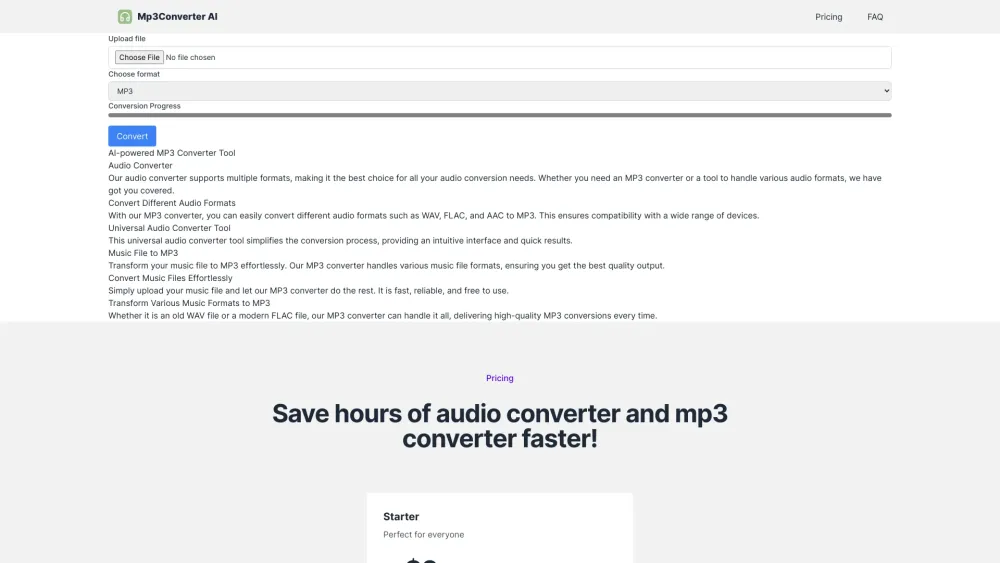
Mp3Converter AI is an online audio converter that uses AI technology to convert various audio and video formats to MP3. It supports formats like WAV, FLAC, and AAC, ensuring high-quality audio conversion quickly and efficiently. The tool offers a user-friendly interface and batch conversion capabilities, making it accessible and efficient for all users.
To use Mp3Converter AI, visit the website, upload your audio or video file, select MP3 as the output format, and initiate the conversion. Once the process is finished, you can download your converted MP3 file.
Mp3Converter AI is a versatile online audio converter that specializes in transforming various audio formats into MP3. Whether you need to convert a single track or process multiple files in a batch, the tool ensures high-quality results quickly and efficiently.
Yes, Mp3Converter AI is completely free. We provide accessible audio conversion tools at no cost, allowing users to convert their music files to MP3 format without financial barriers.
To convert a WAV file to MP3, visit our website, upload your WAV file, and select MP3 as the output format. The tool will process the conversion, allowing you to download your MP3 file shortly after.
Yes. Our batch conversion feature allows you to upload and convert multiple files simultaneously, saving time and effort. This is ideal for managing large audio projects or converting entire playlists.
Mp3Converter AI supports a wide range of audio formats, including WAV, FLAC, AAC, and others. Our converter is designed to handle virtually any audio file format you need to process.
Our tool utilizes advanced audio processing technology to ensure that every conversion maintains the highest possible audio fidelity. You can expect clear sound quality regardless of the conversion direction.
Mp3Converter AI is optimized for fast conversion without sacrificing quality. Most tasks are completed within minutes, depending on the file size and the number of files being processed.
Yes, our audio compressor can reduce file sizes while maintaining a balance between quality and storage efficiency. This feature is useful for optimizing audio for streaming or storage.
Free plan available.
Use these comparison pages to understand the trade-offs between the models most relevant to Mp3Converter AI.
Compare Gemini 1.0 Pro Deprecated and Gemini 2.0 Flash across pricing, context window, capabilities, benchmarks, and API access to choose the better fit for long-context workloads versus long-context workloads.
Compare Gemini 1.0 Pro Deprecated and Gemini 2.5 Flash across pricing, context window, capabilities, benchmarks, and API access to choose the better fit for long-context workloads versus long-context workloads.
Compare Gemini 2.0 Flash Lite and Gemini 2.0 Flash across pricing, context window, capabilities, benchmarks, and API access to choose the better fit for long-context workloads versus long-context workloads.
Compare Gemini 2.5 Flash and Gemini 2.0 Flash across pricing, context window, capabilities, benchmarks, and API access to choose the better fit for long-context workloads versus long-context workloads.

Similar AI tool in the AI Transcription category.
Similar AI tool in the AI Writing Assistants category.
Similar AI tool in the AI Assistant category.
Similar AI tool in the AI Productivity Tools category.
Similar AI tool in the AI Writing Assistants category.
Similar AI tool in the AI Marketing category.
Similar AI tool in the AI Assistant category.
Similar AI tool in the AI Image Generator category.
Similar AI tool in the AI Chatbot category.
Similar AI tool in the AI Text-to-Speech category.
Similar AI tool in the AI Image Generator category.
Similar AI tool in the AI Video Generator category.