
Free
$0Free plan available.
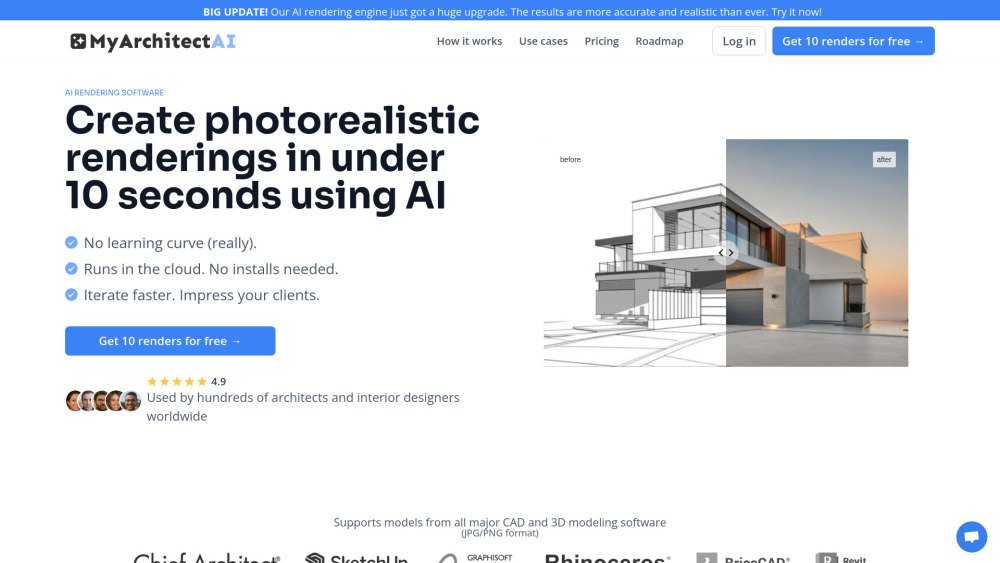
MyArchitectAI is an AI rendering software that allows users to create photorealistic AI renders in under 10 seconds. It supports designs from various CAD and 3D modeling software, including SketchUp and Archicad. The platform offers features like AI style transfer and an AI enhancer to experiment with design variations and improve render quality. It aims to provide 90% of the result of complex non-AI rendering software with just 10% of the effort and cost.
Upload your design (JPG/PNG), customize the visual style using text prompts or predefined styles, and generate and download your render in 4K resolution.
Not yet. MyArchitectAI is designed to help you iterate through client feedback quickly and win more projects. It allows you to achieve 90% of the results of traditional rendering tools in 10% of the time.
No. You can use MyArchitectAI on any device, including Macs and mobile phones. Images are processed on our high-end GPUs and displayed in your browser, so your computer's performance is not impacted.
99% of renders are completed in under 10 seconds. The remaining 1% may experience occasional timeouts during periods of high user traffic.
No. MyArchitectAI is a cloud-based platform that runs entirely within your web browser, requiring no installations.
Yes, no 3D modeling skills are required. Simply upload a screenshot of your architectural or interior design, describe your desired aesthetic, and the AI will handle the modeling, texturing, and lighting.
Pro plan subscribers receive full commercial rights to all their creations and may use them as they see fit.
MyArchitectAI accepts JPEG, PNG, and GIF files for uploading CAD models and design sketches.
MyArchitectAI is compatible with all major web browsers on desktops, tablets, and mobile devices, including Windows, Mac, and Linux systems.
Yes. You can earn a 30% monthly commission on subscription payments generated through your channels. Please apply via the provided link.
Yes. You can download your invoice by clicking the 'manage subscription' link located in the top right corner of the user interface.
Click the 'manage subscription' link in the top right corner of your Pro account to cancel or modify your plan at any time. You will retain access to the tool until the end of your current billing period.
If the AI renderer does not meet your expectations, contact us via live chat or our contact form for a full refund. Please note that refunds are only available if you have generated fewer than 10 renders.
Free plan available.
Use these comparison pages to understand the trade-offs between the models most relevant to MyArchitectAI.
Compare Gemini 1.0 Pro Deprecated and Gemini 2.0 Flash across pricing, context window, capabilities, benchmarks, and API access to choose the better fit for long-context workloads versus long-context workloads.
Compare Gemini 1.0 Pro Deprecated and Gemini 2.5 Flash across pricing, context window, capabilities, benchmarks, and API access to choose the better fit for long-context workloads versus long-context workloads.
Compare Gemini 2.0 Flash Lite and Gemini 2.0 Flash across pricing, context window, capabilities, benchmarks, and API access to choose the better fit for long-context workloads versus long-context workloads.
Compare Gemini 2.5 Flash and Gemini 2.0 Flash across pricing, context window, capabilities, benchmarks, and API access to choose the better fit for long-context workloads versus long-context workloads.