
Free
$0Free plan available.
Nexa AI helps enterprises build and scale low-latency, high-performance AI applications for text, audio, image, and multimodal tasks on-device. It offers tools for model compression, on-device deployment, and supports various hardware and operating systems. Nexa AI provides solutions for voice assistants, AI image generation, AI chatbots with local RAG, AI agents, and visual understanding.
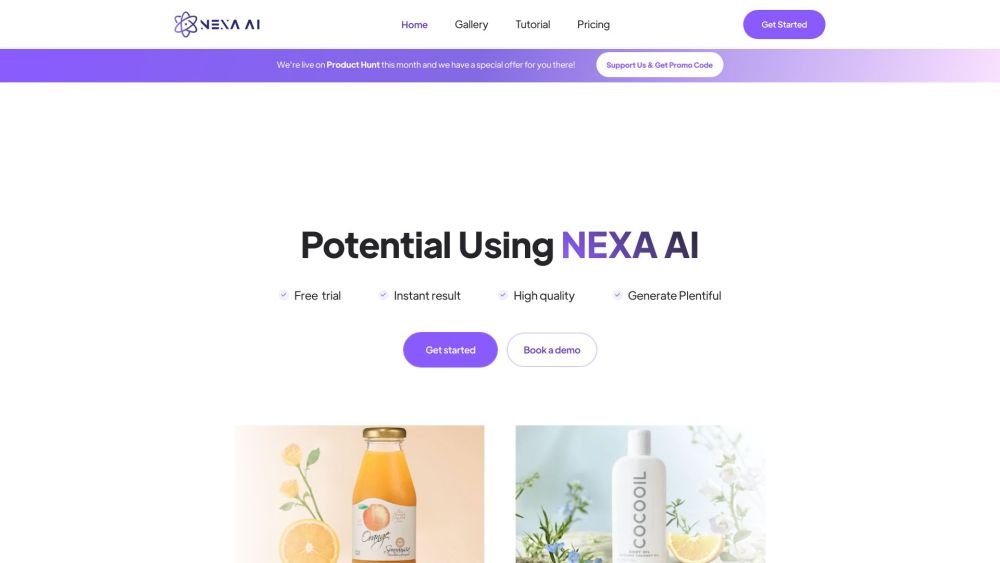
Upload your product images, select from over 100 templates, customize models and scenes, and your photos are ready for use. Alternatively, build high-performance on-device AI applications using Nexa AI's tools for model compression and deployment across various hardware platforms.
Nexa AI supports state-of-the-art models from leading developers—including DeepSeek, Llama, Gemma, Qwen, and Nexa's own Octopus, OmniVLM, and OmniAudio—enabling you to handle multimodal tasks such as text, audio, visual understanding, image generation, and function calling.
Nexa AI utilizes proprietary methods to reduce model size through quantization, pruning, and distillation while maintaining accuracy. This process reduces storage and memory requirements by 4X and accelerates inference speeds.
Nexa AI supports deployment across various hardware configurations (CPU, GPU, NPU) and operating systems, including chipsets from Qualcomm, AMD, Intel, and custom hardware.
Free plan available.
Use these comparison pages to understand the trade-offs between the models most relevant to Nexa AI.
Compare Gemini 1.0 Pro Deprecated and Gemini 2.0 Flash across pricing, context window, capabilities, benchmarks, and API access to choose the better fit for long-context workloads versus long-context workloads.
Compare Gemini 1.0 Pro Deprecated and Gemini 2.5 Flash across pricing, context window, capabilities, benchmarks, and API access to choose the better fit for long-context workloads versus long-context workloads.
Compare Gemini 2.0 Flash Lite and Gemini 2.0 Flash across pricing, context window, capabilities, benchmarks, and API access to choose the better fit for long-context workloads versus long-context workloads.
Compare Gemini 2.5 Flash and Gemini 2.0 Flash across pricing, context window, capabilities, benchmarks, and API access to choose the better fit for long-context workloads versus long-context workloads.

Similar AI tool in the AI Assistant category.
Similar AI tool in the AI Assistant category.
Similar AI tool in the AI Marketing category.
Similar AI tool in the AI Assistant category.
Similar AI tool in the AI Writing Assistants category.
Similar AI tool in the AI Image Generator category.
Similar AI tool in the AI Assistant category.
Similar AI tool in the AI Chatbot category.
Similar AI tool in the AI Chatbot category.
Similar AI tool in the AI Chatbot category.
Similar AI tool in the No-Code&Low-Code category.
Similar AI tool in the AI Productivity Tools category.