
Free
$0Free plan available.
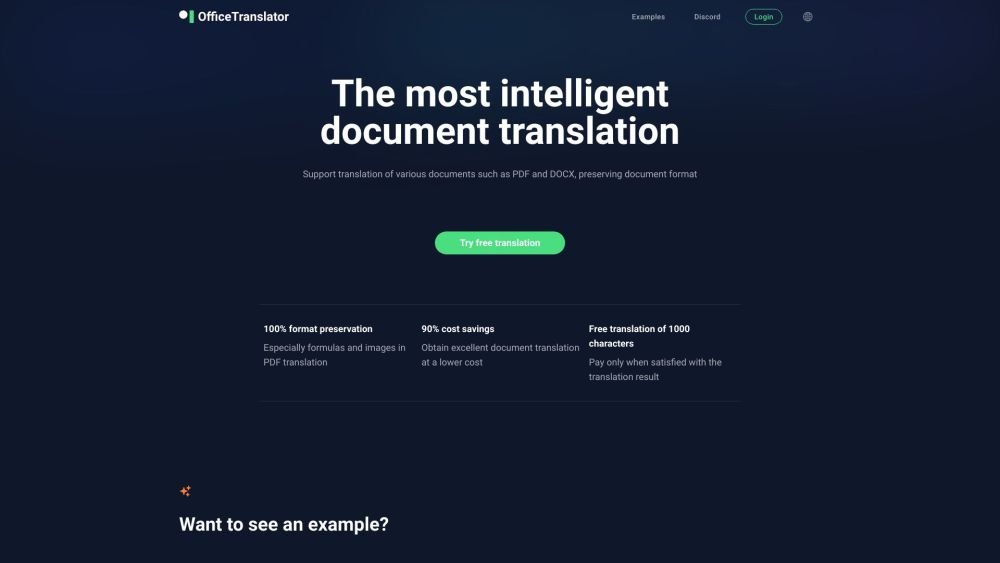
O.Translator is an online artificial intelligence translation service that utilizes advanced AI to translate documents while maintaining their original formatting. It supports various file formats, including PDF, DOCX, XLSX, PPTX, and EPUB. The platform offers high-accuracy AI translation, intuitive editing, free previews, affordable pricing, data privacy, and team collaboration tools.
Upload your document to the website, select your source and target languages, and choose a translation model. The platform will then translate your document while preserving its original formatting. You can preview the translation for free and complete your payment only when you are satisfied with the results.
The platform supports over 30 file types, including docx, xlsx, pptx, pdf, ai, indd, odt, ods, odp, epub, jpg, jpeg, png, srt, json, html, xml, go, yml, yaml, php, wav, ape, mp3, aac, flac, alac, ogg, wma, ac3, dts, amr, aiff, m4a, txt, md, po, xlf, xliff, csv, tsv, tex, and arxiv. The maximum supported file size is 500MB.
We currently support translation for over 80 languages, with the list continuing to grow. You can view and select your preferred languages after uploading your file.
Yes, our system can automatically recognize and translate scanned PDFs. You also have the option to enable 'Force OCR Recognition' during the translation process.
Yes. You can preview the translation using GPT-4o-mini, then select more advanced models for the full document. Supported models include: Gemini-2-Flash, Gemini-1.5-Pro, Gemini-2.5-Pro, Claude-3.5-Haiku, Claude-3.7-Sonnet, GPT-4.1-Mini, GPT-4.1, O4-Mini, DeepSeek-v3, DeepSeek-R1, Grok-3-Mini, Grok-3, and Llama-4-Maverick.
Every 8 points (approximately 1 USD) covers the translation of 20,000 words using GPT-4o-mini, with image translation calculated at 1,200 words per image. The minimum direct payment is 1.95 USD. Pricing for GPT-4 is higher, while Gemini and Claude models follow a similar pricing structure.
We utilize Google secure storage and automatically delete translation files after approximately 10 days. For users with higher security requirements, please contact us via email for consultation.
Free plan available.
Use these comparison pages to understand the trade-offs between the models most relevant to O.Translator.
Compare Gemini 2.5 Pro and Gemini 2.0 Flash across pricing, context window, capabilities, benchmarks, and API access to choose the better fit for long-context workloads versus long-context workloads.
Compare Gemini 1.0 Pro Deprecated and Gemini 2.0 Flash across pricing, context window, capabilities, benchmarks, and API access to choose the better fit for long-context workloads versus long-context workloads.
Compare Gemini 1.0 Pro Vision Deprecated and Gemini 2.0 Flash across pricing, context window, capabilities, benchmarks, and API access to choose the better fit for general-purpose AI workloads versus long-context workloads.
Compare Gemini 1.5 Pro Deprecated and Gemini 2.0 Flash across pricing, context window, capabilities, benchmarks, and API access to choose the better fit for general-purpose AI workloads versus long-context workloads.

Similar AI tool in the AI Assistant category.
Similar AI tool in the AI Assistant category.
Similar AI tool in the AI Productivity Tools category.
Similar AI tool in the AI Writing Assistants category.
Similar AI tool in the AI Assistant category.
Similar AI tool in the AI Chatbot category.
Similar AI tool in the AI Assistant category.
Similar AI tool in the AI Assistant category.
Similar AI tool in the AI Chatbot category.
Similar AI tool in the AI Assistant category.
Similar AI tool in the Large Language Models (LLMs) category.
Similar AI tool in the AI Summarizer category.