
Free
$0Free plan available.
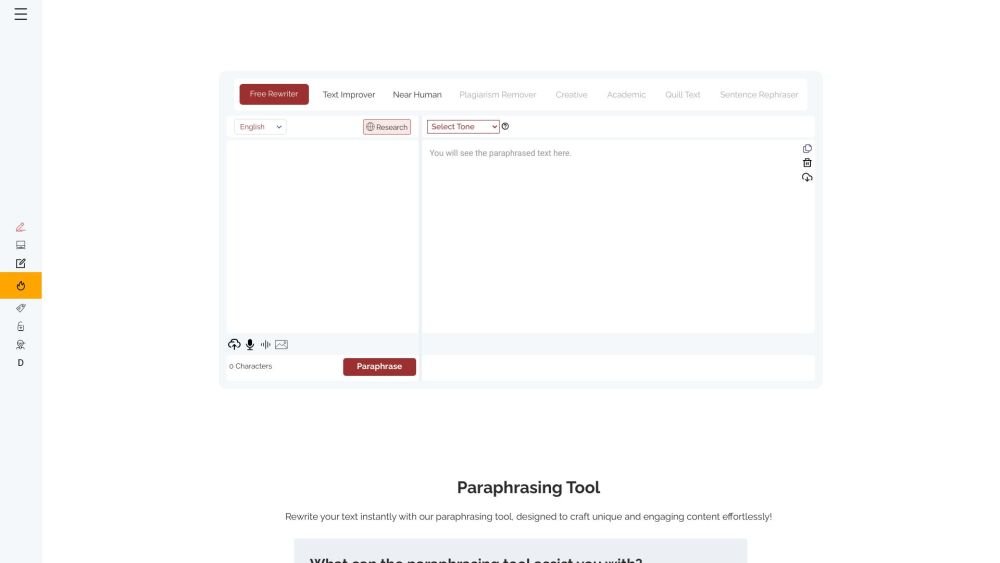
The Paraphrasing Tool is a free AI-powered application designed to rewrite text. Featuring 12 AI modes and customizable tones, it helps users reword content, avoid plagiarism, enhance clarity, save time, and improve writing skills. It is suitable for students, writers, bloggers, marketers, professionals, and researchers.
Enter your text into the input field, select your preferred mode and tone, and click the paraphrase button. You may also upload documents, use the speech-to-text feature, or extract text from images. Once processed, click on individual words in the output to select alternative synonyms.
The paraphrasing tool helps you reword text, avoid plagiarism, improve clarity, save time, and support your learning process.
The paraphraser provides ten predefined styles for rephrasing your input text.
Yes, the tool can rephrase recorded audio by extracting the speech and converting it into written text before applying the paraphrasing process.
Yes, the tool includes a feature that allows you to rephrase spoken words in real time using the speech-to-text option.
Yes, the platform allows you to upload images and screenshots containing text to be rephrased.
Yes, the tool features an AI-powered thesaurus. You can click on any word in the output box to select the most appropriate synonym for your context.
Yes, the paraphraser provides word definitions and usage examples. Simply double-click any word in the output box to view its detailed definition.
Yes, the paraphrasing tool includes a built-in research panel to assist writers in finding online references.
Free plan available.
Use these comparison pages to understand the trade-offs between the models most relevant to Paraphrasing Tool.
Compare Gemini 1.0 Pro Deprecated and Gemini 2.0 Flash across pricing, context window, capabilities, benchmarks, and API access to choose the better fit for long-context workloads versus long-context workloads.
Compare Gemini 1.0 Pro Deprecated and Gemini 2.5 Flash across pricing, context window, capabilities, benchmarks, and API access to choose the better fit for long-context workloads versus long-context workloads.
Compare Gemini 2.0 Flash Lite and Gemini 2.0 Flash across pricing, context window, capabilities, benchmarks, and API access to choose the better fit for long-context workloads versus long-context workloads.
Compare Gemini 2.5 Flash and Gemini 2.0 Flash across pricing, context window, capabilities, benchmarks, and API access to choose the better fit for long-context workloads versus long-context workloads.

Similar AI tool in the AI Assistant category.
Similar AI tool in the AI Writing Assistants category.
Similar AI tool in the AI Assistant category.
Similar AI tool in the AI Writing Assistants category.
Similar AI tool in the AI Writing Assistants category.
Similar AI tool in the AI Assistant category.
Similar AI tool in the AI Chatbot category.
Similar AI tool in the AI Chatbot category.
Similar AI tool in the AI Writing Assistants category.
Similar AI tool in the AI Assistant category.
Similar AI tool in the AI Summarizer category.
Similar AI tool in the AI Writing Assistants category.