
Free
$0Free plan available.
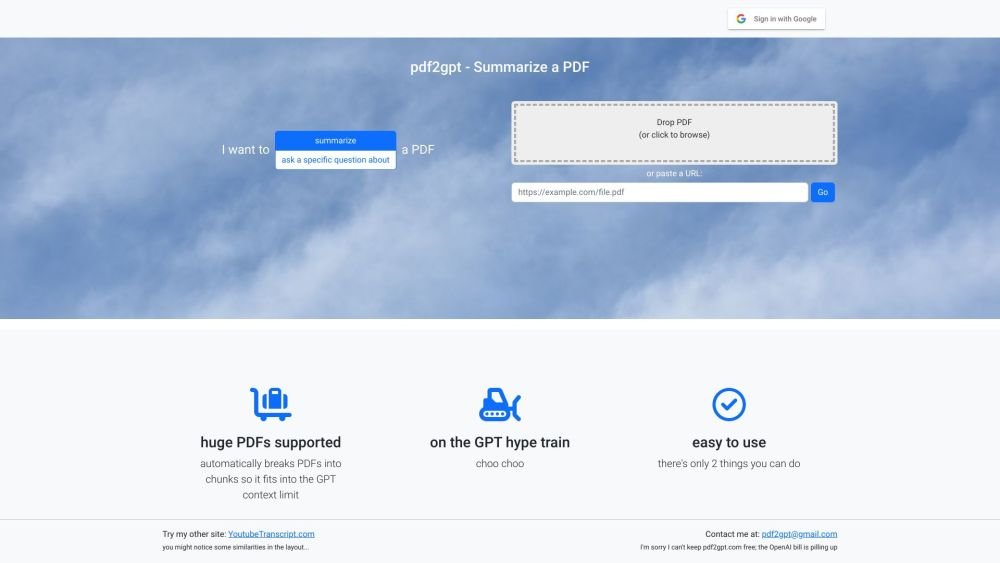
pdf → gpt is a tool that allows users to summarize large PDFs using GPT. It automatically breaks PDFs into chunks to fit within the GPT context limit, enabling users to get a summary or ask specific questions about the PDF content. The tool uploads the entire document to GPT, providing more detailed summaries, including an overall summary, a table of contents, and a summary of each section.
To use pdf → gpt, upload a PDF file or provide a URL. Once uploaded, you can ask specific questions about the document or request a summary. The tool will then process the file and return the requested information.
pdf → gpt summarizes large PDFs using GPT by automatically segmenting them into chunks that fit within the GPT context limit. This allows you to generate summaries or ask specific questions regarding the document's content.
Simply upload a PDF file or paste a URL. From there, you can ask a question or request a summary of the document.
Yes, pdf → gpt is designed to handle large PDFs by automatically breaking them into manageable chunks.
Free plan available.
Use these comparison pages to understand the trade-offs between the models most relevant to pdf → gpt.
Compare GPT 5.4 and GPT 5.4 Pro across pricing, context window, capabilities, benchmarks, and API access to choose the better fit for long-context workloads versus long-context workloads.
Compare GPT 5.5 and GPT 5.4 across pricing, context window, capabilities, benchmarks, and API access to choose the better fit for long-context workloads versus long-context workloads.
Compare GPT 5.5 and Claude 4.6 Opus across pricing, context window, capabilities, benchmarks, and API access to choose the better fit for long-context workloads versus long-context workloads.
Compare GPT 5.5 and Claude 4.6 Sonnet across pricing, context window, capabilities, benchmarks, and API access to choose the better fit for long-context workloads versus long-context workloads.

Similar AI tool in the AI Image Generator category.
Similar AI tool in the AI Assistant category.
Similar AI tool in the AI Assistant category.
Similar AI tool in the AI Marketing category.
Similar AI tool in the AI Productivity Tools category.
Similar AI tool in the AI Chatbot category.
Similar AI tool in the AI Writing Assistants category.
Similar AI tool in the AI Assistant category.
Similar AI tool in the AI Chatbot category.
Similar AI tool in the AI Chatbot category.
Similar AI tool in the AI Assistant category.
Similar AI tool in the AI Chatbot category.