
Free
$0Free plan available.
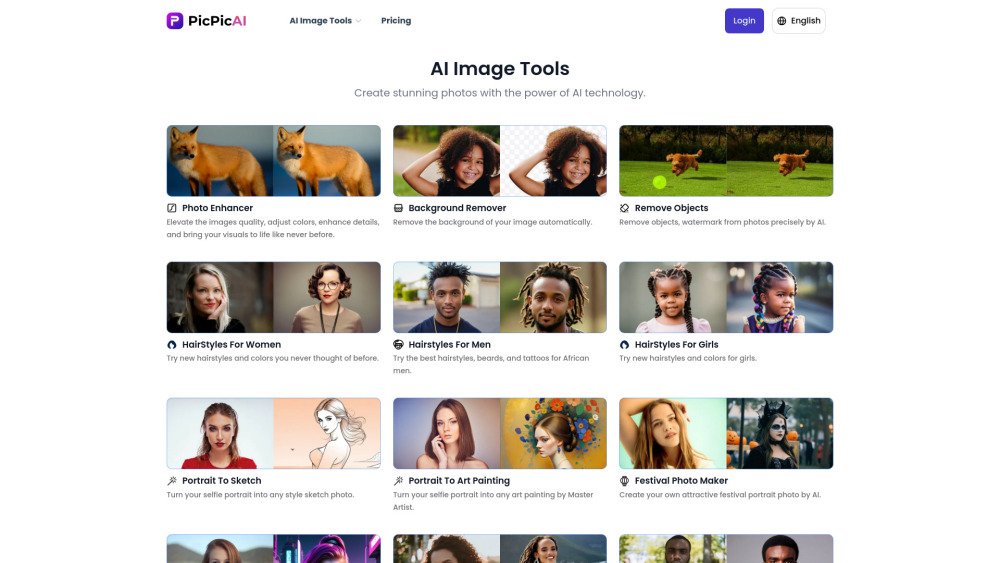
PicPicAI is a comprehensive AI photo editor featuring a suite of tools, including an AI photo enhancer, background remover, image extender, and FLUX AI image generator. It provides an accessible and cost-effective way to achieve professional-quality edits. The platform also includes specialized features such as AI hairstyle generation, portrait-to-sketch conversion, artistic painting effects, and an AI headshot generator.
Navigate to your preferred tool page, such as the AI Photo Enhancer or AI Background Remover, upload your image, and allow PicPicAI to process the edit automatically.
PicPicAI provides a variety of tools including an AI Photo Enhancer, Background Remover, Object Remover, Photo Restorer, Hairstyle Generator, Portrait Generator, Cartoon Generator, Flux.1 AI Generator, Passport Photo Maker, and a Creative Upscaler.
Simply navigate to the specific tool page, such as the AI Photo Enhancer or Background Remover, upload your image, and the AI will handle the editing process.
Social media managers, marketers, and content creators can use these tools to streamline their visual content creation for both professional and personal projects.
Visit the 'Pricing' section, select a credit package, and complete your purchase. Once the payment is processed, credits are added to your account and remain permanently valid.
The 'Change Background Color' tool uses AI to automatically detect and remove the original background, allowing you to replace it with a color of your choice for a clean, professional result.
Free plan available.