
Free
$0Free plan available.
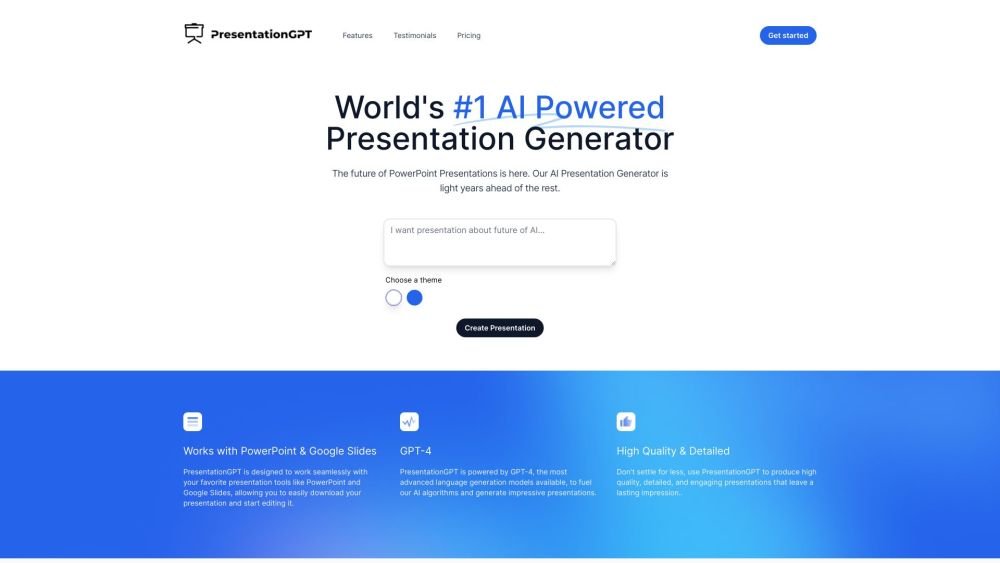
PresentationGPT functions as a ChatGPT-like tool for presentations, utilizing the GPT-4 language model. It assists users in generating high-quality, detailed, and engaging slide decks. These presentations can be shared, downloaded, and edited via PowerPoint and Google Slides, or exported in the universally compatible PDF format. It is an advanced AI generator capable of producing PowerPoint presentations in seconds.
Users create presentations by selecting a background, adding text, choosing themes, and setting text colors. The AI then generates a presentation that can be downloaded for further editing in PowerPoint or Google Slides.
PresentationGPT is an advanced AI-powered presentation generator capable of creating professional PowerPoint presentations in seconds.
While the website does not explicitly compare the tool to others, it emphasizes its use of an advanced language model and its ease of use.
The website does not explicitly state if images can be changed within the tool, but it notes that you can make any desired edits after downloading the file.
The website does not provide specific information regarding when the download link will be provided.
Yes, PresentationGPT provides a selection of themes.
The website does not explicitly list the supported payment methods.
Yes, you can easily share your generated presentations.
Yes, PresentationGPT provides an official API.
Presentations can be downloaded in PowerPoint, PDF, and Google Slides formats.
The website does not provide specific contact information for support.
Free plan available.
Use these comparison pages to understand the trade-offs between the models most relevant to PresentationGPT.
Compare GPT 5.4 and GPT 5.4 Pro across pricing, context window, capabilities, benchmarks, and API access to choose the better fit for long-context workloads versus long-context workloads.
Compare GPT 5.5 and GPT 5.4 across pricing, context window, capabilities, benchmarks, and API access to choose the better fit for long-context workloads versus long-context workloads.
Compare GPT 5.5 and Claude 4.6 Opus across pricing, context window, capabilities, benchmarks, and API access to choose the better fit for long-context workloads versus long-context workloads.
Compare GPT 5.5 and Claude 4.6 Sonnet across pricing, context window, capabilities, benchmarks, and API access to choose the better fit for long-context workloads versus long-context workloads.

Similar AI tool in the AI Assistant category.
Similar AI tool in the AI Chatbot category.
Similar AI tool in the AI Assistant category.
Similar AI tool in the AI Productivity Tools category.
Similar AI tool in the AI Marketing category.
Similar AI tool in the AI Marketing category.
Similar AI tool in the AI Writing Assistants category.
Similar AI tool in the AI Writing Assistants category.
Similar AI tool in the AI Writing Assistants category.
Similar AI tool in the AI Chatbot category.
Similar AI tool in the AI Chatbot category.
Similar AI tool in the AI Assistant category.