
Free
$0Free plan available.
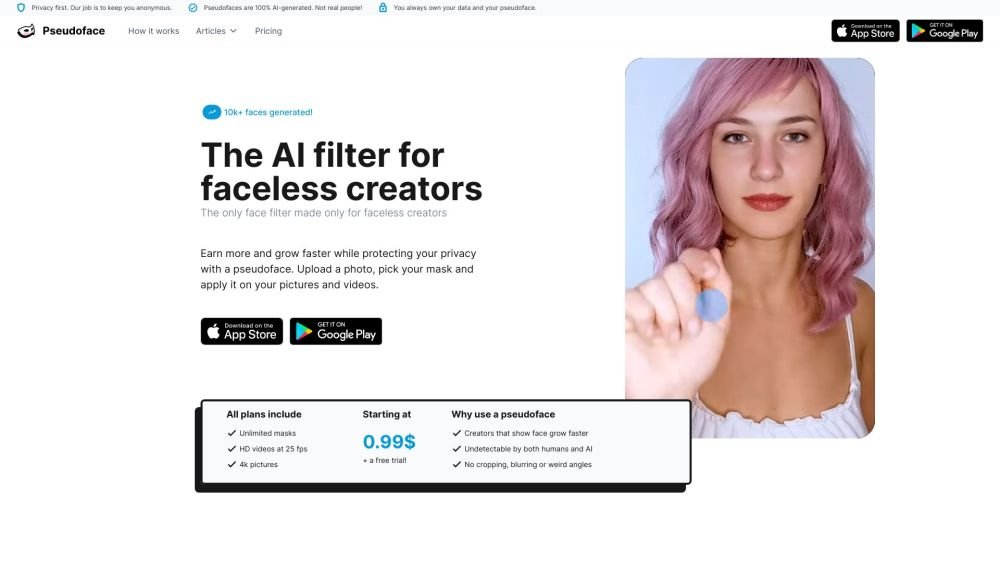
Anonymity is a primary concern for many faceless creators, yet showing a face can significantly boost promotion and income. Pseudoface offers the best of both worlds by making your face unrecognizable through a realistic AI filter. Use an AI mask to achieve full anonymity while maintaining a captivating on-camera presence. Privacy is our priority, and all masks are AI-generated, not based on real people.
Use Pseudoface on your iPhone or iPad to customize your mask and apply it to your videos and photos for effective anonymization.
Yes. We have designed our AI models to be race-agnostic. Ensure you select the appropriate features when creating your mask in the editor. You may also choose to slightly adjust the ethnicity of your mask to further protect your identity.
Yes. AI masks function similarly to traditional masks, face filters, or makeup. Because these masks are 100% AI-generated and do not represent real individuals, you are not infringing on anyone's identity. Your content remains your own.
No, this violates platform Terms of Service. You must verify your real identity for legal compliance. Once your identity is verified, you are free to use AI masks in your content. Please use our tool ethically; we take this policy very seriously.
Yes, one photo is required per mask. This allows us to locate your face in your media and accurately match the mask to your specific face shape and features.
No. Our business model is built on protecting your identity. Sharing or selling your data would contradict our core mission. We do not and will never sell your information.
Subscribers can create and edit an unlimited number of masks to find the perfect fit. While the editor provides a low-resolution preview, we recommend testing your masks on short video clips to see how they appear in motion.
While possible, it is technically difficult, especially for video. Most other services do not support NSFW content and do not automate the AI mask generation process, requiring advanced programming skills and powerful hardware.
We prioritize photorealism, which requires significant processing time. You can expect approximately 20–30 minutes of processing for every minute of video. This occurs in the background, allowing you to schedule tasks and attend to other matters.
Pseudoface requires a clear view of your face to apply the mask correctly. If your face is poorly lit or obscured, you may see artifacts. To ensure the best results, record in well-lit conditions and avoid covering your face or turning away from the camera.
There is no free version, but we offer a free trial and tutorial that allows you to see how the AI mask looks on you. We hope to offer a free version in the future, but currently, the high-end computing power required to run these models is costly.
Your content is stored on secure servers in Europe. All data is encrypted both in transit and at rest and is not linked to any identifiable information. We use this data solely to improve your product experience, as we take privacy extremely seriously.
You do. We grant you full commercial license and ownership over all your videos and photos, regardless of whether they are masked.
Pseudoface is the most realistic AI mask available. We are the only service specifically dedicated to providing this technology for content creators.
Free plan available.
Use these comparison pages to understand the trade-offs between the models most relevant to Pseudoface.
Compare Gemini 1.0 Pro Deprecated and Gemini 2.0 Flash across pricing, context window, capabilities, benchmarks, and API access to choose the better fit for long-context workloads versus long-context workloads.
Compare Gemini 1.0 Pro Deprecated and Gemini 2.5 Flash across pricing, context window, capabilities, benchmarks, and API access to choose the better fit for long-context workloads versus long-context workloads.
Compare Gemini 2.0 Flash Lite and Gemini 2.0 Flash across pricing, context window, capabilities, benchmarks, and API access to choose the better fit for long-context workloads versus long-context workloads.
Compare Gemini 2.5 Flash and Gemini 2.0 Flash across pricing, context window, capabilities, benchmarks, and API access to choose the better fit for long-context workloads versus long-context workloads.

Similar AI tool in the AI Image Generator category.
Similar AI tool in the AI Image Generator category.
Similar AI tool in the AI Image Generator category.
Similar AI tool in the AI Image Generator category.
Similar AI tool in the AI API category.
Similar AI tool in the AI Image Generator category.
Similar AI tool in the AI Video Generator category.
Similar AI tool in the AI Image Generator category.
Similar AI tool in the AI Image Generator category.
Similar AI tool in the AI Photo Editor category.
Similar AI tool in the AI Writing Assistants category.
Similar AI tool in the AI Image Generator category.